Hands-On with the Aoshutt W2 Smart exoskeleton: Put the “Assistance” On Your Body — but First Learn to Get Along with It
When people first see this video, many instinctively confuse it with “two exoskeletons” or a “traditional fitness exoskeleton.” Yet, from the unboxing, wearing, operation, and the test scenarios—slow and brisk walking on level ground, as well as going up and down stairs—this is actually a consumer-grade lower-limb assistive exoskeleton focused on providing hip assist and gait matching during level-ground walking, daily commuting, and light stair climbing.
In other words, it isn’t a power booster meant to let you “run faster.” It’s more like a wearable companion that helps you “save some effort” while walking, and stabilizes your center of gravity when you climb or descend stairs. Below I’ll break down this video in full, and also discuss its strengths, weaknesses, and target users.
Unboxing and Safety Logic: First, Acknowledge It's a "Wearable Robot"
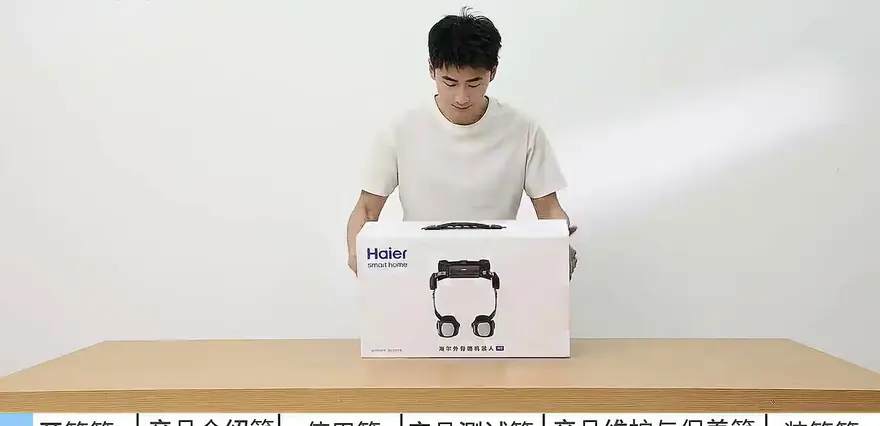
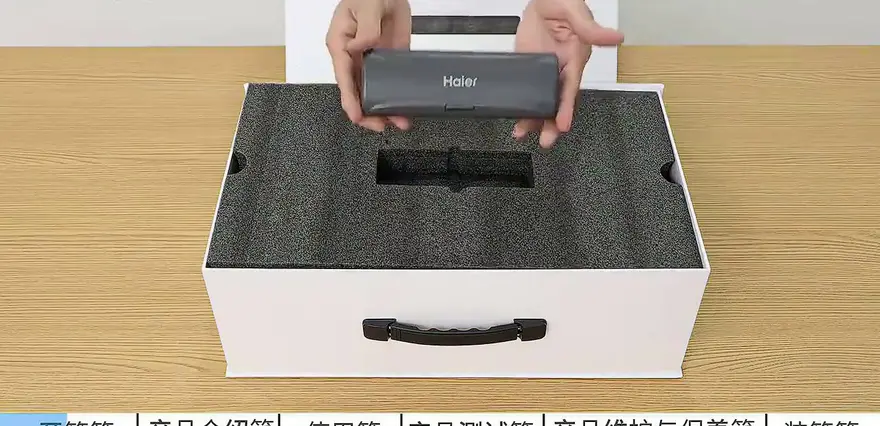
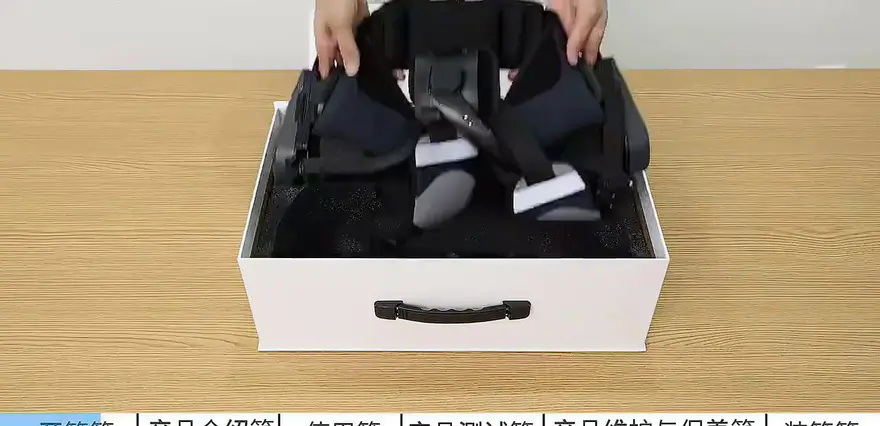
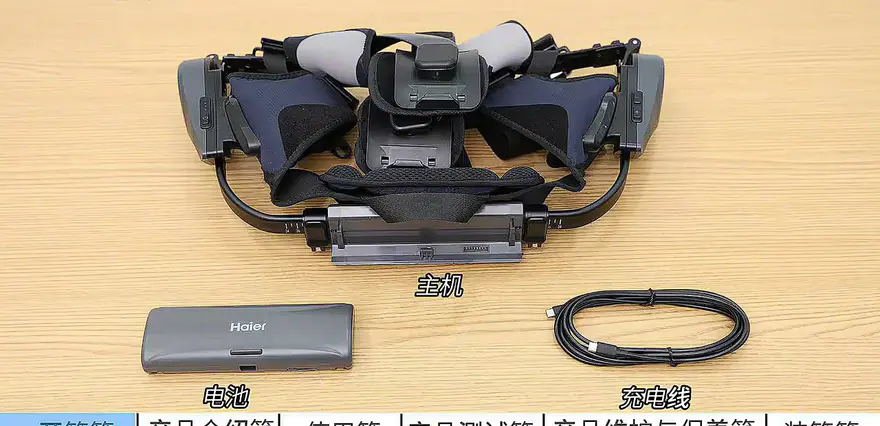
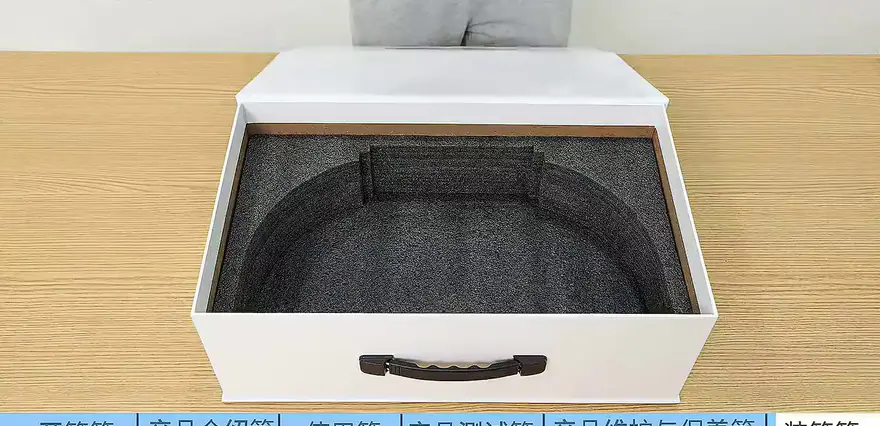
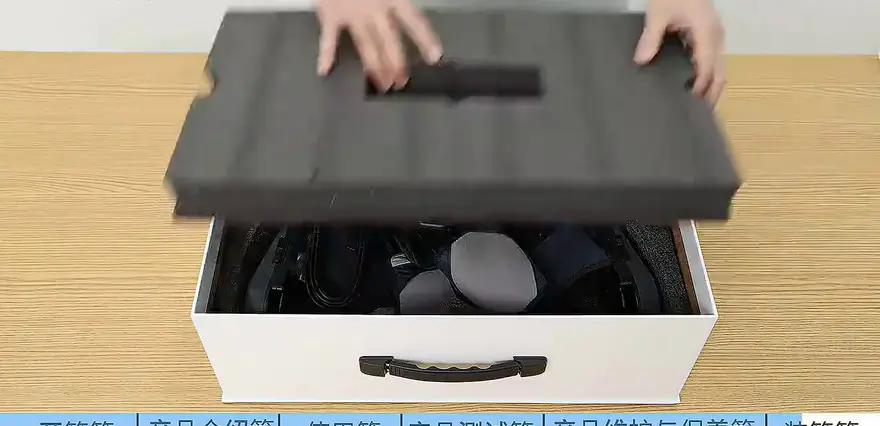
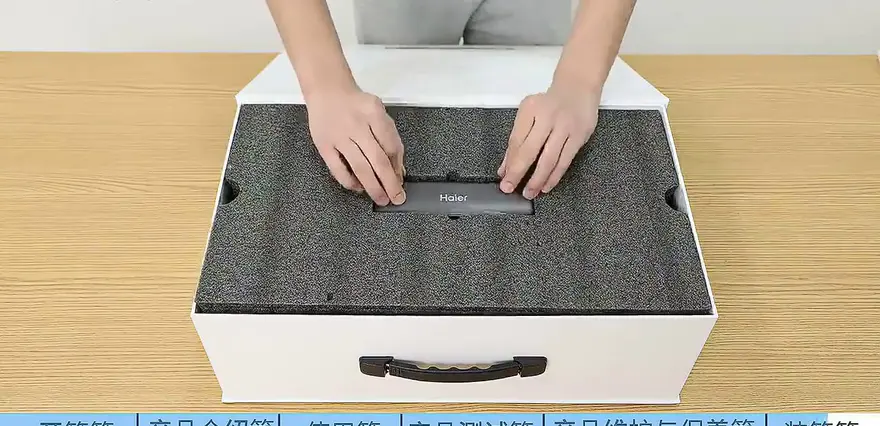
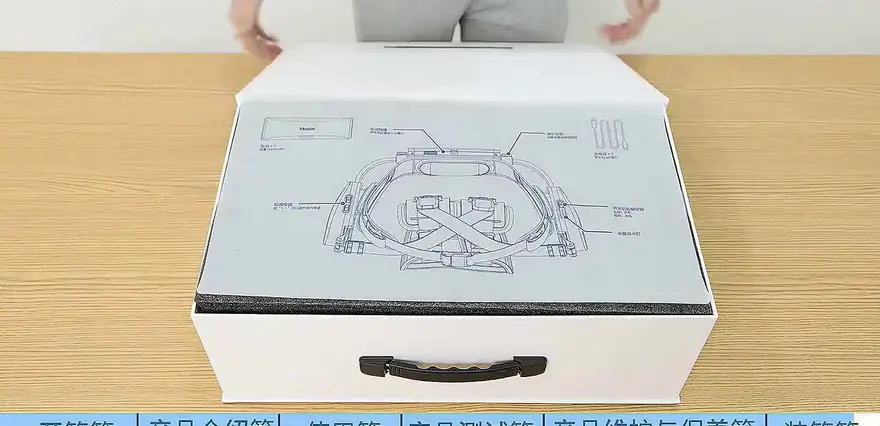
The video begins with an "unboxing review." The package includes:
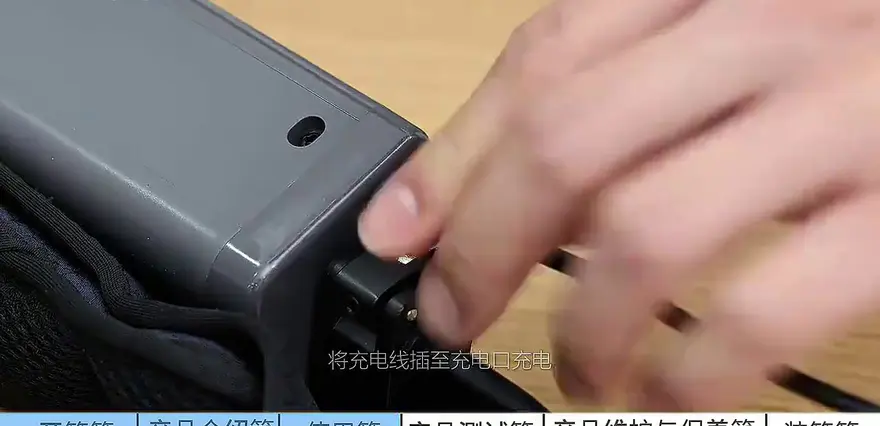
The battery, charging cable, main unit (lumbar control unit), waist belt, and leg straps. The video does not explicitly state the total weight of the device, but based on the form factor of the "main unit + battery," its core load is concentrated on the waist and the outside of the thighs. This is essentially a fairly typical structure among consumer-grade exoskeletons.

Regarding safety, the video repeatedly emphasizes one principle:
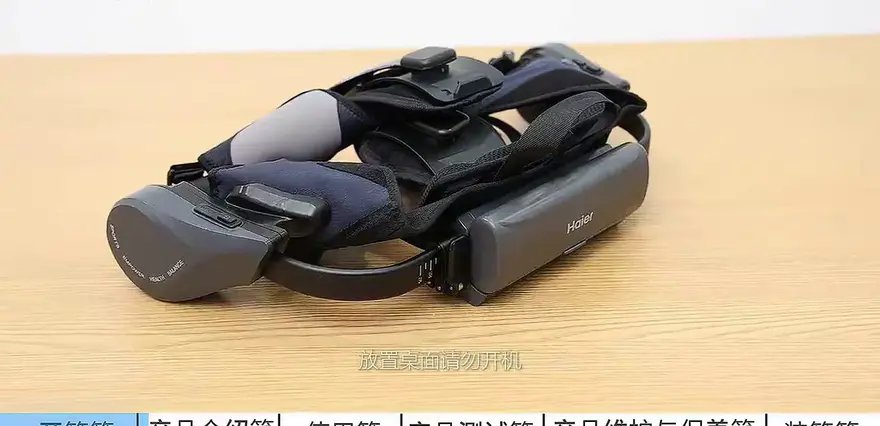
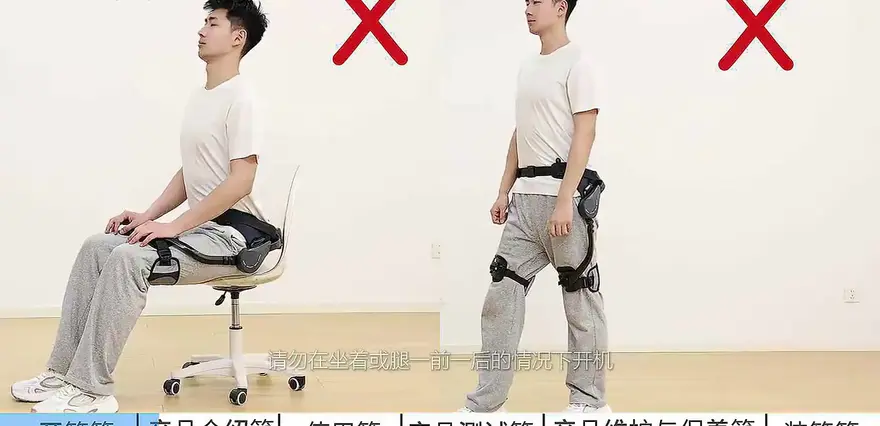
Please do not power on before the device is fully worn; do not power on if placed on a desk; do not power on if the leg straps are not secured; do not power on if the waist buckle is not fastened; do not power on in a non-standing posture or if the legs are not in a normal position.
This indicates that the safety logic of the W2 is: the control system will only allow the device to start when the user has correctly fastened the equipment to their body and is in a normal standing posture. This is similar to the logic found in many rehabilitation exoskeletons—the machine must first "trust" that you are standing properly before it is willing to provide assistance.
Wearing and Fitting: Proper Positioning Is More Crucial Than Adjusting Gear Settings
The wearing instructions in the video are exceptionally detailed. I have compiled the key takeaways below:
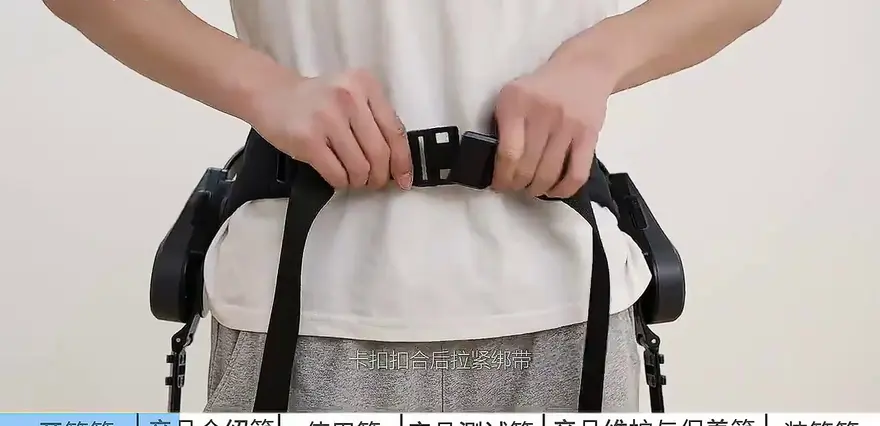
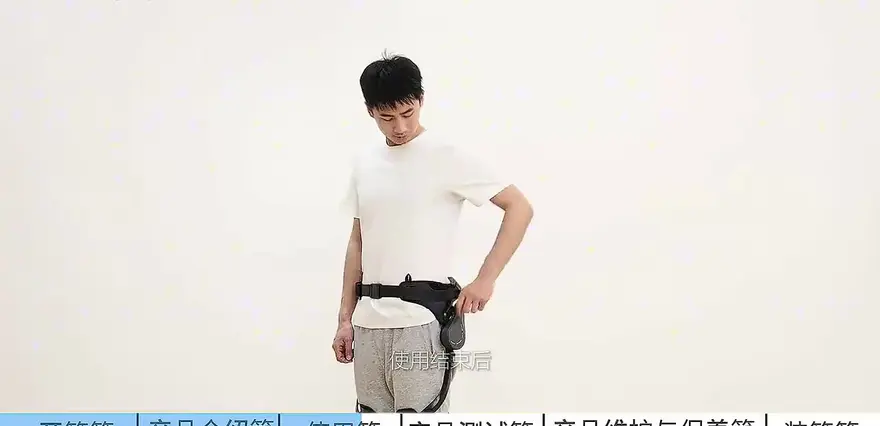
- Position the main waist strap between your navel and waist, ensuring the buckles are securely fastened and the straps are appropriately tightened.
"Once the buckles are clipped, pull the straps tight. Adjust by inserting your fingers into the gap between the strap and your abdomen."
The objective here isn't to choke yourself, but to ensure there is no noticeable gap between the strap and your body—eliminating instability without restricting breathing or basic rotational movements.
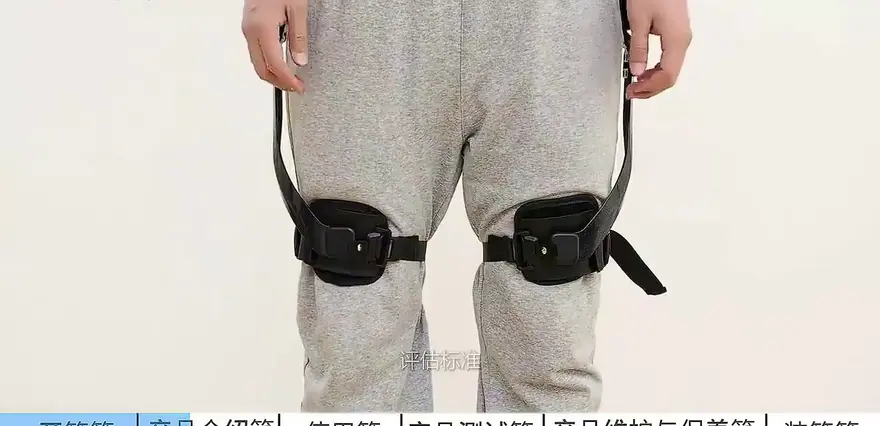
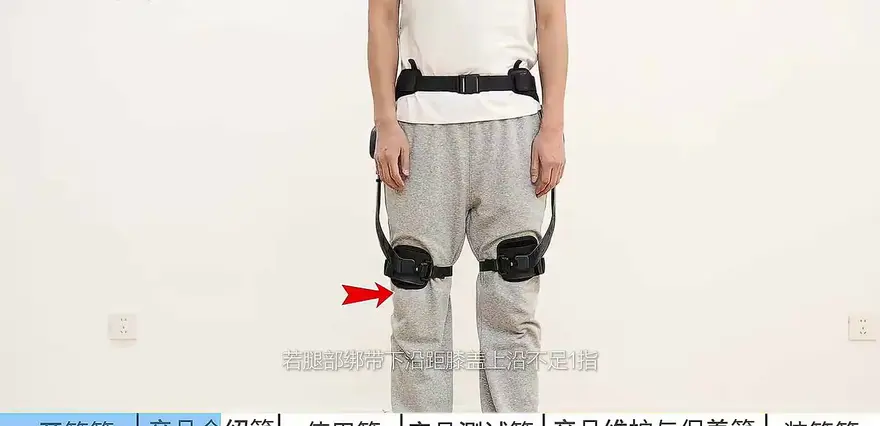
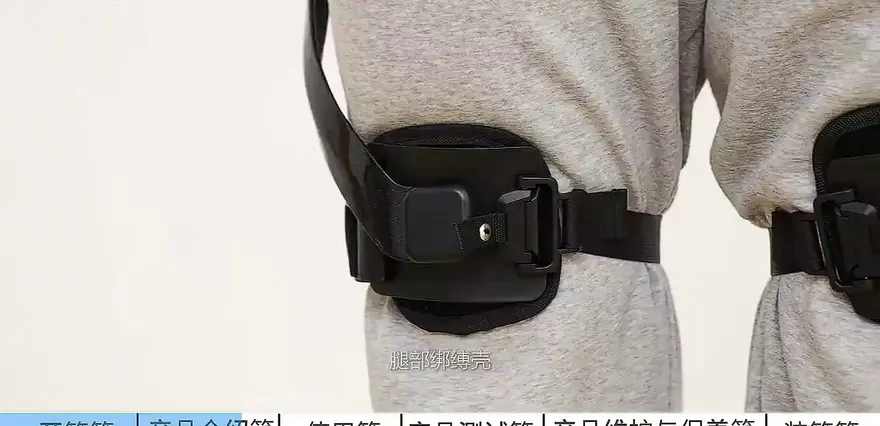
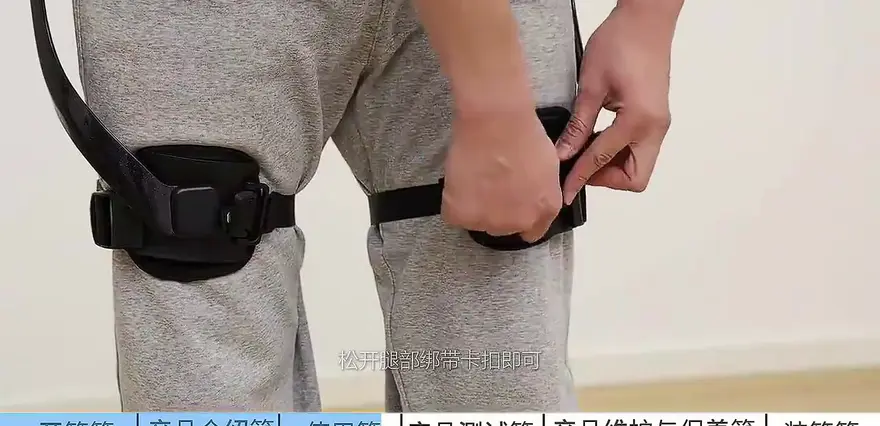
- Place the leg pads symmetrically, aligning the top edge approximately three fingers' width above the knee.
"The top edge extends about 3 fingers' width above the knee."
If the bottom edge of the leg strap sits too close to the top of your knee, shift the entire waist strap assembly slightly upward to prevent the leg pads from slipping down and to avoid friction while walking.
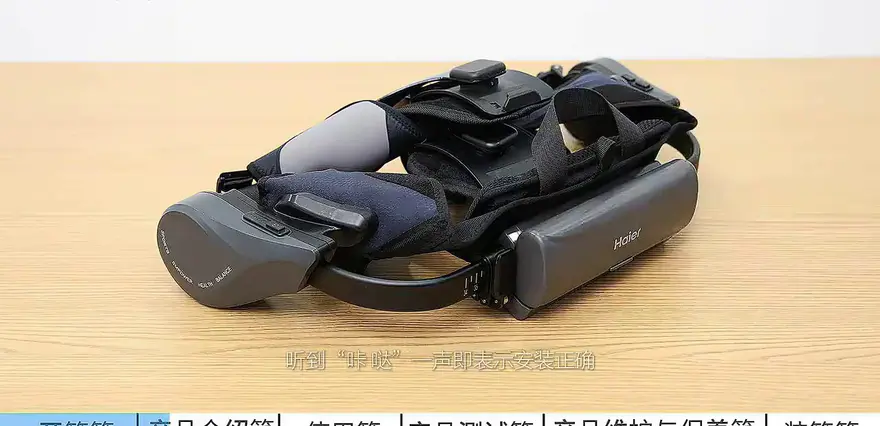
- Back adjustment lever and magnetic-buckle leg straps. This segment is somewhat unclear in the transcript, but based on standard designs for similar products, the back adjustment mechanism should collectively tune the relative positioning of the leg pads and thighs, while the magnetic buckles prevent the straps from accidentally unclasping during movement.
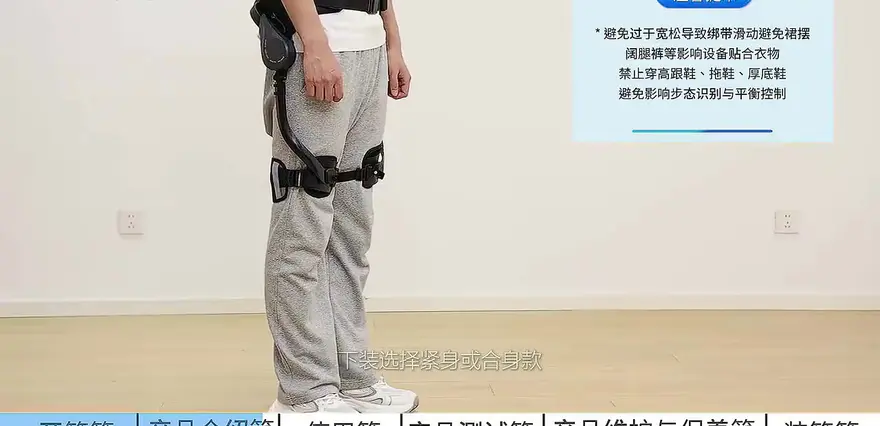
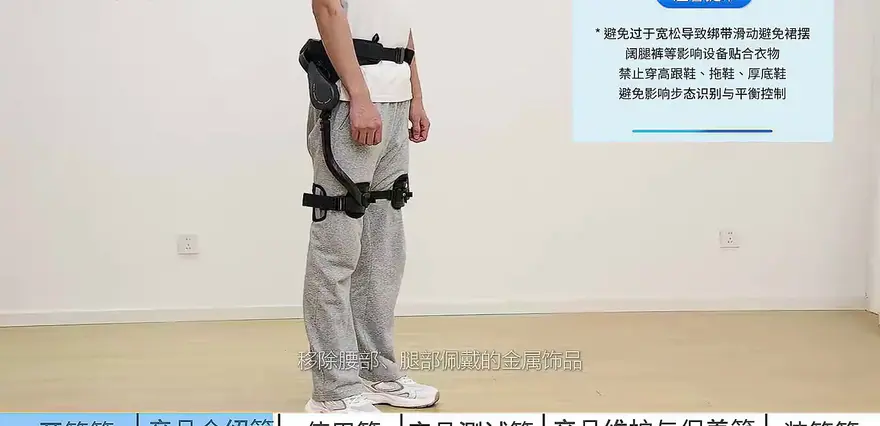
- Apparel Guidelines: The video specifically advises wearing fitted, breathable activewear when trying the device for the first time. The top must be long enough to cover the device's contact areas; choose tight-fitting or snug bottoms; wear low-profile, flat-soled shoes (sneakers are ideal); and remove rigid items like belts and metal accessories to prevent friction that could cause discomfort or damage the hardware.
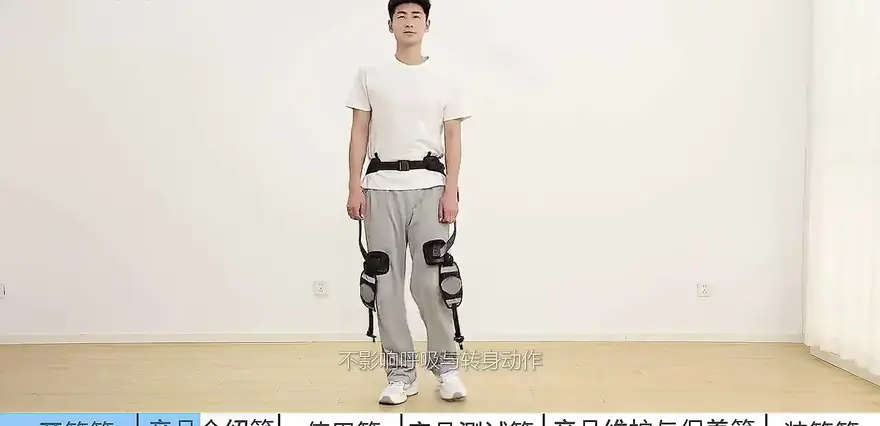
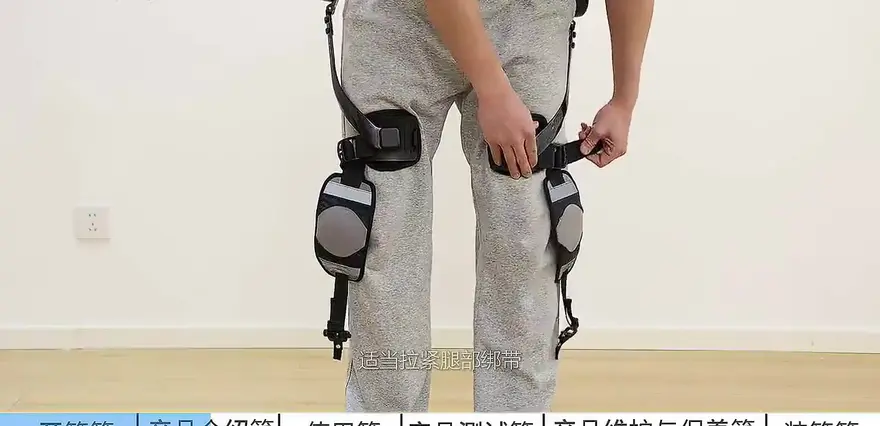
This aspect is easily overlooked, but when wearing an exoskeleton, the thickness and surface texture of your clothing directly impact the straps' holding power. Baggy pants and wide belts will severely compromise the assistive effect.
Interaction and Assist Levels: Simple and Restrained, but the 'Adaptive Mode' is Key
Once worn, the operation logic is straightforward and minimalist:
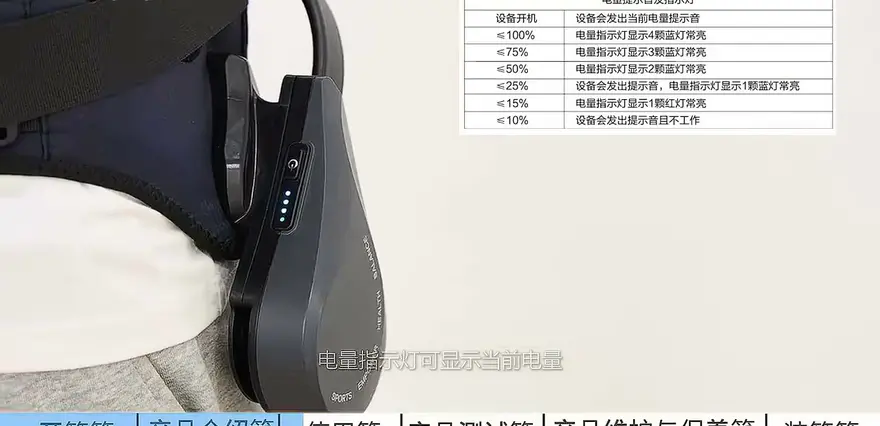
- While standing still, press and hold the power button on the left side for 3 seconds to power on.
- The battery indicator light displays the current charge level.
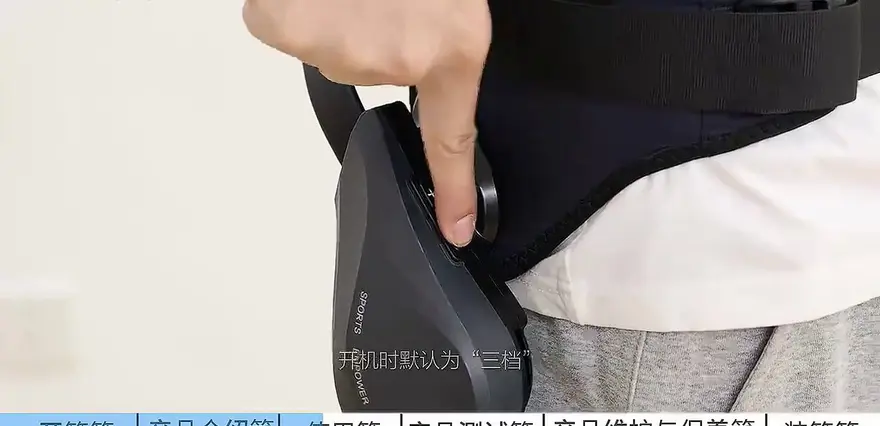
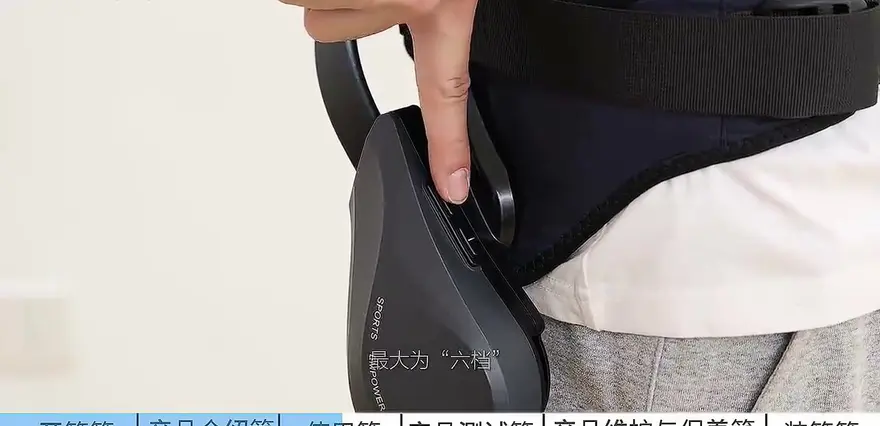
- Use the buttons on the right side to adjust the assist level.
Regarding the assist levels, the video mentions:
It defaults to level 3 upon startup. Level 2 is lower, and level 1 is the lowest. Level 5 is higher, with level 6 being the maximum.
This indicates that the W2 offers at least six assist levels, covering a range from "subtle assist" to "strong assist." Based on hands-on experience, the higher the level, the greater the joint torque provided by the hip joint. However, it also intervenes more noticeably with your natural gait, requiring a period of adjustment.
Additionally, the video highlights a key feature:
This product features an adaptive shear mode that intelligently analyzes and matches the user's behavior.
In my view, this "adaptability" is the true highlight of the W2. It means the device dynamically adjusts the timing and intensity of the assistance based on your unique gait characteristics, rather than rigidly "pushing you" according to a fixed rhythm. This is particularly crucial when walking slowly, walking briskly, or navigating stairs, as the range of motion and load state of the hip joint vary completely across different scenarios.

The Assistive Experience: First Learn to Walk with It, Then Talk About Effort Reduction
The testing methodology in the video is quite interesting. Instead of immediately challenging how far you can run or how high you can climb, it focuses on clearly explaining the fundamentals: "How to walk."
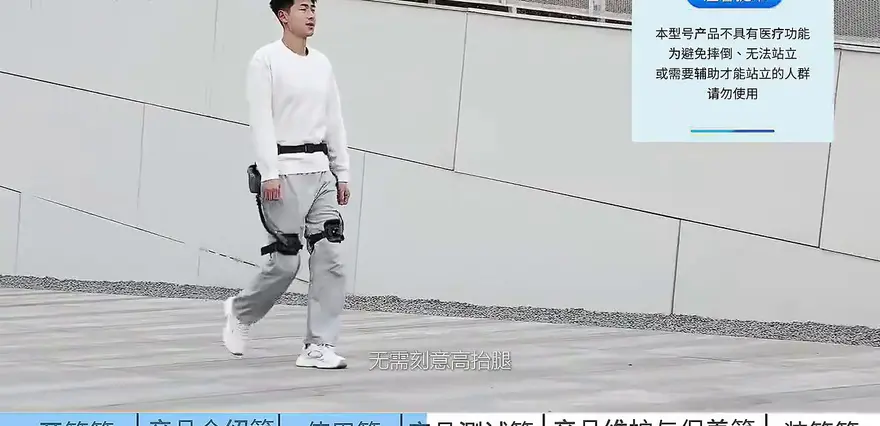
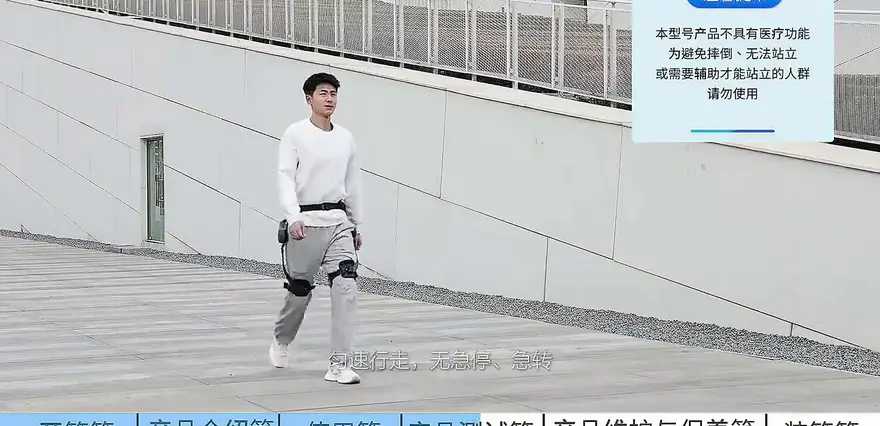
The wearer must maintain a natural walking gait during the experience, without deliberately lifting their legs too high. It is recommended to walk a distance of over 100 meters before wearing the device, and the experience distance after wearing should also exceed 100 meters. The duration of the first experience should be kept within 30 minutes.
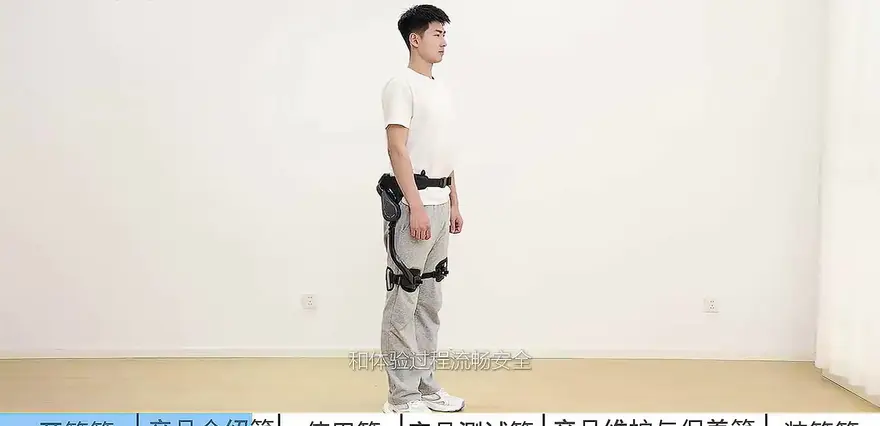
This highlights a common pitfall for consumer-grade exoskeletons: if the device isn't sufficiently calibrated, or if the user deliberately alters their gait to "cooperate" with the machine, it can actually increase fatigue and even cause instability in the center of gravity. The W2’s approach of having you "acclimate to the device using your most natural walking posture" first is a very sound strategy.
The specific test items are divided into:
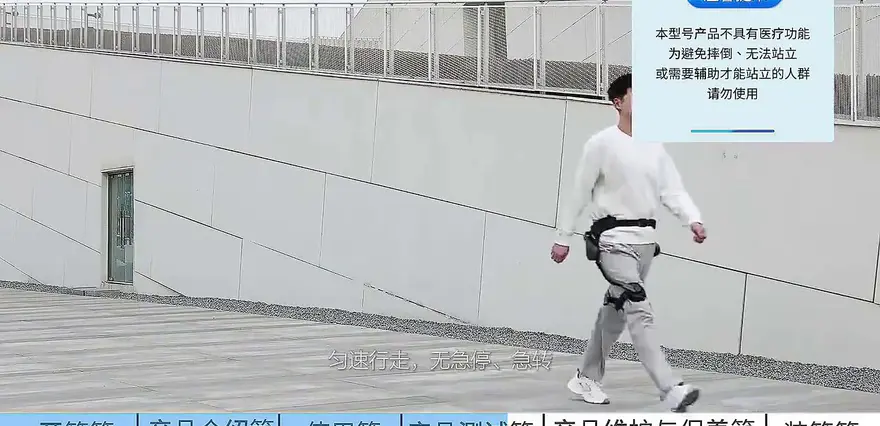
- Flat-ground Slow Walk: Maintain a daily walking pace, walk at a constant speed, and be able to stop and start freely without needing to make sharp turns.
- Flat-ground Fast Walk: Walk at a speed higher than the daily pace, also maintaining a constant speed.
- Up and Down Stairs: The wearer must maintain a stable center of gravity and even steps.
Notably, in the "Up and Down Stairs" section, the video mentions:
No need to deliberately bend over to rot.
Here, the phrase "bend over to rot" is clearly an ASR (Automatic Speech Recognition) error. Based on the context and terminology used in similar products, it was likely intended to say "bend over to exert force " or "forcefully bending over to leverage force." The intended meaning is that when going up and down stairs, you shouldn't use an overly bent-over posture to leverage extra force. Instead, try to keep your upper body relatively straight and let the device provide the lower-limb assist.

From "Functional" to "User-Friendly": What It Solves and What's Missing
The core value of this video lies in its clear presentation of the complete user journey for a consumer-grade exoskeleton—from unboxing, wearing, and operation to testing and storage. For the average user, the most critical factors aren't technical specifications, but rather:
- Is it easy to put on and take off? As seen in the video, the lumbar buckles, leg straps, and back adjustments are quite simple, allowing for unassisted operation.
- Is the assist feel natural? The video emphasizes a "natural gait," indicating its assist logic doesn't crudely lift your legs but instead provides hip assist during your walking motion.
- Does it interfere with normal activities? The video mentions it "doesn't affect breathing or turning," and highlights its coordination with clothing, suggesting designers have worked to minimize the device's intrusiveness.
However, the video also leaves several key questions unanswered:
- Battery life and actual endurance (in hours). The video only mentions a "battery" and a "charging cable" without providing specific figures. For a device meant to be worn daily, battery life directly dictates its viability for everyday use.
- Max payload / load capacity. The video doesn't mention the device's limits regarding user weight or load capacity. This is crucial for users with specific use cases—for example, whether it can provide stable assistance when carrying a heavy backpack or pushing a cart.
- Long-term wearing comfort. The 30-minute session is merely a "first experience." If worn for half a day or a full day, whether there will be significant pressure on the inner thighs or sides of the lumbar region remains unanswered by the video.
The answers to these questions often require the product's official release or more extensive, long-term testing. At the very least, however, this video clearly defines the product's basic positioning:
It's not a "strength-enhancing exoskeleton" designed to make you run faster or jump higher. Instead, it's a wearable robot designed for walking on flat terrain and climbing a few stairs, helping to reduce hip joint exertion and stabilize your center of gravity.
Competitive Perspective: Positioning It within the Consumer-Grade Exoskeleton Landscape
Consumer-grade exoskeletons have been generating considerable buzz over the past two years, and more players have entered the race:
- Aoshark: The product shown in the video is the Aoshark Warning Smart Exoskeleton W2. It focuses on lower-limb assist and hiking/trekking scenarios, adopting a form factor dominated by a waist belt plus leg straps.
- Kenqing: Also specializing in wearable assistive exoskeletons, this brand leans toward full-lower-limb – and sometimes even upper-limb – integrated solutions. Some products drill further down into vertical use cases, such as hiking.
- Hypershell: Follows a lighter, more “black-tech” route; certain models underscore carbon-fiber structures and aggressive weight reduction.
- rehabilitation exoskeleton: This category shouldn’t be directly compared. Built for medical rehab training, it is not meant for everyday walking assist.
Yet the video rarely puts the Aoshark Warning Smart Exoskeleton W2 side-by-side with Hypershell or rehab exoskeletons. What we can confirm is its pragmatic “hip assist” positioning:
Aoshark Warning touts “beyond fitness, assistance comes first.” The hardware feels bulky, but it excels in hiking/trekking scenarios. Kenqing tries to capture the market with a more compact design and snappier assist feel, while Hypershell plays up the “black-tech” angle—its carbon-fiber frame plus magnetic buckles look undeniably cool.

That brings up a grander question: Should consumer-grade exoskeletons prioritize “effort reduction” or “naturalness”?
If “effort reduction” wins, you crank up the assist level, max out joint torque, and feel as if someone’s pushing you from behind. The trade-off is obvious: it disrupts your natural gait and can morph into full reliance on the machine, making some muscle groups lazy over time.
If “naturalness” takes precedence—as the W2 appears to pursue—the device shaves off a slice of hip-joint force without fundamentally altering how you walk. The immediate payoff: you feel “less tired” instead of having your legs “taken over” by robotics.

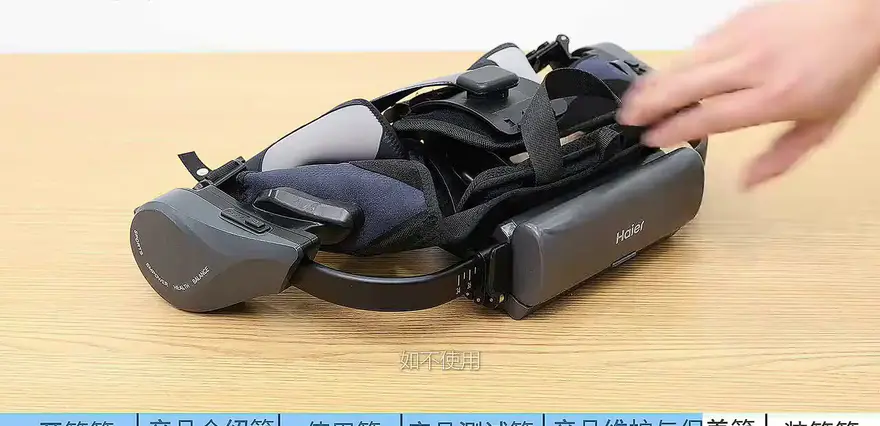
Aoshark chose the latter path for its Warning Smart Exoskeleton W2. That makes it feel more like a “personal, lightweight fitness coach” than a “heavy-duty assistive device,” striking a delicate balance between usability and effort saving.
Target Users: Who It’s For (and Who It’s Not)
If you fall into any of the following groups, the AOSHARK Warning smart exoskeleton W2 featured in this video may be worth a try:
- People who walk or stand for long periods daily: For example, shopping mall sales associates, expo staff, or subway/bus drivers—these jobs place significant strain on the knees and lower back. A lightweight assistive exoskeleton can provide meaningful relief and support.
- People who enjoy light hiking or gentle uphill walks: If you like weekend strolls in parks or short nearby trails, W2’s testing for brisk walking on flat ground and for going up and down stairs already covers the basic needs of these scenarios.
- People curious about new technology and willing to learn and adapt: Walking while wearing an exoskeleton requires a bit of learning. You’ll need to adjust your pacing so it aligns with your gait. This adjustment is especially important during the first 30 minutes, and if you’re willing to practice, the payoff can be noticeable.
But if you have any of the following needs, you should consider carefully:
- Vigorous exercise, running, or jumping: The W2 video does not test these scenarios, and its structure is unlikely to remain stable under such high-intensity use.
- Extremely heavy loads (e.g., backpacking with a heavy pack): Without a stated max payload / load capacity, it’s hard to guarantee that the walking assist will remain effective under heavy load.
- People sensitive to device weight: Although the video does not state the overall weight, the combination of the waist belt + leg straps + battery is unlikely to be under 1 kg. If you want a device that feels “completely unnoticeable,” W2 is not ultra-lightweight.
Maintenance & Storage: Battery Is the Key Focus
At the end of the video, product maintenance was mentioned:
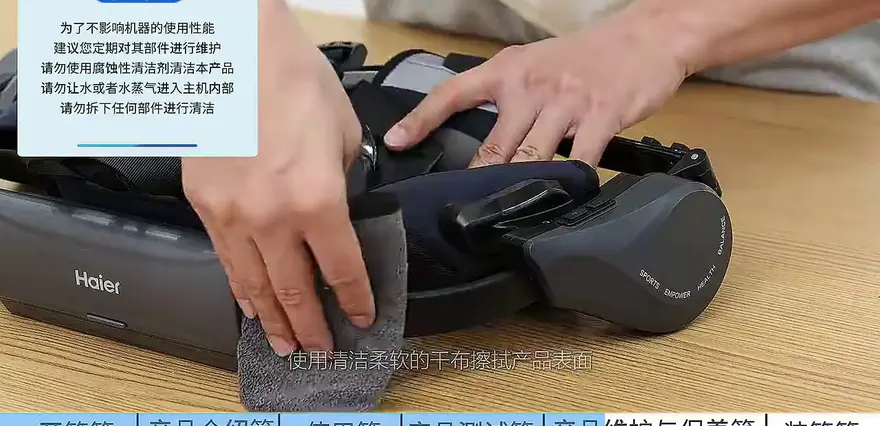
Use a clean, soft, dry cloth to wipe the product surface; if not in use, please power off the device and remove the battery for storage to prevent battery damage.
This may seem like a minor detail, but it reveals an important piece of information: the battery is removable. This means you can charge it separately, store it, or even equip an extra battery to extend battery life. While the exact battery capacity was not specified in the video, this at least opens up possibilities for future usage expansion.
Top Community Comments
"Same as in the video, click to claim big coupons!
This comment is quite typical—it's not discussing the product itself, but rather using the video to drive traffic, showing that the "video must-have" trend is equally hot in the consumer-grade exoskeleton space. For brands, this means exoskeleton products have the opportunity to quickly reach users through short videos and content e-commerce; but for users, it's also a wake-up call: Are you buying a "tool" or "results"? Whether an exoskeleton is worth purchasing ultimately depends on whether it can actually be "put to use" in your daily scenarios.
One-Sentence Summary
The Aoshao Warning intelligent exoskeleton W2 is not designed to make you run faster, but rather to make your walking a bit more "effortless." It is tailored for users who engage in daily walking, climbing a few light stairs, and are willing to spend a period of time finding their own fit; if you are looking for a device that requires zero learning curve and allows you to instantly take off the moment you strap it on, this is simply not the product you should be chasing.