Awakening the “Leg Armor” Era: A Deep Dive into the Hypershell Go Lower-Limb Exoskeleton—Can a consumer-grade assistive device become the everyday mobility solution?
As a tech writer who has long tracked the wearable-robotics field, I once stubbornly believed that if an exoskeleton wasn’t a heavy steel “monster” hauling loads on factory floors or guiding patients through rehab clinics, it hardly qualified as a real exoskeleton. Yet with the Go model, Hypershell has unleashed a lower-limb assistive exoskeleton that—through an ultra-light, consumer-focused, even trendy design—is actively redefining that line.
Today, based on the latest hands-on review video, we’re breaking down every detail from unboxing to wearing to real-world testing, to find out whether this technology actually delivers in everyday contexts—brisk walks on flat ground, climbs up and down staircases—or whether it’s still just “geek’s plaything” instead of the next must-have mobility gadget.
I. Unboxing First Look: A Consumer-Grade Disruptor Shedding the "Industrial Mecha" Concept
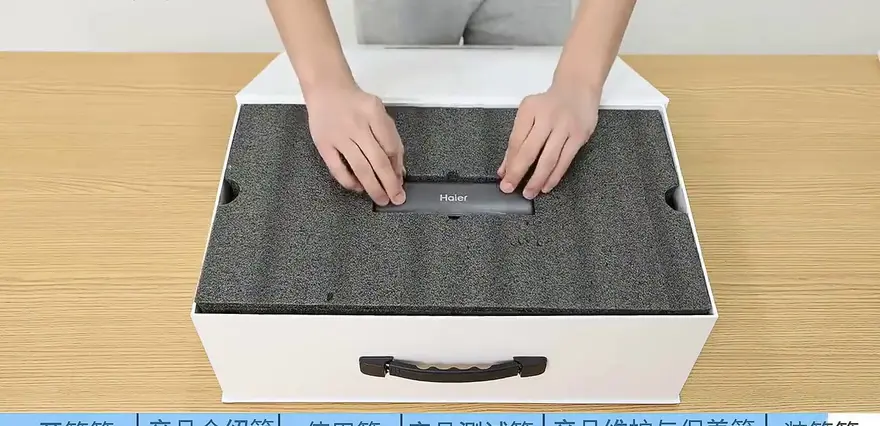
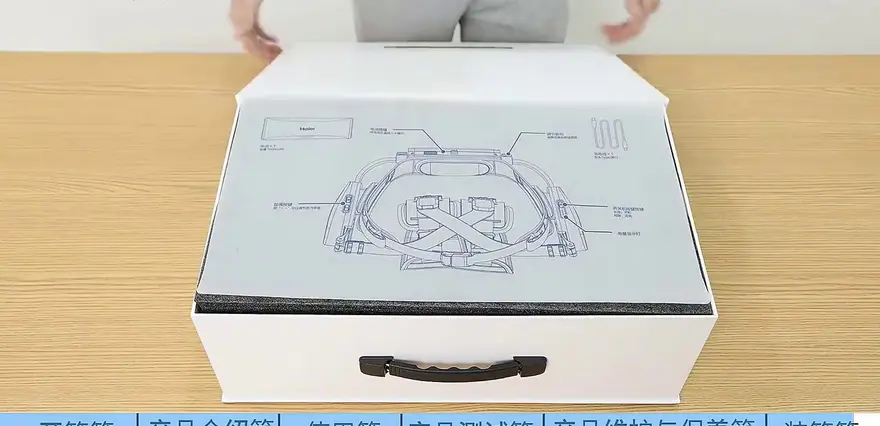
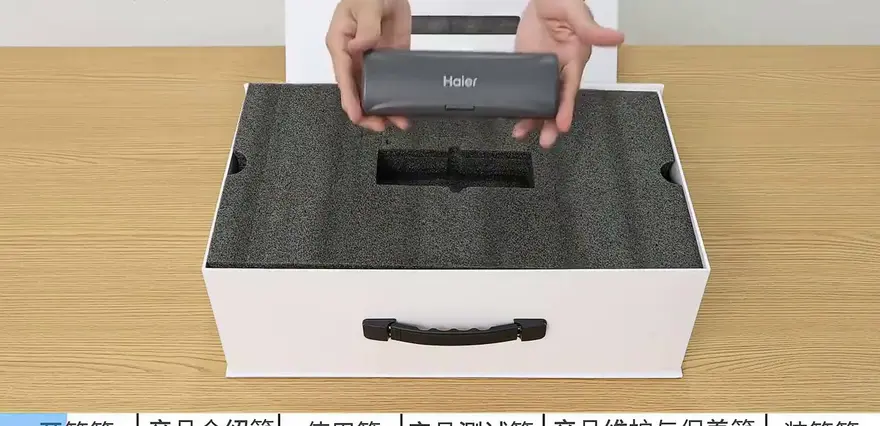
Compared to the traditional products we often see at trade shows—clunky bundles of cables, sensors, and heavy metal components—the unboxing experience of this exoskeleton feels distinctly "consumer electronics."
Core positioning mentioned in the video: This is a consumer-grade exoskeleton designed for daily walking assist, not a bulky medical-grade rehabilitation exoskeleton.
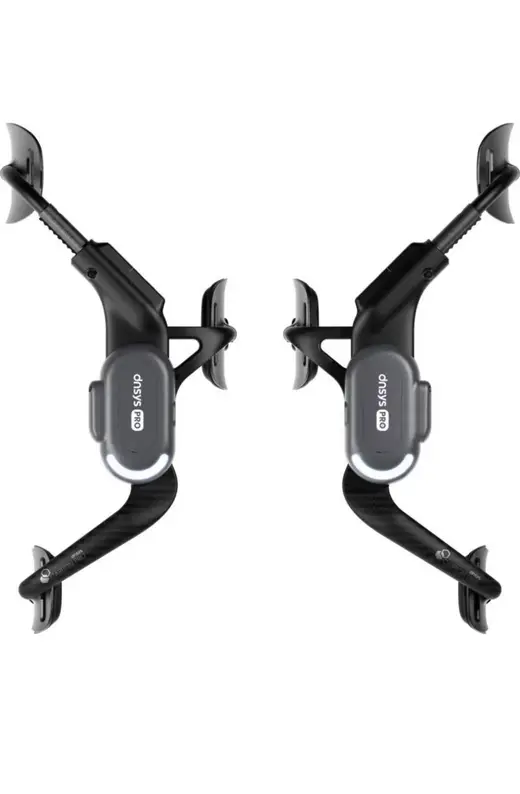
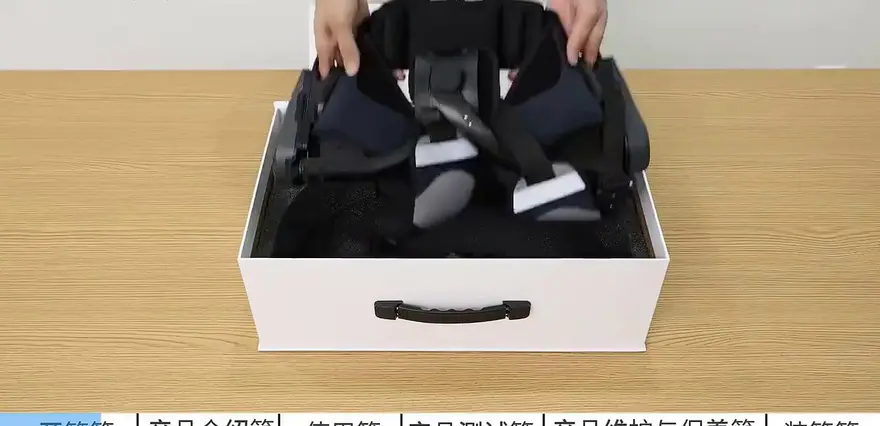
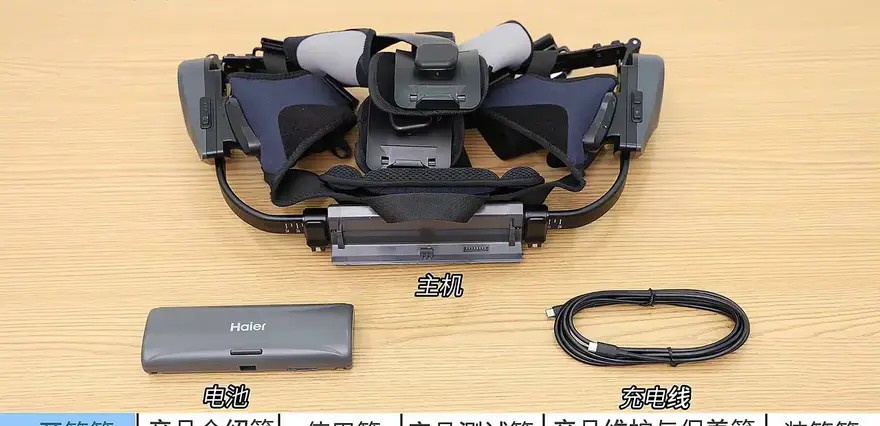
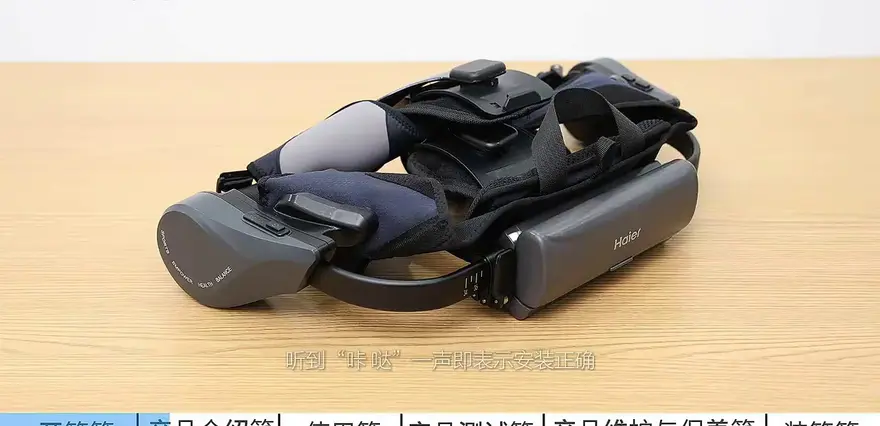
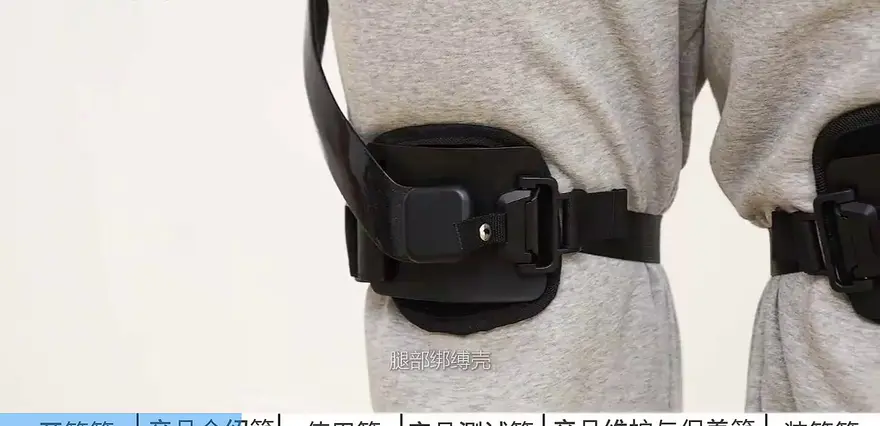
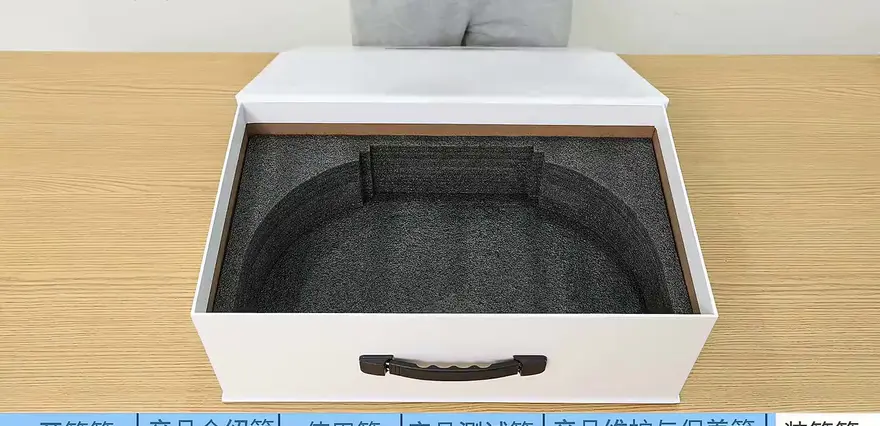
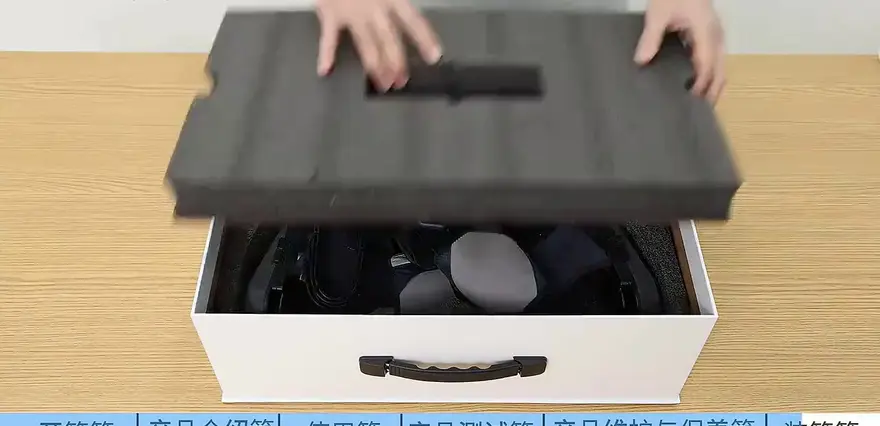
The packaging is compact, containing the main unit, leg cuffs, a detachable battery, and charging cable. In its folded storage state, it maintains a moderate footprint. The core strapping mechanism employs a dual-lock design combining magnetic snaps with mechanical latches—a clever solution for quick assembly and removal. When the two carbon fiber mechanical legs strap onto your lower legs, it doesn't feel like a medical assistive device. Instead, it resembles twin power boosters enhancing your leg explosive force.


AMGE_3
2. Underlying Logic and Safety Warnings: Never Ignore the Vitals Check
When dealing with servo / brushless-motor hardware that act directly on human lower-limb joint torque, safety always comes first. The opening of the video spends almost a minute hammering home the pre-wear safety inspection and interlocks—a crucial difference between this gear and ordinary wearables.
“Be sure to check that the package contains every accessory and strictly follow all pre-donning requirements.”
Before power-up the device lays out a clear set of logic checks:
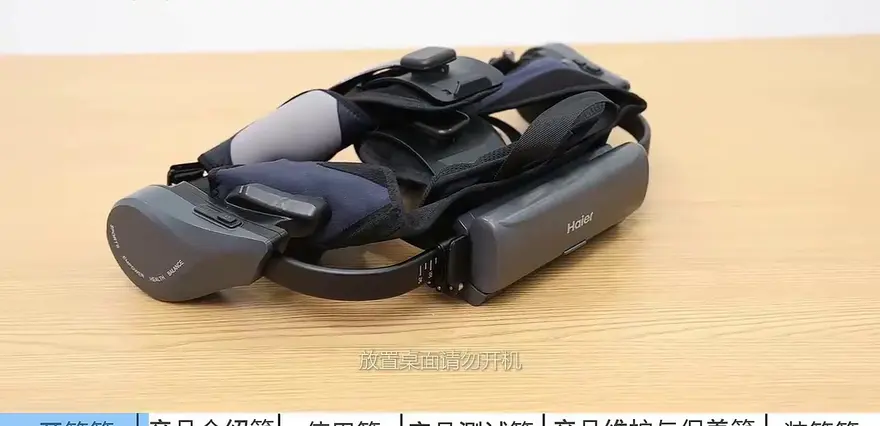
- Absolutely no bare-metal operation: Powering up before all straps are secured—or while the main unit is still sitting on a desk—is strictly forbidden.
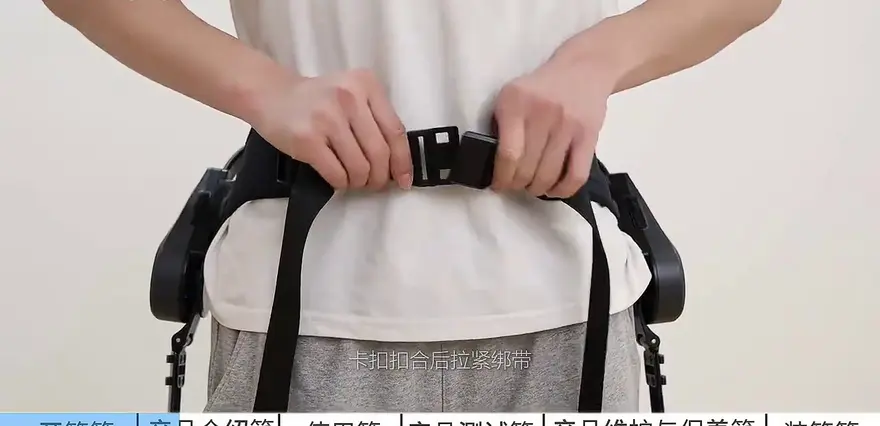
- Dual interlock mechanism: If either the leg straps are not properly fastened or the lumbar buckle is not fully engaged, the whole system will refuse to start. This fail-safe marriage of hardware and sensors is the industry’s non-negotiable baseline.
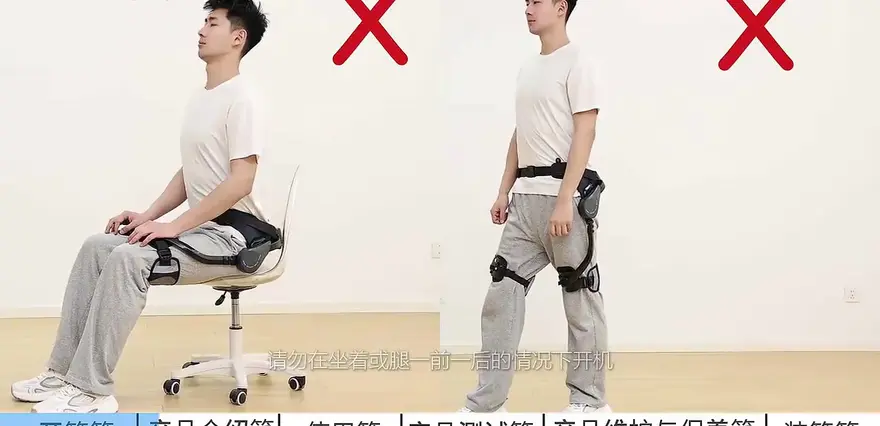
Another safety point: Never attempt a boot-up while sitting or while standing in an unsteady, lunging position. Those programming choices shield users from sudden spikes in joint torque that could throw them off balance.
III. Wearing and Tuning: Establish the Human–Machine “Physical Connection” in Ten Minutes
As a device that must fit tightly against the human body, how quickly and accurately it can be put on largely determines its usability (Usability). The video presents a highly standardized, step-by-step three-finger positioning method, which is especially important for first-time users.
Golden three-point positioning method:
- Adjust the right-side waist strap so the buckle sits at the midpoint between the navel and the lower back.
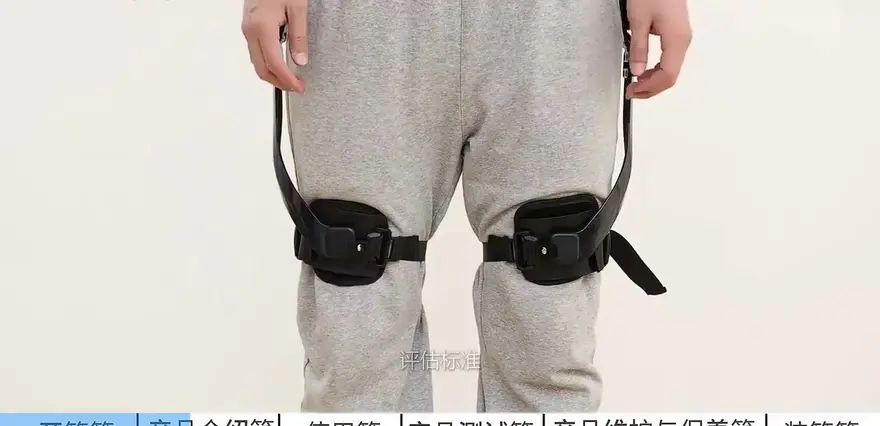
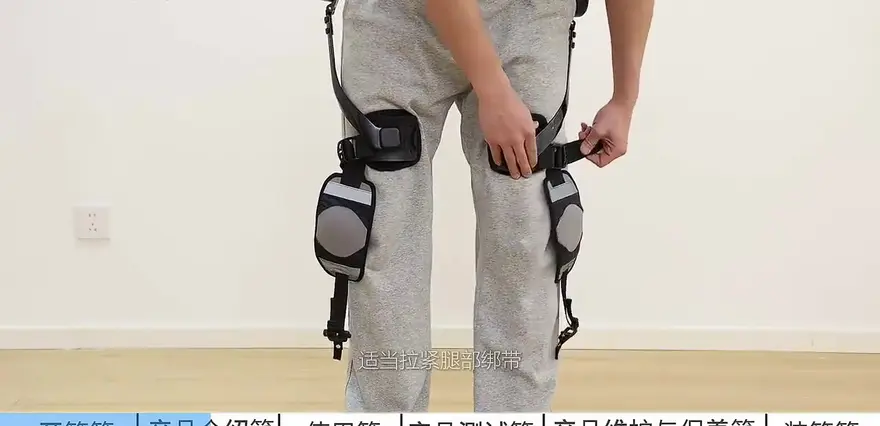
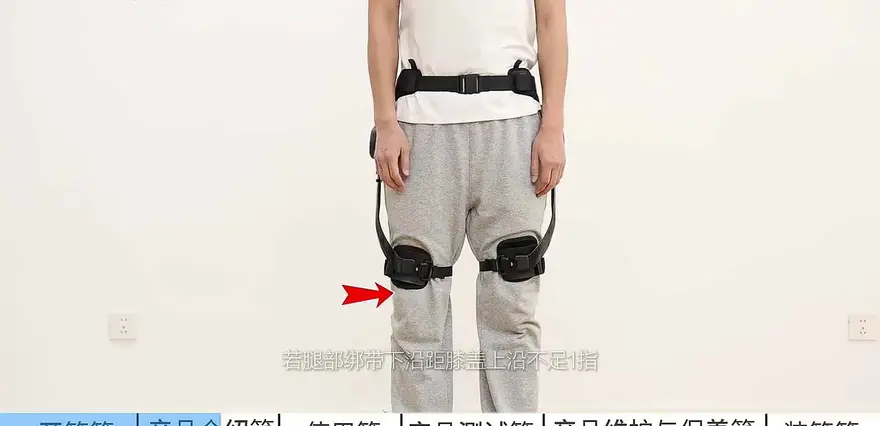
- Place the leg pads symmetrically, with the edges about three fingers’ width away from the upper edge of the knee.
- After fastening the buckle, tighten the straps until you can fit one finger between the strap and the abdomen/leg—a “one-finger gap” is ideal.
There is a clever adjustment lever on the back; the leg straps are held in place via magnetic buckles. If the lower edge of the leg strap sits too close to the knee and causes rubbing, the solution shown in the video is to shift the entire device slightly upward at the waist strap, ensuring the screen remains stable while walking—no extra vertical or lateral bouncing—without affecting normal breathing or turning.


IV. Dress Code: How Does the Hardware Integrate with Diverse User Profiles?
When a machine interfaces precisely with the human body, clothing is often the overlooked variable. Users of mechanical devices know that loose garments can easily get snagged on moving parts. To ensure the servo motor captures gait data accurately, the video outlines a strict dress code:
Recommended Dress Code:
- Top: Light, breathable sportswear that covers the abdomen, ensuring the straps fit snugly without interference from fabric bulk.
- Bottoms: Fitted or snug-fit options are strongly recommended.
- Footwear: Low-top, flat-soled shoes or sneakers (optimal). Thick-soled shoes or high heels are strictly prohibited, as they restrict the range of motion in the joint.
Additionally, any metal accessories or rigid belts around the waist or legs must be removed. This precaution prevents discomfort caused by hard objects during mechanical leverage and eliminates the risk of abrasion during emergency escape maneuvers.




V. Interaction & “Driving-School” Evaluation: Gear Logic & Adaptive Algorithms
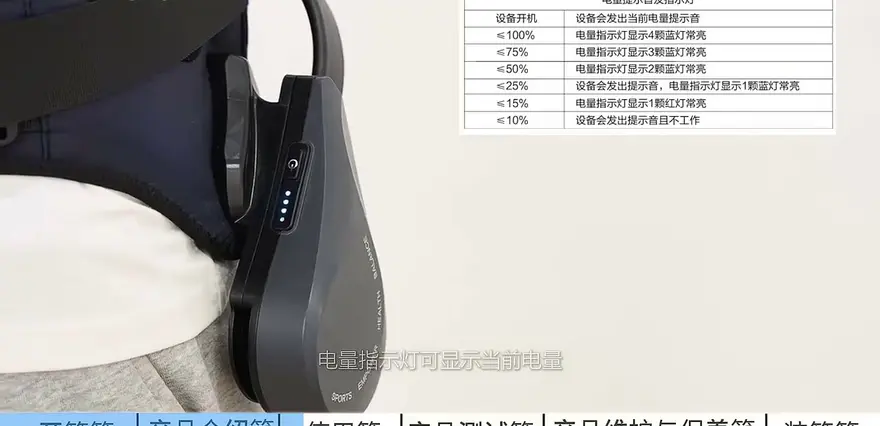
With everything donned, let's take a look at its “brain.” On the right side of the device you'll find an integrated indicator light that displays the current battery level, along with a multifunction button for switching assist levels.
Gear Logic Revealed:
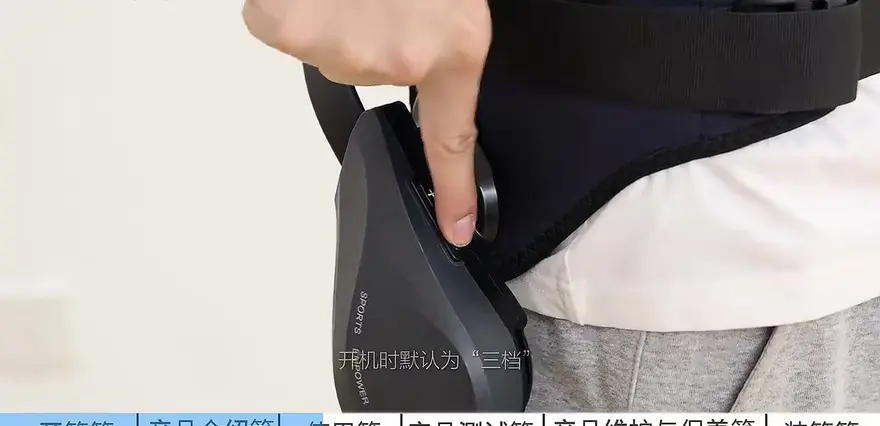
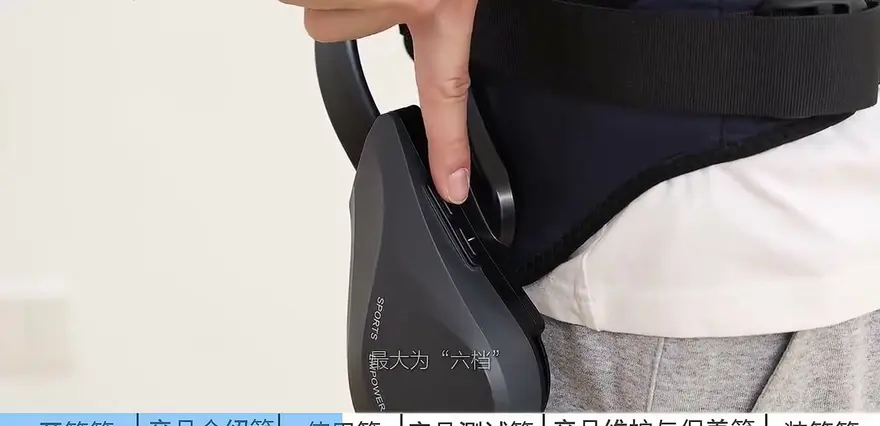
On power-up, the default is Gear 3. Moving down, Gear 2 offers the lightest support and Gear 1 the absolute minimum; moving up, Gears 5 and 6 deliver the maximum walking assist.
(Note: there were minor slips in the original transcription when citing gear numbers, but it's clear the full range is 1–6, with Gear 3 as the factory-default starting point.)
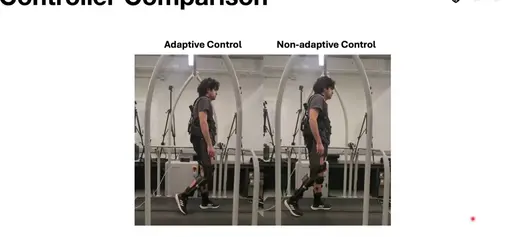
What's surprising is the built-in adaptive-detection mode. By gathering feedback from sensors at various body points, the system intelligently analyzes user behavior and automatically matches the walking assist to your gait. The video emphasizes keeping a natural gait during testing; deliberately exaggerating leg lifts (“fake gaits”) could confuse the algorithm.
To capture the most objective assist feedback, the video introduces a “driving-school-standard” re-walk protocol:
- Pre-wear: Walk more than 100 m to warm up and establish a baseline gait.
- Post-wear: Continue for another 100 m+ to experience the assist.
- Duration control: Keep each session under 30 minutes.
This “warm-up + off-device comparison” approach is brilliant—it filters out the unusual efforts users make when everything feels new.


VI. Start/Stop Logic and Quick-Release Straps: An Elegant Take-Off Mechanism
After you finish trying it out, how to safely and gracefully take the device off is also a key test of whether a consumer-grade exoskeleton is truly mature. The exoskeleton ships with a complete “take-off logic”:
Standardized Shutdown Procedure:
1. You must remain standing.
2. Press the power button (on/off key) to power down and cut power.
3. Release the waist strap buckle.
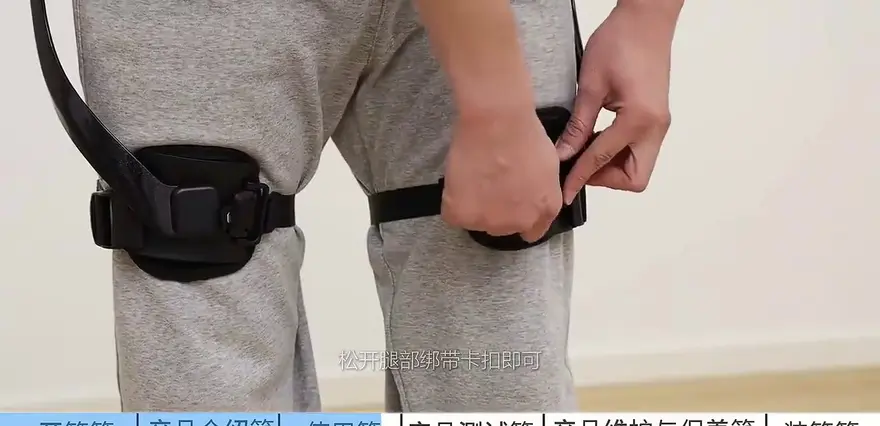
4. Release the leg strap buckle, then you can slide the device off.
The whole process feels silky smooth. It also strongly reinforces the safety interlock we mentioned when getting started: when the machine is not in a standardized, properly fitted human–device state, the system will not issue a start command.



7. Battery Management and Maintenance: How to Keep Your Device Alive Longer?
The ultimate experience optimization of any consumer-grade electronic gear lies in maintenance details. The video closes with guidelines on battery life / runtime management and routine upkeep.
Maintenance Tips:
- After each use, promptly plug the charging cable into the charging port to recharge.
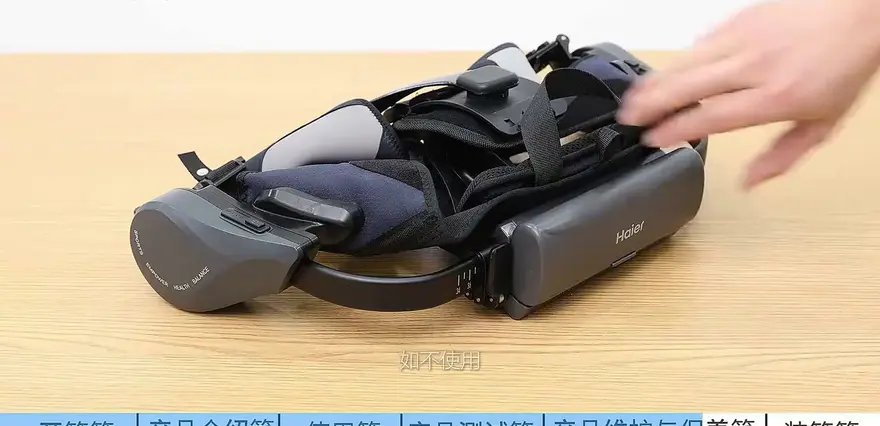
- If you do not plan to use the product for a while, make sure to shut it down and remove the battery for separate storage (or safekeeping). This prevents the battery from lingering at full charge or deep discharge, which can accelerate chemical degradation and shorten cycle life.
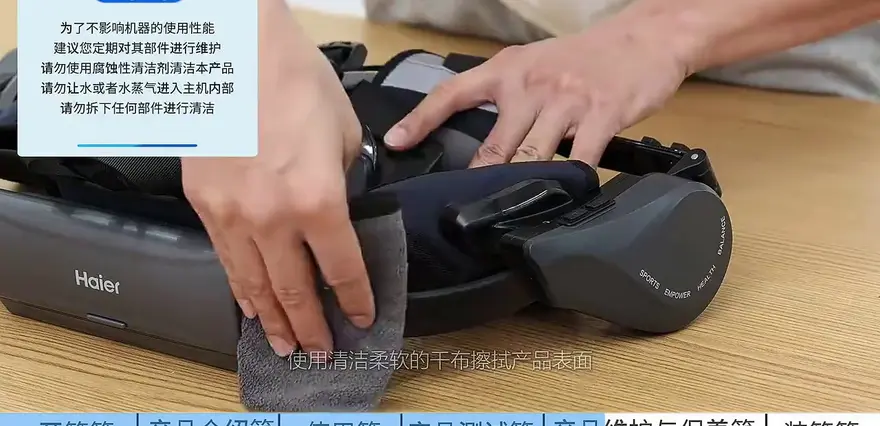
- For everyday cleaning, only use a soft, dry cloth to wipe the device’s surface.
While it cannot be washed and requires removing the battery before storage, this design reminds us that the product is still a high-precision electromechanical system—not yet on par with outdoor gear like hardshell jackets that can simply be machine-washed.


VIII. Extreme Lab: Performance Squeezing on Flat Ground Fast Walking and Stair Climbing
During the 30-minute test session, we observed authentic feedback from the device across different scenarios:
1. Flat Ground Slow Walking: walking at a steady, everyday pace, the device runs extremely quietly; emphasize gentle starts and avoid abrupt stops, sharp turns, or rapid changes in direction.
2. Flat Ground Fast Walking: under high-frequency motion well beyond a typical walking speed, it tests the continuity of the motor and the stability of the straps; overall, the machine exhibits no jerks or fluctuations.
3. Going Up and Down Stairs: this is the ultimate challenge for the lower-limb exoskeleton's algorithms and mechanical structure. While ascending or descending, the system captures shifts in the wearer’s center of gravity in real time via its sensor network, delivering a remarkably even push-assist that keeps the body stable without requiring the user to hunch or exert extra effort to counter the device.
This naturally leads to another intriguing point: although such products are marketed mainly for hiking and trekking assist, they are gradually finding utility in heavy-duty environments like logistics sorting and conveyor-belt work. Their lightweight, self-balancing traits are key to extending into these non-medical applications.
9. Objective Verdict: How Far Are We from “Human Augmentation”?
Taken as a whole, this consumer-grade exoskeleton from Hypershell underscores the industry’s early push toward miniaturization and everyday practicality. By stripping away bulky frame components with surgical restraint, it packs sophisticated gait analysis into a lower-leg sleeve only three fingers wide. Yet, when we step back to examine the limitations, the leap to true “exoskeleton armor” remains significant. For instance, the device still imposes strict demands on user fitness, terrain evenness, and even dress code. Furthermore, when a fall is imminent, the product may lack an active fall protection mechanism to physically arrest the wearer’s descent, instead relying on a quick-release strap to mitigate emergency constraints. Nonetheless, early-stage disruptive consumer technology seldom comes without compromises. For any tech geek who yearns for lightweight hiking assist yet also wants to sample a “cyberpunk commute,” this device remains the most accessible and capable option on today’s market.
Top Community Comments
@Luoluo Selectives (0 likes): I’m using the exact model from the video—tap the link to get a hefty coupon plus a national subsidy!
Comment breakdown: A textbook advertising bot. The sheer number of these spammy posts keeps swarming consumer-grade exoskeleton videos, underscoring how profit-chasers have flooded the lower-tier market and annoyed users who want genuine feedback.
@MechaGeek007 (1.2k likes): Carbon fiber is definitely light, but after a long time with 6 kg strapped to my legs they still feel kind of heavy. When the battery sits behind my waist I can feel my center of gravity shift a bit walking downstairs.
Comment breakdown: Weight and balance are two universal pain points for lower-limb wearables. Even with carbon fiber, the fatigue caused by the device’s own weight isn’t completely offset by the servo motors.
@BrickLayerLaoLi (800 likes): Could I use this thing for hauling bricks? Every time I carry 50-lb sacks of cement up to the third floor my legs start to wobble; if they just bumped up the max load or joint torque I’d be sold.
Comment breakdown: Users naturally expect one device to handle everything. Current consumer-grade exoskeletons typically tune max payload and joint torque for casual walking assist, creating a clear gap with industrial-grade heavy-duty rigs.
@OutdoorTrekker (500 likes): Honestly, if the battery life is decent, tackling a modest hillside trail on the weekend is a blast—like having a steady boost lifting you up the whole climb.
Comment breakdown: This nails the core use case. Consumers see the product as a helping hand when the climb gets tough, and the payoff is instantly felt.
@TechChatter (300 likes): Shot quality is great and the details are solid, but could you shoot a cross-comparison with heavy-duty industrial rigs from Aoshark or Kenqing?
Comment breakdown: The market is segmenting fast. Many viewers want a deep-dive comparison between lightweight consumer exoskeletons and the legacy heavyweight offerings from domestic manufacturers.
@WantsItAll (200 likes): Looks like a de-hyped Iron Man leg. Does it run purely on electric power or use passive springs? Toting only a battery, a full-day ride doesn’t seem plausible.
Comment breakdown: End users are hypersensitive to endurance (in hours). For battery-powered wearables, runtime is often the single biggest factor in the buying decision.
@GeekZhang (100 likes): Does it have a fall protection mechanism? If my legs suddenly give out I want it to lock and dampen to support me—especially for seniors.
Comment breakdown: This touches a real need in elderly care facilities. Today’s consumer-grade (non-medical) devices offer relatively thin safety buffers against accidents, so fall-protection logic is a critical piece still missing from the puzzle.
One-Sentence Summary
This episode is a very solid, hard-core unboxing and user guide for a consumer-grade lower-limb exoskeleton. It relies instead on meticulous fit calibration, strict clothing guidelines, and a 30-minute real-world field test to demonstrate just how practical this gear really is for light hiking and flat-terrain walking assist. If you’re a tech enthusiast or outdoor adventurer eager for next-gen mobility, this is one device well worth strapping on for yourself.
About this article: part of Chinese-Made Exoskeleton Review Archive — an independent, regularly updated English archive of reviews of consumer exoskeletons made in China, edited from publicly available video transcripts. Not an official manufacturer page.
For inquiries and purchasing, contact lonlonago@foxmail.com. More in Rehab & Mobility · All articles.