Hands-On With the Dnsys Z1 Consumer-grade Exoskeleton: The Closest You'll Get to "Iron Man Legs" — and the Most Patience You'll Ever Need
<h1>Hands-On With the Dnsys Z1 Consumer-grade Exoskeleton: The Closest You'll Get to "Iron Man Legs" — and the Most Patience You'll Ever Need</h1>
If you've sat through the entire Dnsys Z1 wearing tutorial, you probably reached the same nuanced conclusion I did: For consumer-grade exoskeleton products like these, the real barrier keeping people out isn't typically the price, but rather the mental hurdle hidden within the concept of "wearable."
This video (technically an official instruction manual) is entirely focused on one thing: taking a "quasi-consumer-grade" lower-limb exoskeleton—affixed to the thighs and calves, augmenting your leg lifts via servo motors—unboxing it, strapping it onto your body, and safely powering it on. Whether it actually works, and if it's a good experience, is entirely embedded within that 7-minute process.
Below, following the video's timeline, we'll "break open" and take a closer look at this exoskeleton.
01 | Unboxing and Ready to Go: A 'Near-Medical-Grade' Industrial Design
The video drops a list of hard specs right at 0:40:
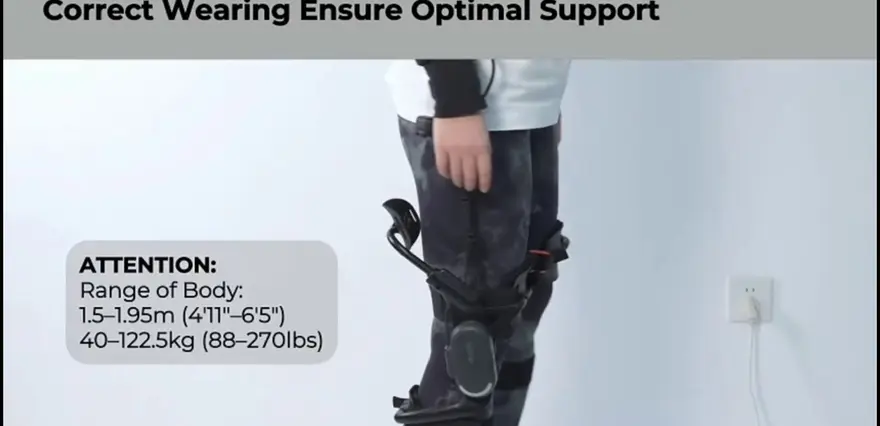
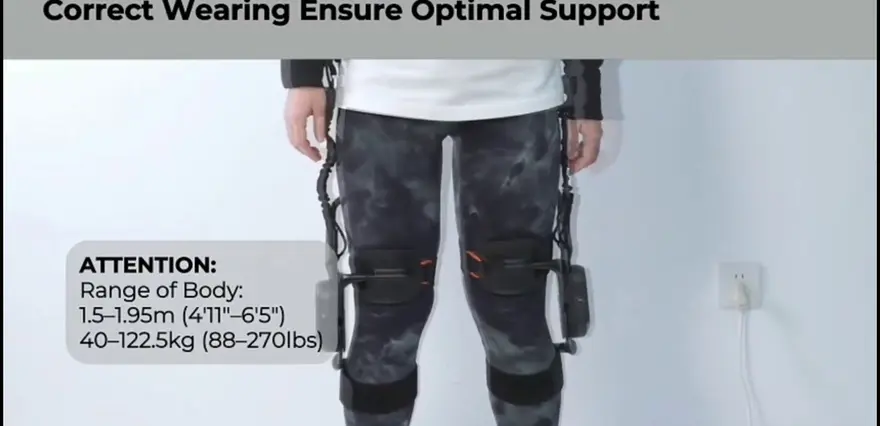
Applicable height 1.51–1.95 m
Applicable weight 40–122.5 kg / 88–270 lbs
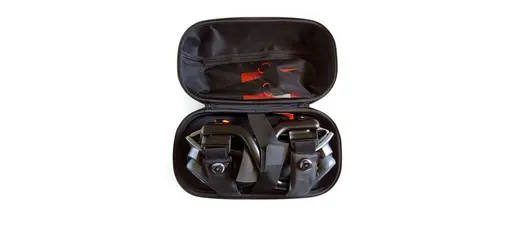
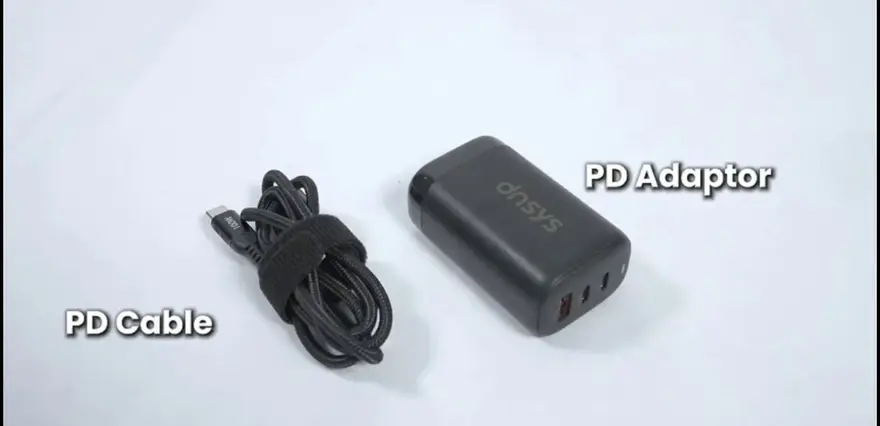
Package includes: Z1 main unit ×1, waist belt ×1, thigh straps ×2, knee straps ×2, calf straps ×2, manual ×1, hex wrench ×1, PD data cable ×1, PD power adapter ×1, battery ×1, charger ×1
Here are a few key takeaways right out of the box:
- A max payload of 122.5 kg shows it is truly built like a tank among consumer-grade exoskeletons, leaning heavily toward heavy-duty manual labor scenarios.
- The height range of 1.51–1.95 m is impressively broad, theoretically covering most users from young adults to middle-aged men.
- A hex wrench is included in the box—this implies the protective shell structure requires some specialized, non-standard mechanical adjustments, which we will discuss later.
Pay special attention to the bolded warning highlighted in the video:
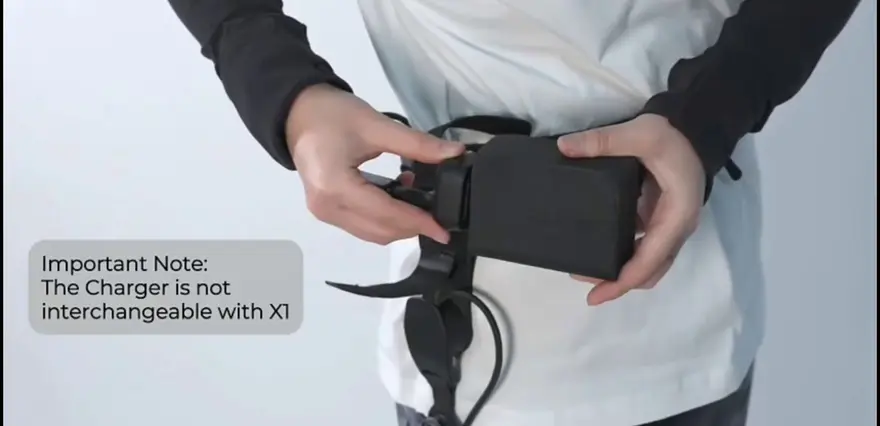
⚠️ This charger is not compatible with the DNSY-SX1 wide-version exoskeleton.
This is a critical point. If the "battery ecosystem" and "charger ecosystem" of a consumer-grade exoskeleton are not universal, it means users have to maintain separate accessory lines for different models. In the long run, this doesn't quite align with the electrical standardization expected of truly "consumer-grade" gear.
02 | Analyzing Product Logic via Main Unit Assembly and Disassembly: Modularity is the Lifeblood of Consumer-grade Exoskeletons
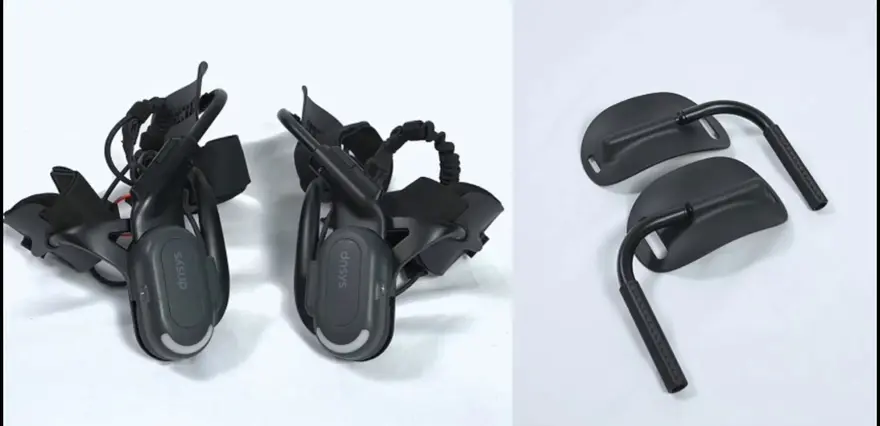
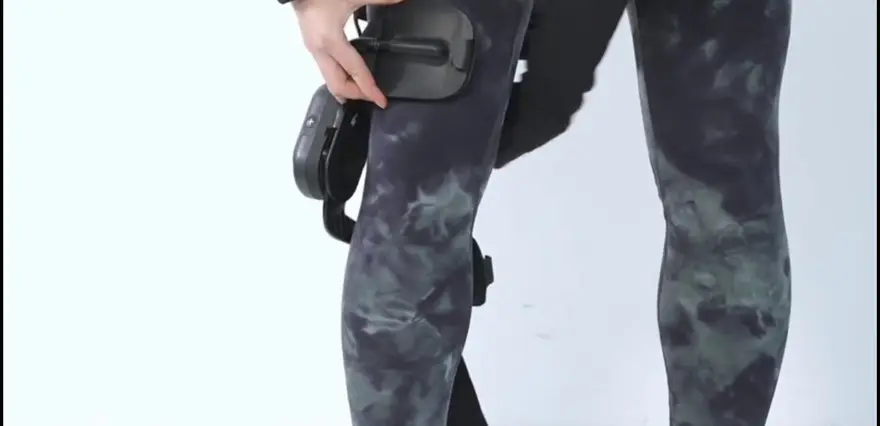
Starting at 1:15, the video discusses the installation of the thigh padding: "The main unit docks with the thigh padding via card slots; left and right parts must strictly not be mixed; the padding allows for sliding size adjustment."
This segment deserves a moment to stop and reflect.
Why is it necessary that the padding "strictly prohibits mixing left and right"?
Because the physiological angles of the human left and right legs are not perfectly mirrored. If the padding were completely symmetrical, it would imply that the manufacturer compromised "biomimicry" for "manufacturability." The fact that the Dnsys Z1 insists on separate parts for the left and right indicates that it places "conforming to joint mechanics" at a very high priority.
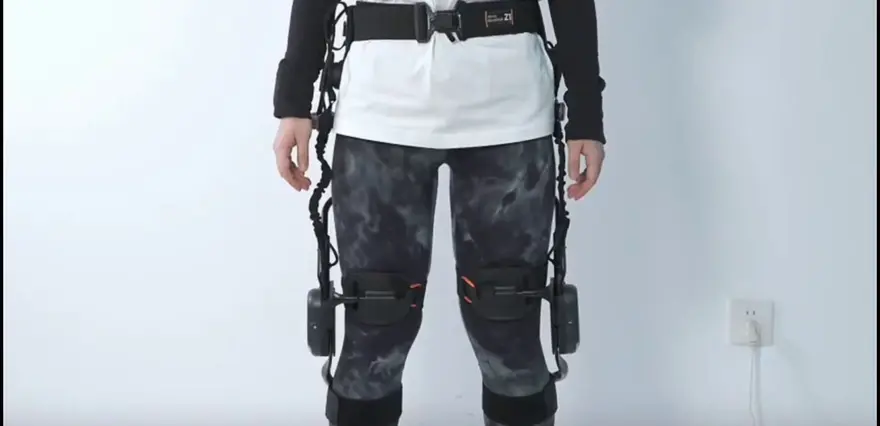
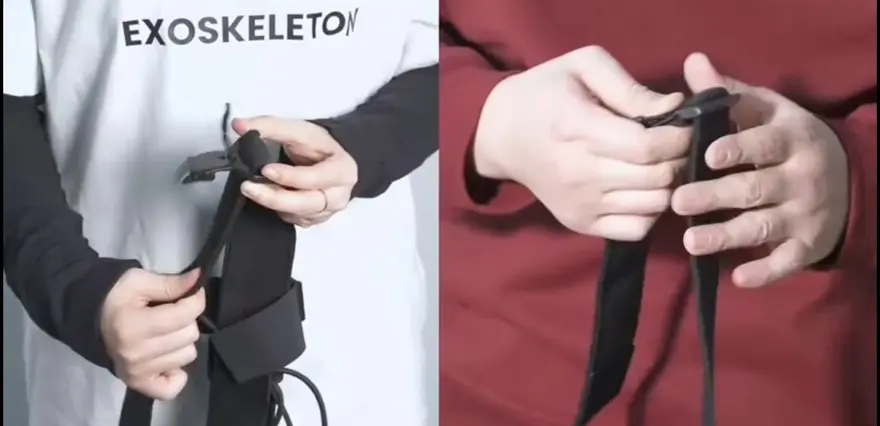
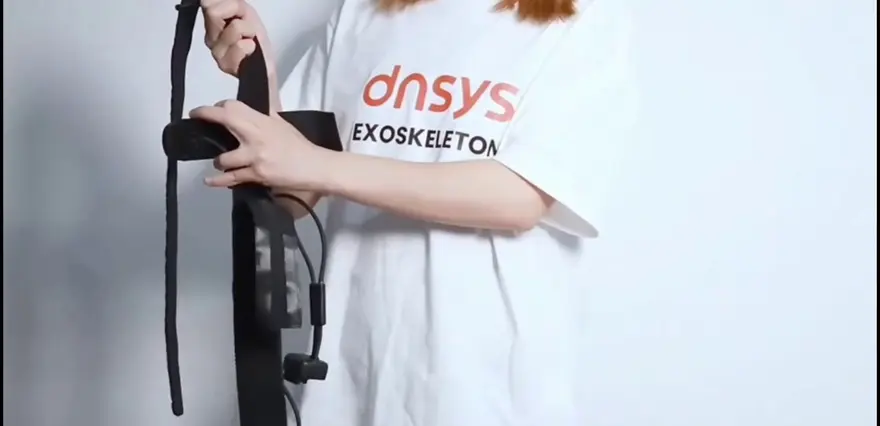
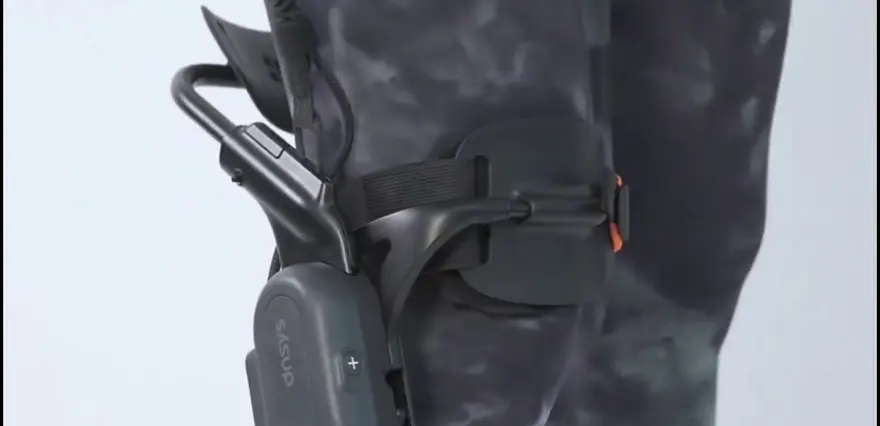
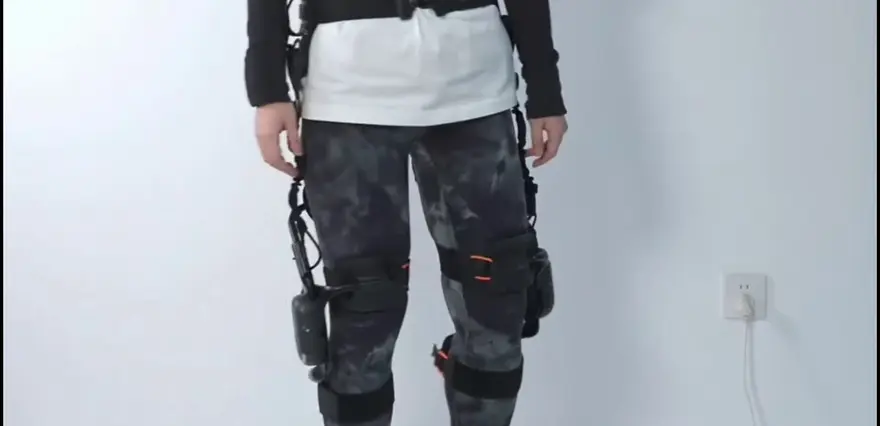
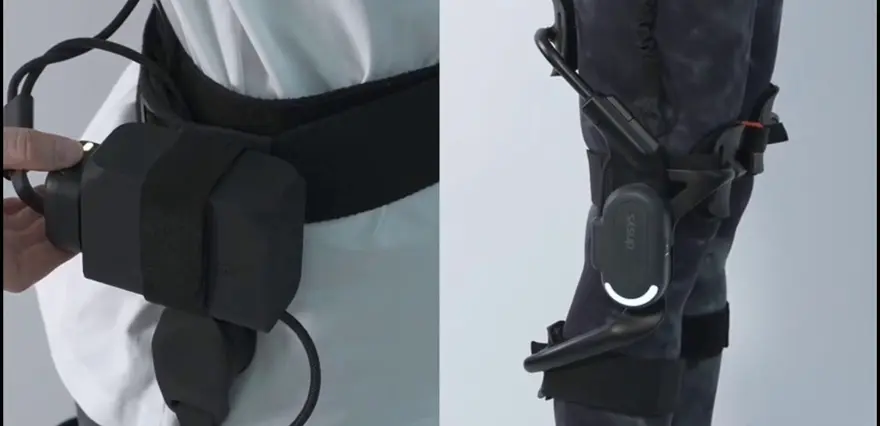
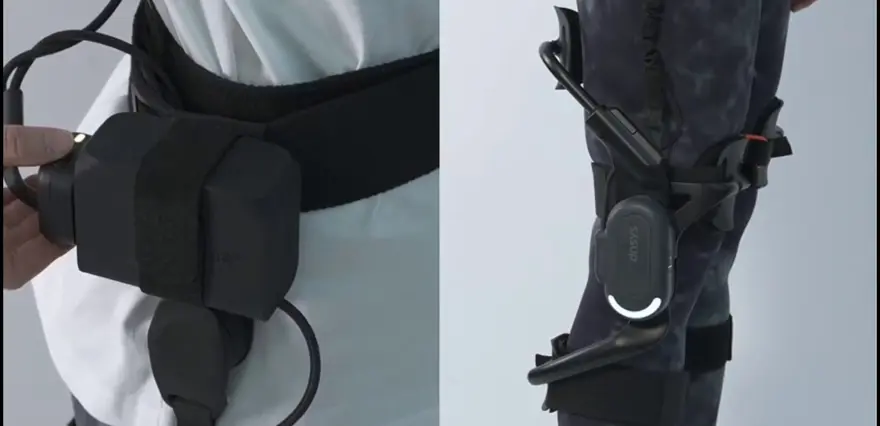
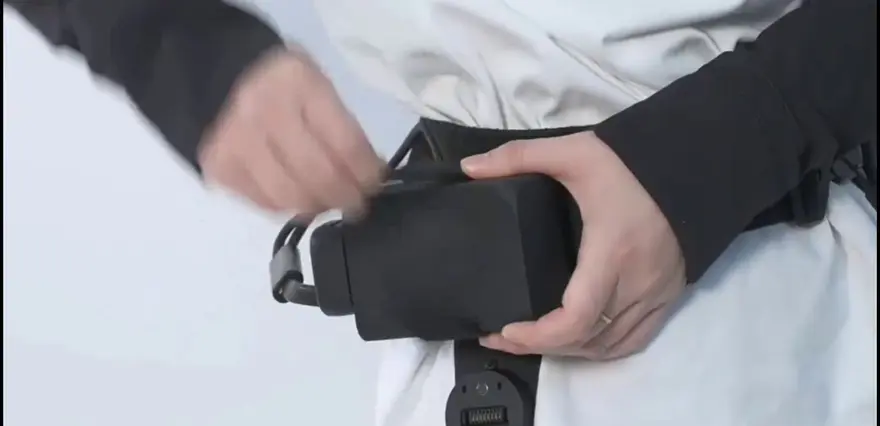
The three components mentioned in the video—the "main unit + thigh padding + waist belt"—form two sets of connections via magnetic buckles + Velcro:
- Waist belt ↔ Main unit: Magnetic buckles ("This can significantly simplify the subsequent donning process")
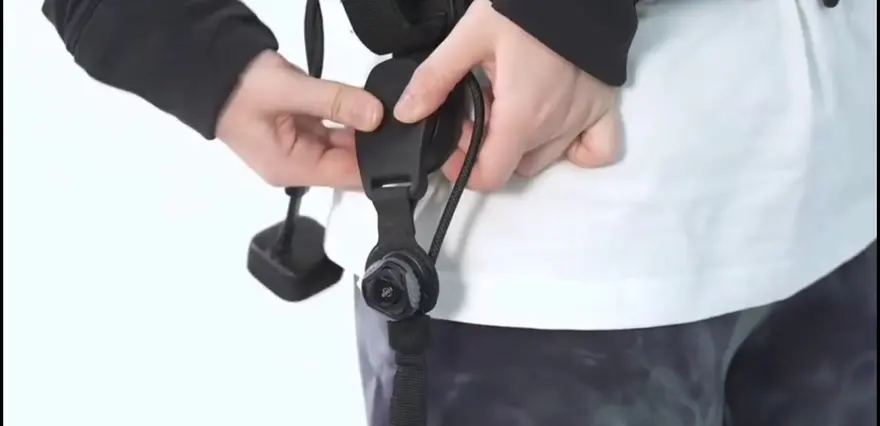
- Main unit ↔ Leg: Suspension straps + BOA dials + Velcro
This architecture represents the balancing point that all consumer-grade exoskeletons must navigate between "reliability" and "complexity of wearing and removal."
03 | Waist and Motor Joints: A "Foolproof" Positioning System
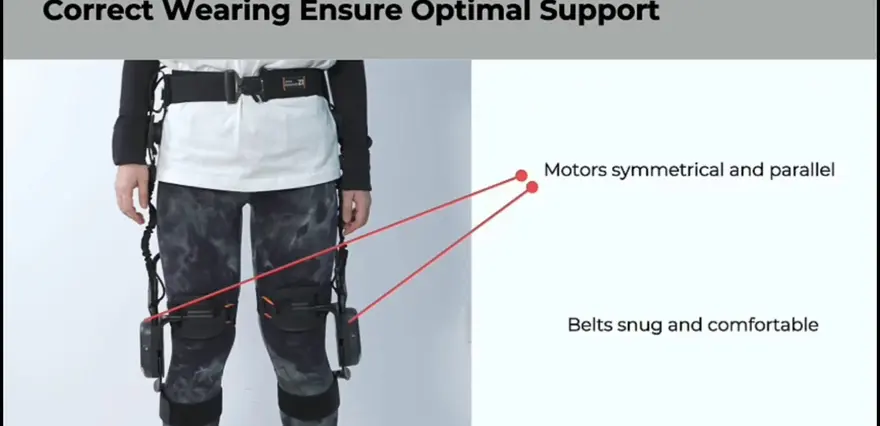
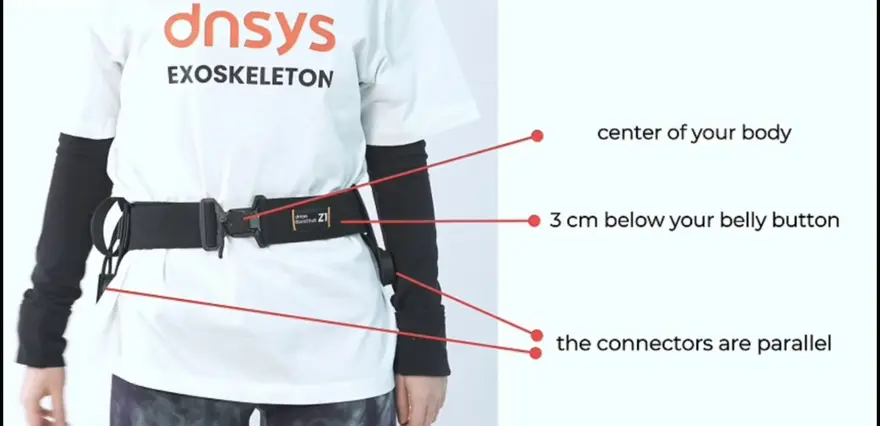
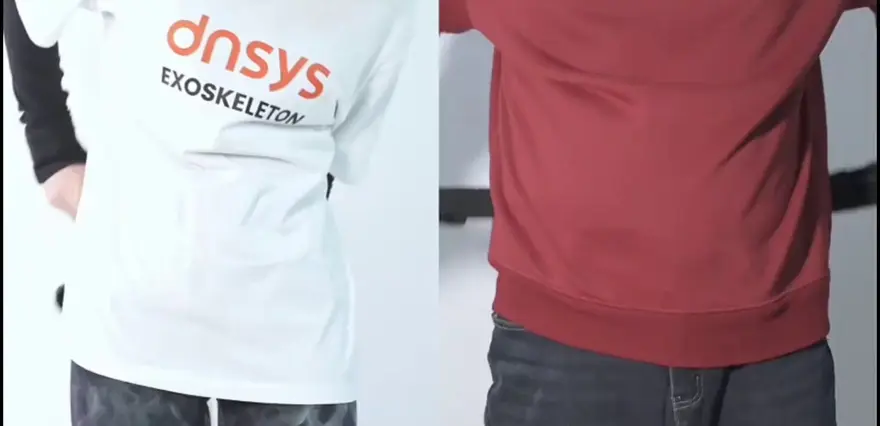
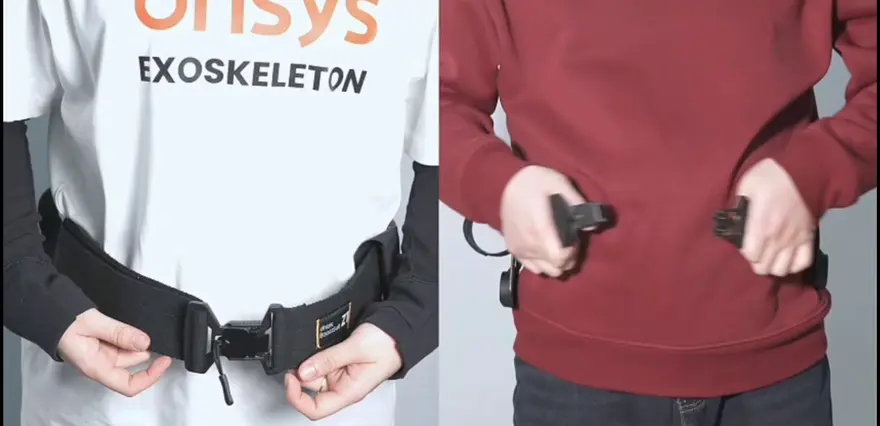
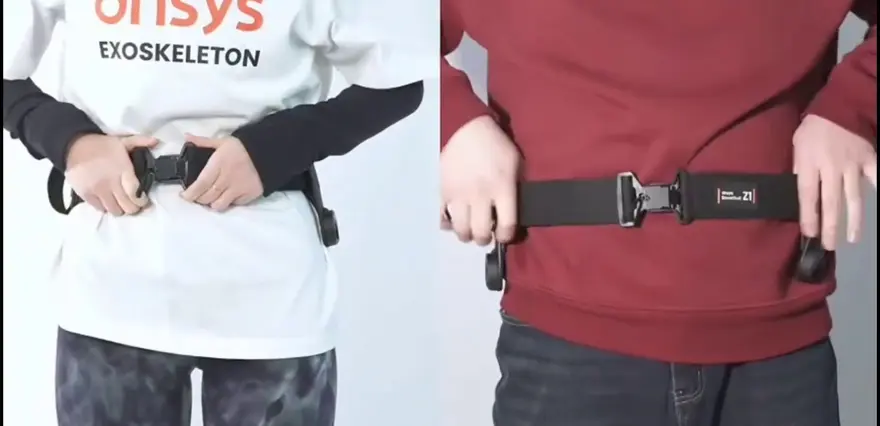
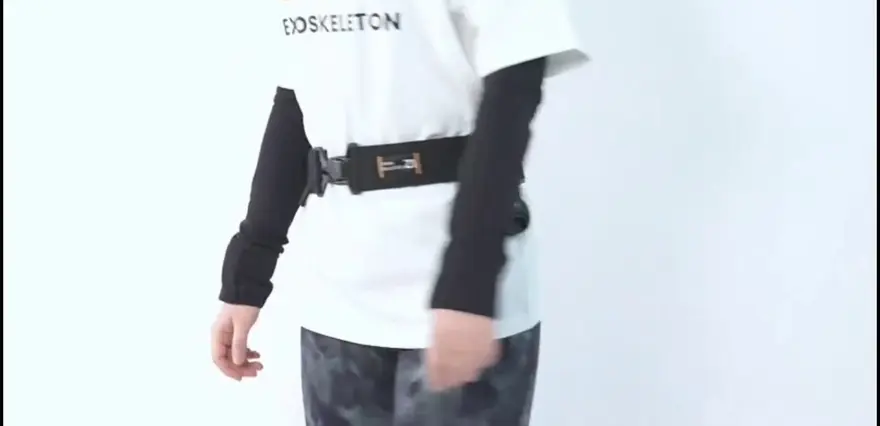
The video provides a very precise, three-step guide for positioning the waist belt:
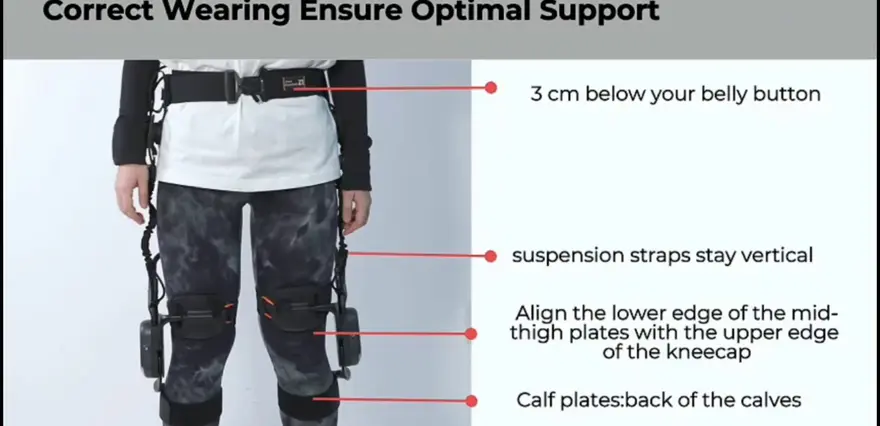
The entire waist belt rests approximately 3 cm below the navel
The buckle is centered on the body's midline
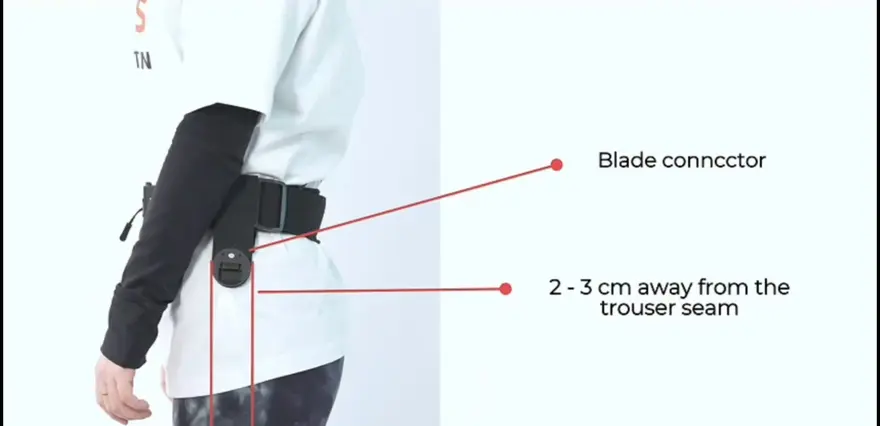
The connectors on both sides are parallel to each other and 2–3 cm from the waist seam line
And also:
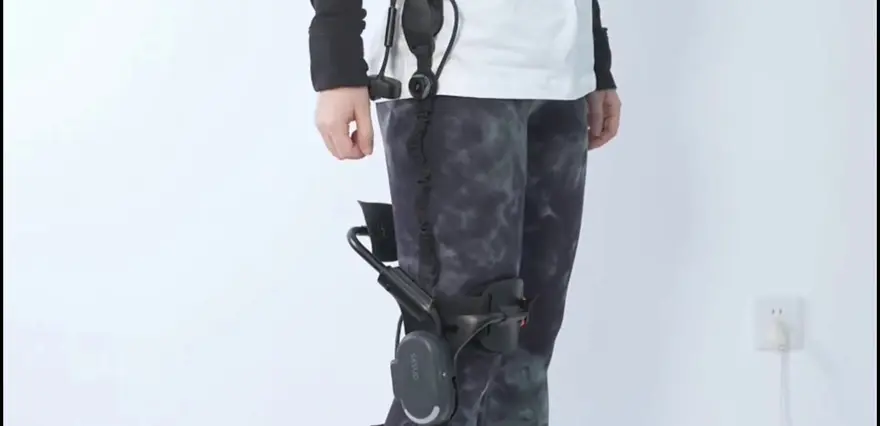
The suspension straps must remain vertical and should not be bent
The power motors on both sides are symmetrical and parallel to each other
This marks a fascinating design turning point.
Traditional industrial-grade assistive exoskeletons often rely on fixed straps and multi-stage buckles. The Dnsys Z1 uses "magnetic buckles + positioning guide lines."
The former requires extensive debugging and calibration, with individual adjustments needed for each user upon production. The latter, however, simplifies the task of "positioning" to simply "aligning." The velcro positioning reminders mentioned in the video ("Stretch the velcro and press down firmly to ensure no looseness"), along with the emphasis on a "snug but not constricting" fit, show that the product has a clear understanding of how to address the issue of "uncomfortable wearing experiences."
By now, you can understand a popular saying: "Just as F1 drivers have a fixed procedure for a tire change, Dnsys Z1 users have a fixed procedure for putting on the device." This isn't a negative critique; this is how all equipment that needs to "ensure optimal assistive performance" works.
04 | Three-Section Wearable (Thigh-Calf-Main Unit): Multiple Steps, Yet None Are Difficult
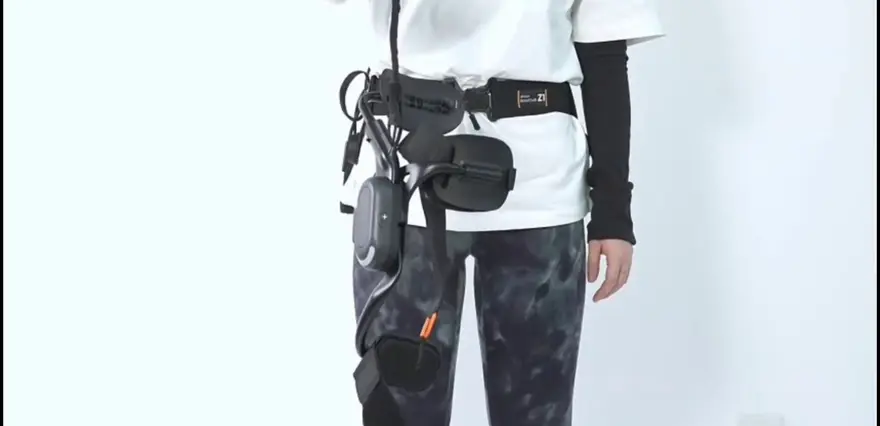
The video segment from 3:07 to 4:35 establishes the entire wearable process:
Step 1 | Thigh Guard Positioning
The bottom edge of the thigh guard aligns just above the kneecap.
Step 2 | Calf Guard Fastening
Align the guard to the thickest part of the lower leg.
It must not be too tight or too loose.
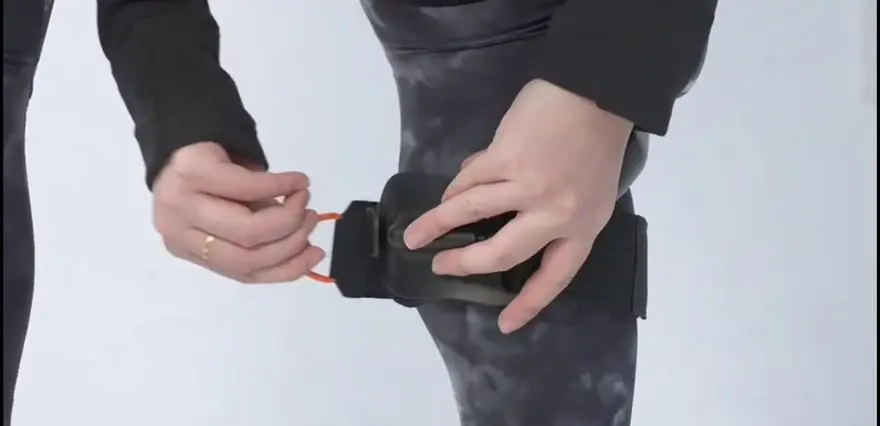
Step 3 | Suspension Strap Adjustment
While in a standing position, ensure the suspension strap remains completely vertical with no tilting throughout this step.
Rotate the BOA dial to tighten or loosen the straps.
Step 4 | Secondary Fastening of the Thigh Guard
Snug the guard firmly against the thigh to prevent slippage.
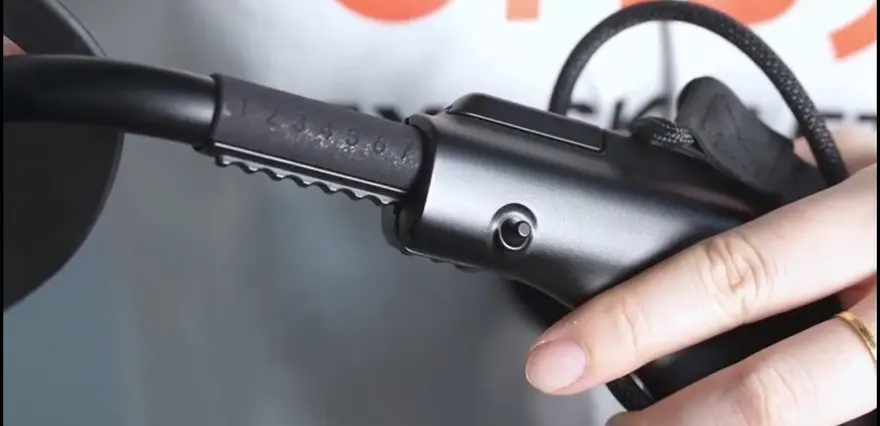
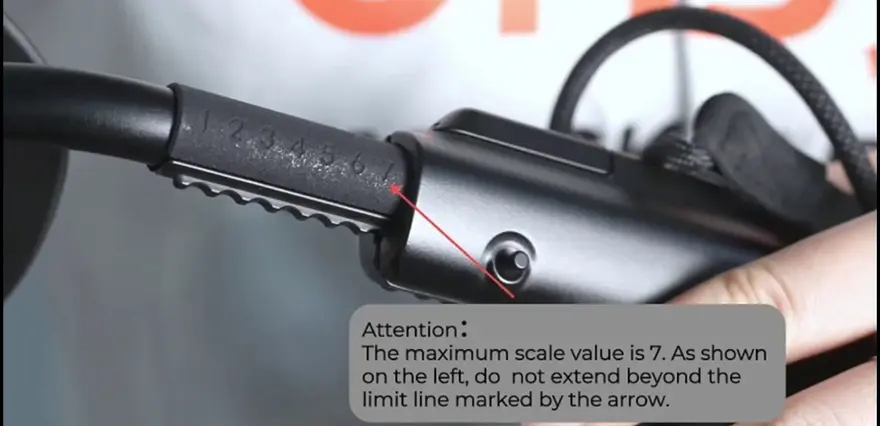
Adjust the graduated positioning mechanism until the upper edge of the thigh guard aligns with the lower edge of the buttocks.
The maximum scale setting on the left side is 7; exceeding the limit line indicated by the arrow is strictly prohibited.
There are two specific user-experience details here worth highlighting:
- The inclusion of a BOA dial is an incredibly smart design choice for a consumer-grade exoskeleton. Its purpose is to shift "adjusting tightness" away from manually pulling Velcro straps to a simple one-finger dial turn. This utilizes the same intuitive logic found on snowboard boots, effectively reducing cognitive load.
- The graduated positioning mechanism (maximum of 7) provides an "absolute adjustment range." The video emphasizes "strictly do not exceed the line," which indicates that the usable travel range of the ratchet/slide rail is precisely calculated via engineering design. Extending the mechanism past its designed stroke limit could damage the gears or cause the joint torque to become misaligned.
Completing this entire process takes an experienced user at least 5 minutes during the very first wear. By their second time trying it on, this time can drop to under 3 minutes. The segment at 4:24 in the video—demonstrating the "bilateral repeated wearing routine, checking that both motors are parallel to each other, and ensuring it won't slip when worn correctly"—is essentially a "unboxing tutorial + wearable self-check" in practice.
05 | Power-On Calibration: The Ritual for Users
At 4:53 in the video, the power-on sequence begins:
- Stand upright and press and hold the power button to turn on the device.
- Quickly double-press the function key on the back to enter calibration mode.
- Keep your body still and upright, and wait for two beeps.
- You will feel a slight support force in your legs.
- The motor indicator light blinks = calibration complete.
This is very similar to the "zero-point calibration" logic used in many industrial collaborative robotic arms: it uses the user’s body posture as the natural reference frame. Compared to calibration methods that require external terminals or foot pedals, Dnsys Z1’s approach of simply "standing still in place" is the kind of experience consumer-grade devices should strive for.
The video also provides troubleshooting steps:
If the first power-on alarm persists + APP indicates calibration failure → 1. Keep body straight and still 2. Check if waist belt and all leg straps are tightened 3. Realign thigh link and shield
This reflects a conservative tolerance for sensor data—if you wear it incorrectly or don't fasten the straps properly, the device refuses to provide assist. This is a safety logic, not an experience one.
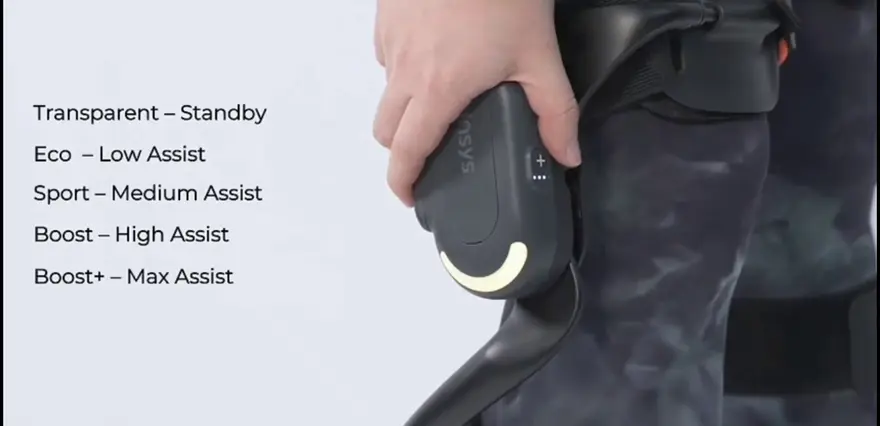
06 | Five Assist Levels: The Core Experience of the Dnsys Z1
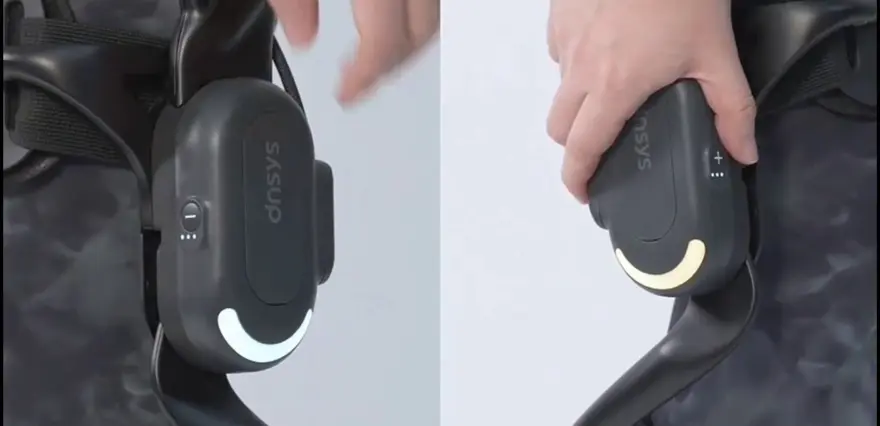
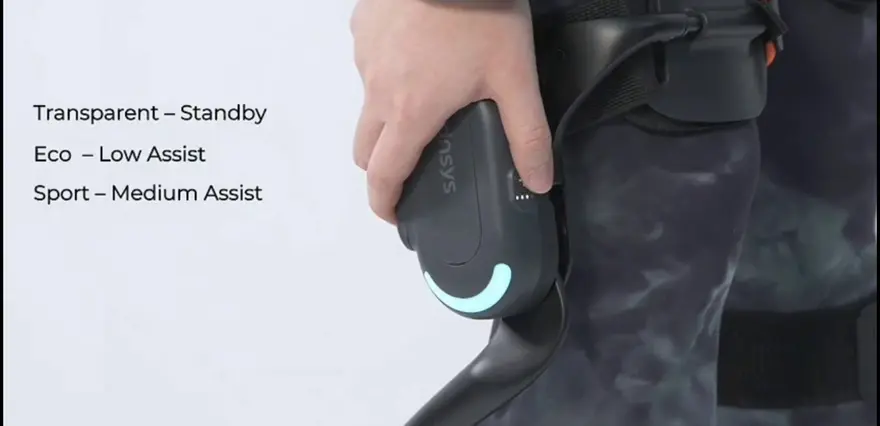
From 5:45 onward, the video covers gear switching—this is the most "consumer-grade exoskeleton" segment of the whole piece:
| Level | Color | Description |
|---|---|---|
| Standby | Solid white light | No assist |
| Eco Mode | Soft green breathing light | Low-level assist, suitable for flat-ground walking |
| Sport Mode | Soft blue breathing light | Mid-level assist, suitable for climbing stairs / exercise |
| Power Assist Mode | Bright blue breathing light | High-level assist, suitable for heavy load handling |
| Turbo Mode | Orange breathing light | Full-power maximum assist |
The video also gives a "recommended way to start":
Start from Eco/Sport Mode first, then gradually increase the assist level
This is very important for "first-time users." The lumbar/thigh muscles need a learning process for the assist signal. If you start at a high level right away, the motor output may be too strong and disrupt your own gait rhythm. Dnsys Z1's suggestion of a "progressive approach" aligns with the thinking of many medical-grade walking assist exoskeletons.
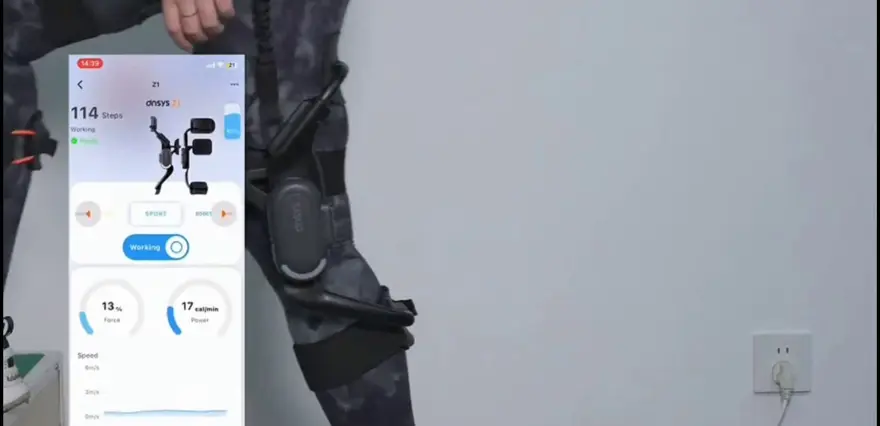
The video also mentions how to check battery level: a small indicator light on the side of the motor + a companion APP. This shows this exoskeleton is a "digitally manageable" product with Bluetooth connectivity. Although the video does not elaborate on the APP's specific functions, it is clear the product team is moving toward "recording gait–assist output–battery consumption."
07 | Scenario Testing: Stairs, Squats, Standing—Where Does the "Assist" Really Shine?
The scenario demonstrations kick in after the 6:32 mark—this is where the "sales pitch" element is strongest, but it’s also where the product's true value becomes most evident.
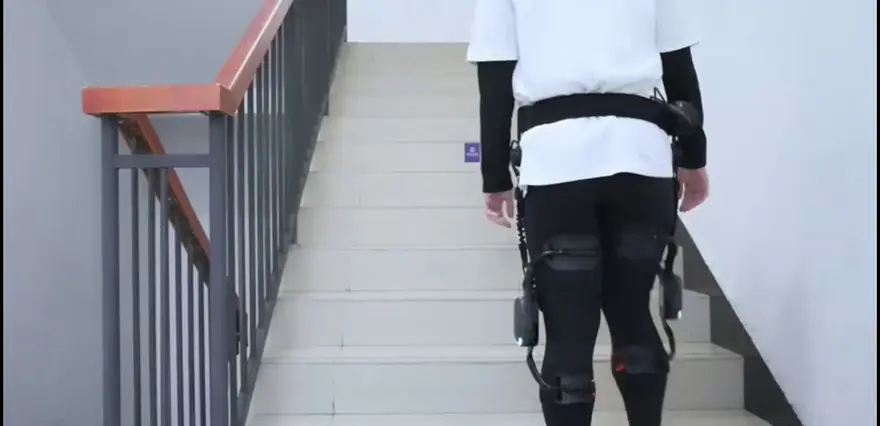
Going Up Stairs
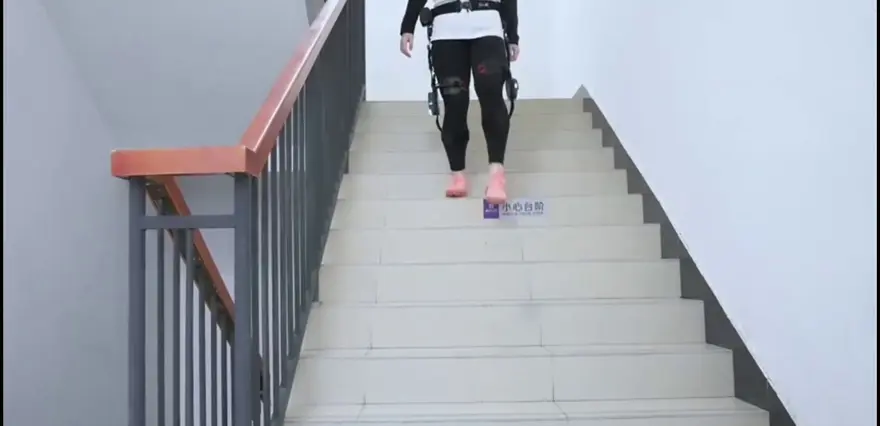
The motor provides assist as you lift your legs, allowing you to steadily climb upward with alternating steps.
Going Down Stairs
Leaning your upper body slightly back and descending step by step, you can clearly feel the device's cushioning assist.
Squatting / Standing Up
The thigh pad provides continuous support for your legs throughout the motion, reducing the burden on your lower-limb muscular effort and making each movement feel effortless.
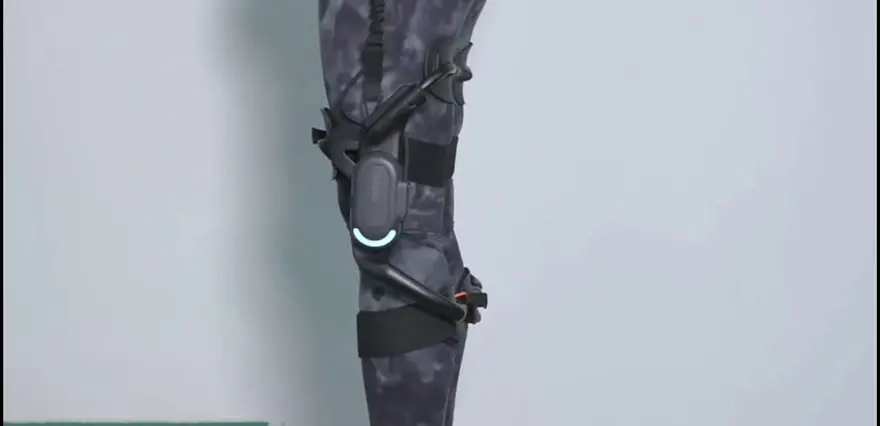
From an engineering implementation standpoint, the assist logic of the Dnsys Z1 is concentrated in the anterolateral thigh area, driven by the servo motor to assist leg lifting and knee extension:
- Ascending: The motor provides a slight upward force as you lift your leg, saving your quadriceps from extra exertion.
- Descending: When you shift your weight backward, the motor actually carries part of the load, reducing the impact on your knee joint.
- Standing Up: At the moment your quadriceps engage, the motor outputs force in sync, following the "knee extension - hip extension" pattern.
Notable Point: The descending segment emphasizes "cushioning assist." This indicates that rather than resisting the downward force with a rigid pushback, the motor engages in damping absorption—a major plus for joint protection.
Though not directly stated in the video, one can deduce that for a lower-limb exoskeleton with coordinated hip joint and knee joint assist, equipping it with an IMU sensor for gait phase detection would require algorithms to decide precisely "when to assist and how much force to apply." The 5-level manual switching approach shown in the video is clearly an active intervention rather than an adaptive system—essentially saying "you tell me which level to use," rather than the system "observing and measuring how much help your walking actually requires."
This represents the biggest gap between the Dnsys Z1 and high-end medical-grade exoskeletons (including active exoskeletons from Aosha and Explore): the Dnsys Z1 feels more like a "smart protective gear with adjustable assist levels" rather than a "real-time sensing exoskeleton."
Powering Down, Taking Apart, and Storage: A consumer-grade exoskeleton has just seconds to prove itself
At 7:00 in the video, we see the powering down and removal:
Simply press and hold the power button to turn it off; refer to the accompanying tutorial video for instructions on taking the device apart.
This portion of the video is brief, but looking at it from another perspective, this is the ultimate "final experience" that users care about the most:
- If taking it apart takes 5 minutes, then this exoskeleton shouldn't be called "personal gear"—it is merely "traveling freight".
- If packing it back into the box requires alignment techniques, it will inevitably need a "dedicated storage bag + step-by-step prompts".
The approach Dnsys Z1 takes here is to "provide a separate tutorial video". Shifting the "usability" burden from an instruction manual to a video is inherently a hallmark of consumer products. It also clearly indicates that manufacturers in 2025–2026 have a definitive product interest in using "short-video manuals".
09 | Huadian: What is the Real Missing Piece in Consumer-Grade Exoskeletons
After watching the entire video, let's return to the most fundamental question: What problem does a product like the Dnsys Z1 actually solve?
I can offer three possible answers.
1. It is an "accessible assistive device," not "free physical strength."
Users expect to put it on and instantly become Iron Man. However, real consumer-grade exoskeletons—even when cranked to the maximum level—can only provide "supplementary power" during specific movement patterns (leg lifting, squatting, climbing stairs). They cannot create energy out of nothing. The five-level switching design of the Dnsys Z1 is essentially meant to let you select a gear based on the intensity of the movement, rather than having the exoskeleton "move for you."
2. Its user profile is clear: heavy outdoor manual laborers or workers in repetitive fixed scenarios.
- Heavy load carrying (warehousing/logistics, on-site assembly)
- Long-distance hiking/trekking (as long as you aren't scaling mountain ridges)
- Repeated stair-climbing operations
In these scenarios, the "thigh + calf strap" wearing logic of the Dnsys Z1 allows for a pragmatic optimization direction regarding weight, battery, and guard plate comfort. It isn't meant for office workers climbing stairs; it is built for people who actually work for a living.
3. Its competitors are not in the consumer space, but rather a "dimensional reduction" from the medical grade.
The video does not benchmark the Dnsys Z1 against "rehabilitation exoskeletons," but its form strongly resembles the consumer intuition of a rehabilitation exoskeleton. If future versions become lighter, smaller, and feature smarter gait recognition, its upper limit could expand into the "medical-lightweight" segment.

Top Community Comments
"Noted that the charging cables cannot be mixed with the DNSY-SX1. Do people buying two different models need to plug in two or three chargers?"
This comment touches on an easily overlooked detail—whether Dnsys' closed accessory ecosystem represents "safety redundancy" or simply "a hassle for users." If even the PD protocol and PIN definitions are not standardized, the phrase "user hostile" will quickly become a common sentiment in negative reviews.
"There is also an unspoken point: both the charging port and the battery are proprietary, unlike standard interchangeable PD."
This actually highlights concerns regarding the "service life." If the battery cannot be removed from the main body or replaced, it implies that once the entire unit reaches the end of its service cycle, "replacing the battery might cost more than the device itself"—which could become the biggest repair paradox for this generation of products.
"Without fall protection, this model is not medical-grade."
Spot on. The Dnsys Z1 lacks active self-balancing and fall safety mechanisms; all safety feedback relies on straps and posture sensing. Fundamentally, it is a "wearable assistive device," not a "walking assist robot." This distinction needs to be clearly understood by the public; otherwise, the gap between expectation and reality will be significant.
"The minimum height limit is 1.51 m? This machine is designed for men."
This is another barrier to entry that the video didn't explicitly mention. For female users wanting to use the Dnsys Z1, it isn't just a matter of being "a bit short"; the range of the protective plates, strap lengths, and servo mount positions all require readjustment. Manufacturers need to provide female-specific adaptation kits in future versions, otherwise the "consumer-grade" label is just empty talk.
"With such high assist levels, the battery life definitely won't last for a full day of high-intensity trekking."
The video didn't provide specific endurance numbers, but calculating based on the dual thigh servo motors and multi-level assist logic, a typical level under ultimate full load (super boost) is 2–3 hours. Factoring in power saving on lower levels, it is fine for "half a day of work," but "all-day hiking" still relies on carrying a power bank or finding charging points in urban areas.
"I saw the long-lost 'quick-release plug'; it’s not the solution where you have to remove screws like before. Dnsys has made great progress."
This comment deserves a red mark for the next 5 years. Corresponding to the magnetic card buckle connection of the waist main unit shown at the beginning of the video, this is indeed a key experience upgrade for consumer-grade exoskeletons—"It is easy to unplug from the main unit, but on the flip side, it also shows that its mechanical locking method doesn't rely entirely on the friction of Velcro.If the price can be similar to a knee pad without active assist, I'll consider it."**
This comment hits the real ceiling for consumer-grade exoskeletons—price. The video ignored the price, but based on the range of similar products, an exoskeleton with servo motors, BOA dials, magnetic card buckles, and APP synchronization easily crosses the 5,000 RMB threshold. At this price point, you can already buy a decent folding bike or an electric scooter; whether the "exoskeleton is worth it" depends on the use case.
"If the APP can integrate various operational dataets, even if it's expensive, there will be workplaces willing to pay."
This comment actually points to another direction: the Dnsys Z1 might be more suitable as an "enterprise asset management tool." By recording joint torque, rhythm, and usage time via the APP, it allows for work intensity assessment and employee protection strategies. This is the entry point for a closed loop of health data in the B2B sector.
One-Sentence Summary
The Dnsys Z1 is an assistive exoskeleton that feels heavier to wear but is clear to pick up; the donning process is rigid by design yet refined with magnetic latching, a BOA dial, and gear-level breathing lights to make it tangibly approachable. If you are drawn to outdoor hiking, trekking, or long hours of heavy load carrying, it is worth spending 30 minutes to run through the entire routine once; if you only need it for daily groceries and climbing stairs, the kit's complexity will hit you first.
Its purpose, more than anything, is to help more people realize: the consumer-grade exoskeleton era has truly begun, but the starting point is "learn to put it on, want to put it on, and put it on correctly," not "a device that automatically whisks you away."
Release date: 2024-04-24 Views: 68K Likes: 46K Coins: 19K Favorites: 132K
If you found this episode helpful, jump into the comments and share your thoughts on "the future of exoskeletons."
About this article: part of Chinese-Made Exoskeleton Review Archive — an independent, regularly updated English archive of reviews of consumer exoskeletons made in China, edited from publicly available video transcripts. Not an official manufacturer page.
For inquiries and purchasing, contact lonlonago@foxmail.com. More in Reviews · All articles.