Is a Lower-Limb Exoskeleton in the 5,000-Yuan Tier Worth It? Hands-On First Experience with Hypershell’s New Product (Hypershell / Dnsys / Kenqing / Aosha / Tanluzhe / Yuanye / Haier): Gait Perception + Five Assist Modes — Full Breakdown
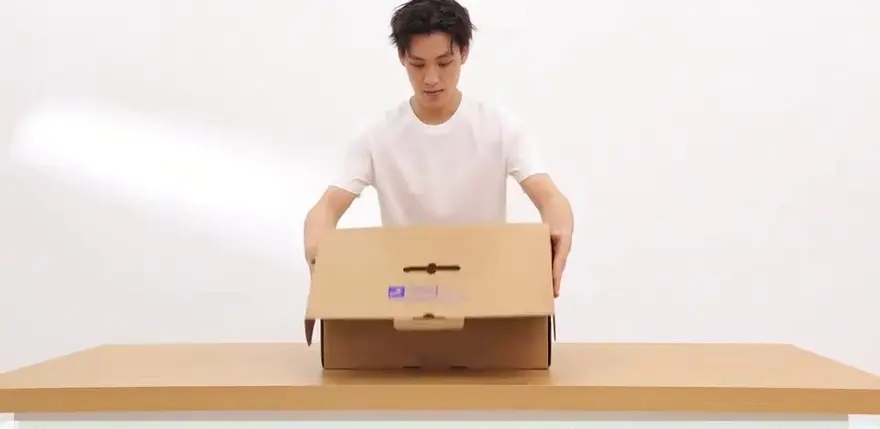
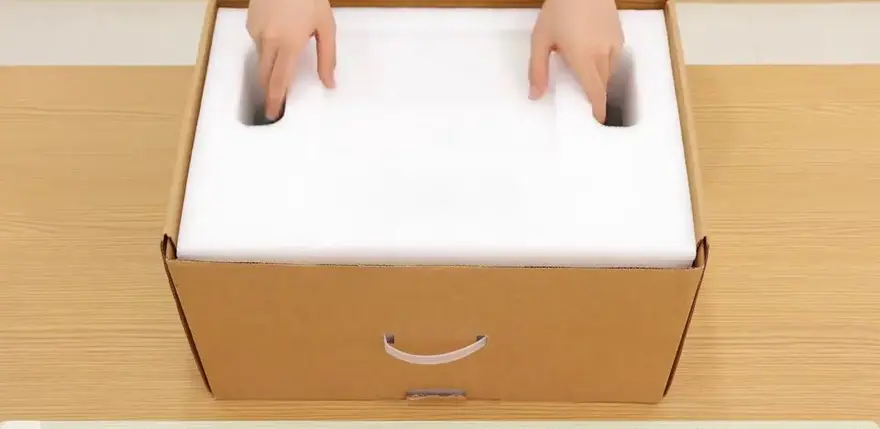
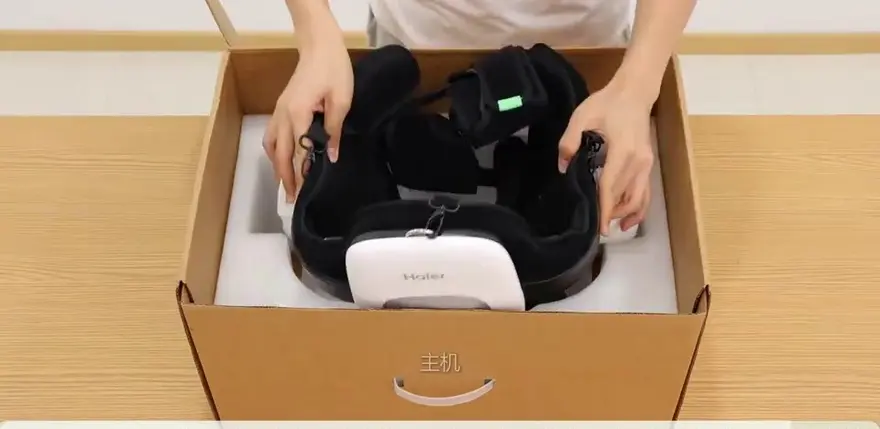
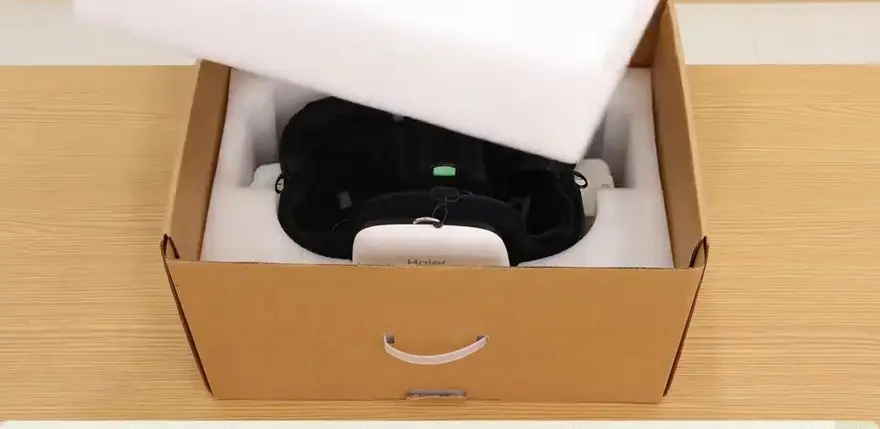
Unboxing and Safety Logic: Straight "Em Up Before You Power Up—An Exoskeleton Isn't Just "Slip On and Go"
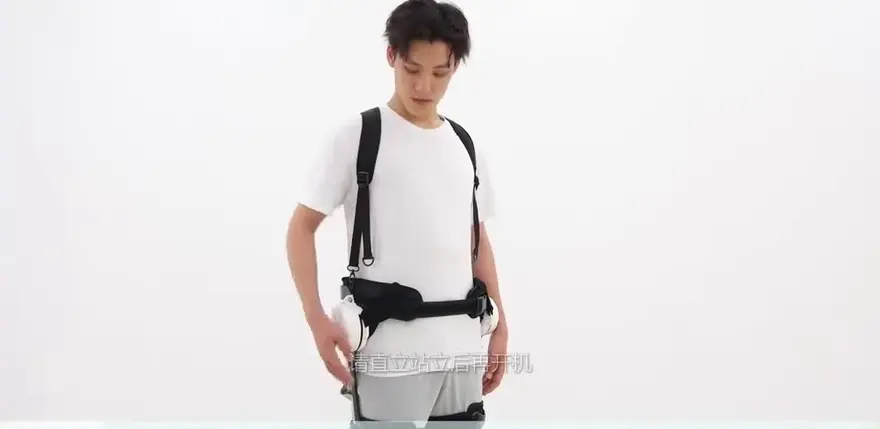
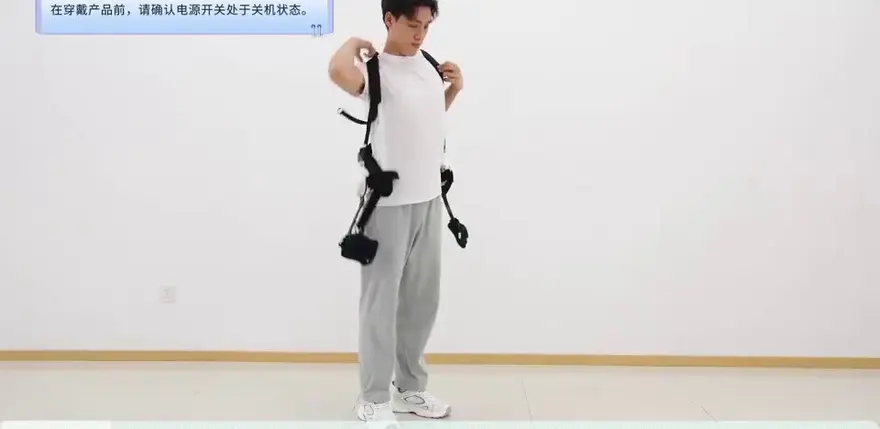
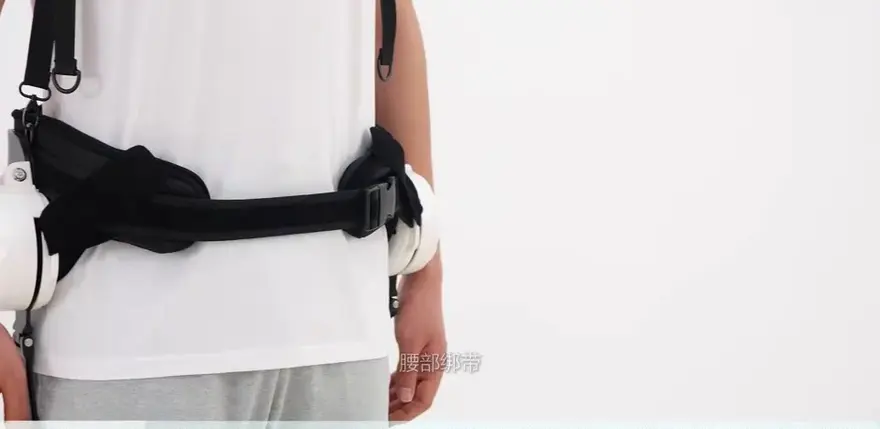
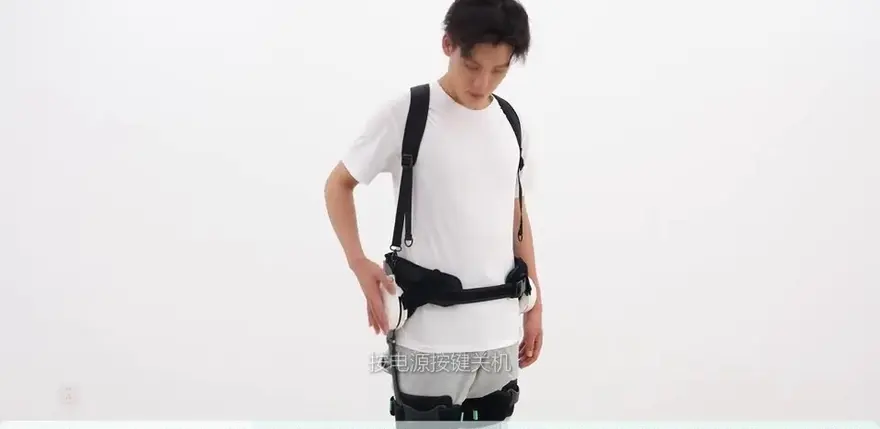
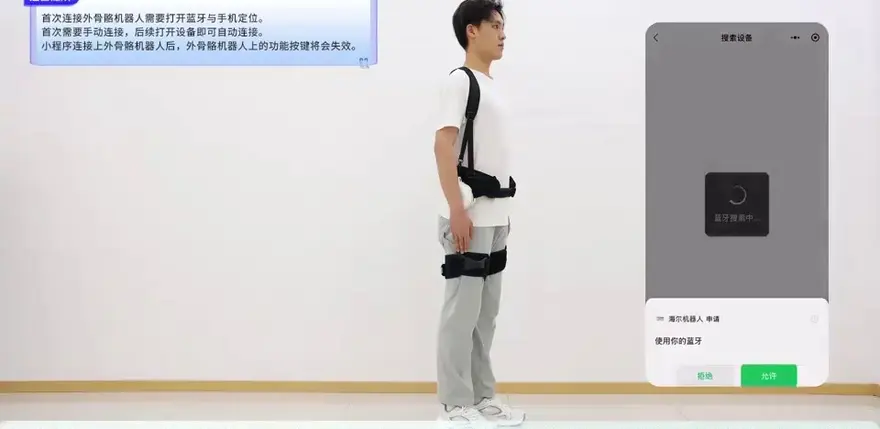
Judging from the user manual shown in the video, this device features a rare "safety-first" design. Before powering on, users must properly secure the lumbar and leg straps and fasten all buckles, and stay in an upright, standing posture; otherwise, the power will not engage. This anti-malfunction, preventive logic actually provides quite a bit of peace of mind for first-time users.
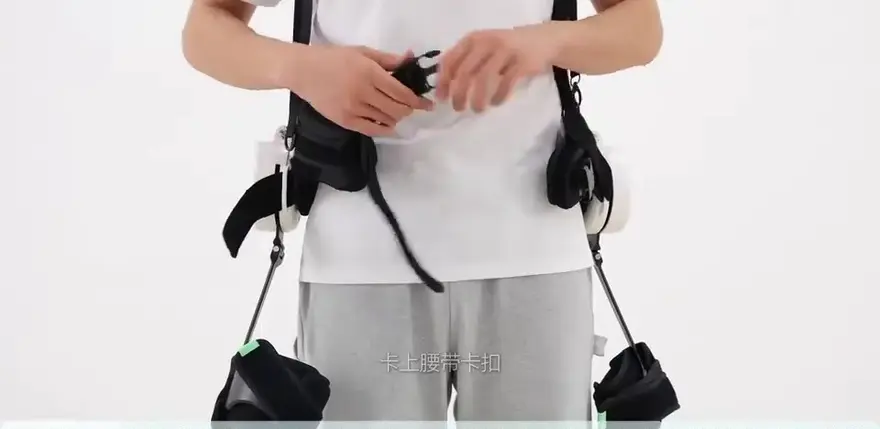
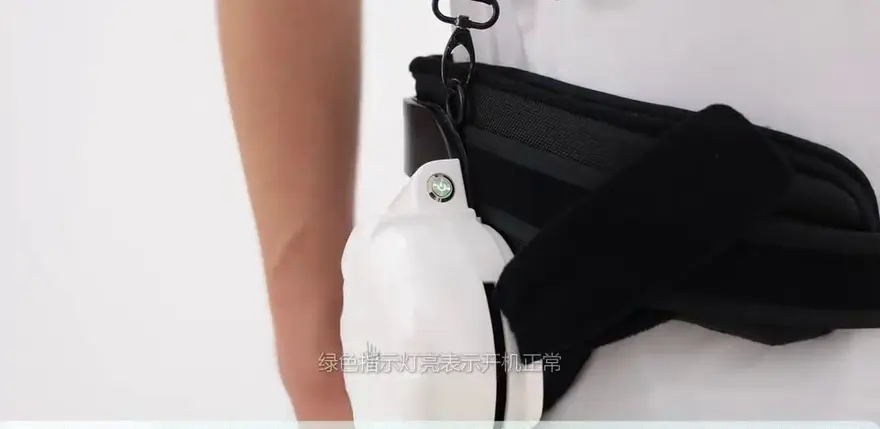
Power-on requirements: It will not power on if the lumbar buckle is not fastened or the leg straps are not tightened properly;
The green indicator light turning on indicates a successful power-up;
Powering off also requires the user to be in a standing state, avoiding the risk of losing self-balancing caused by a sudden power cut.
This "interlock startup logic" forms a strong binding between the lumbar and leg straps, setting the correct safety threshold for an exoskeleton. Since the machine integrates a trigger mechanism reliant on gait recognition internally, it refuses to operate if you are sitting or if your legs are in a bent state.
Wearing Experience: Refined Setup Guidance, with a Shoulder-Strap System That Transfers Force to the Shoulders
An exoskeleton isn’t “a pair of crutches.” It needs to carry and transfer load in a stable, even way. In the video, the donning sequence you can see is:
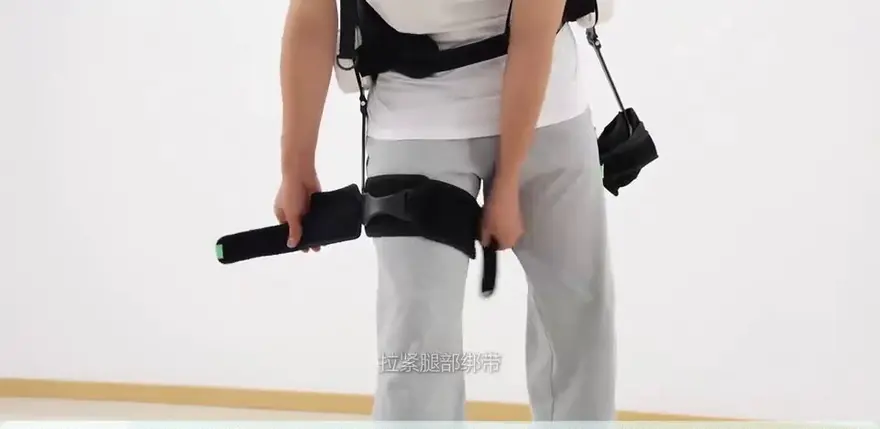
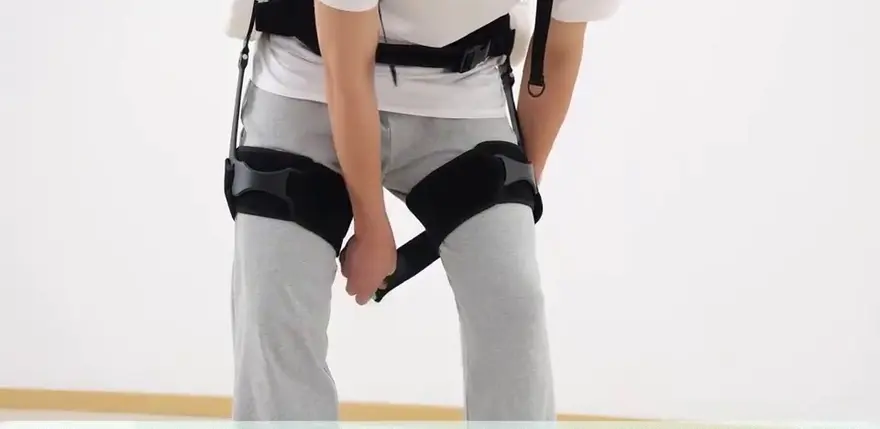
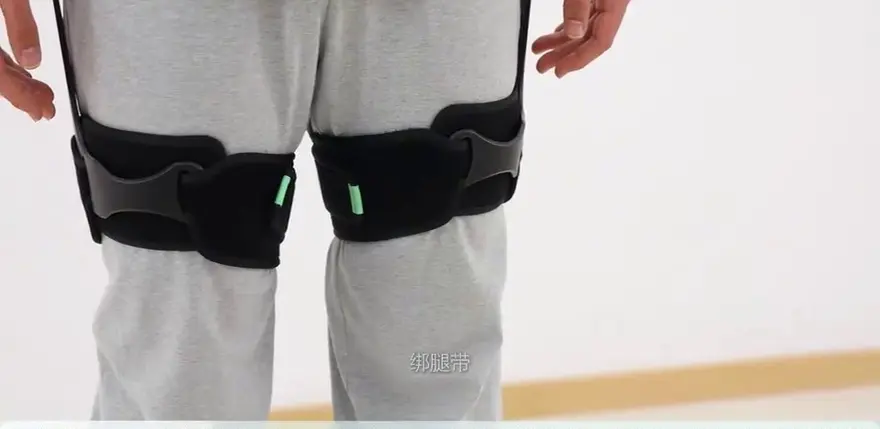
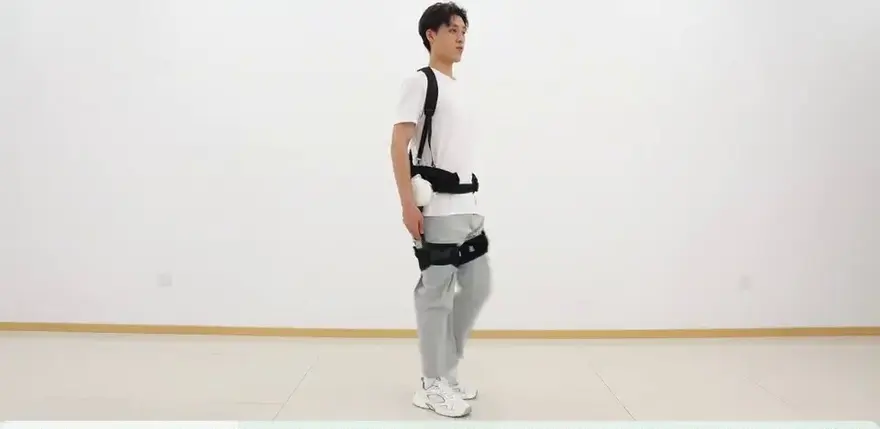
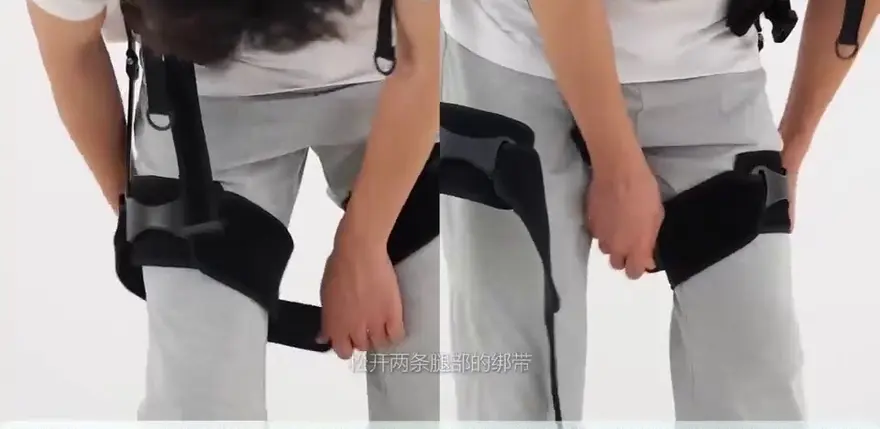
- Shoulder strap system: First put the shoulder straps on, then adjust their length. Position the thigh strap pads about three finger widths above the knees, with the pads centered on the front of the thighs.
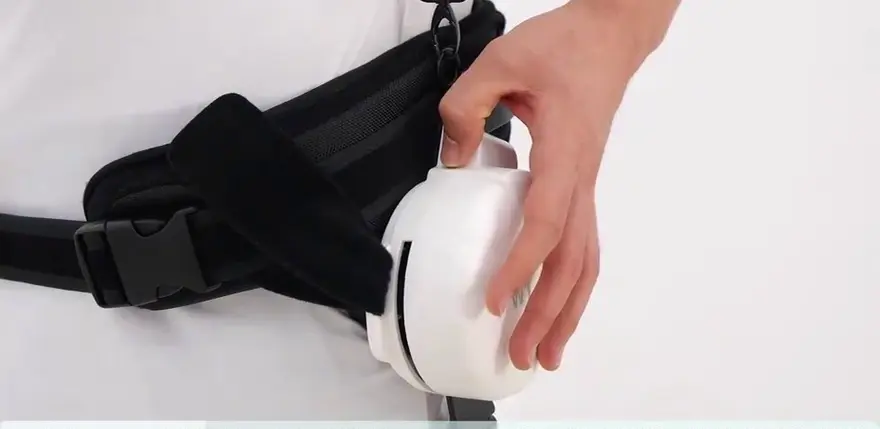
- Lumbar main frame adjustment: Secure the main unit at the waist bone, fasten the waist straps, and adjust both sides in sync so the straps stay flat and evenly loaded. Then secure the Velcro closure.
- Leg fixation frame: Adjust the calf straps with the same tension on both sides in a synchronized manner. Keep the soft padding just touching the outer side of the leg muscles—do not smooth down or reposition the strap guides.
This donning process can become a frustrating step in many commercial-grade experiences. This product makes a few optimizations—for example, it includes guidance marks indicating the “thigh pad height.” Judging by the button logic, it won’t be perfect on the first try; you’ll likely need one or two adjustments.
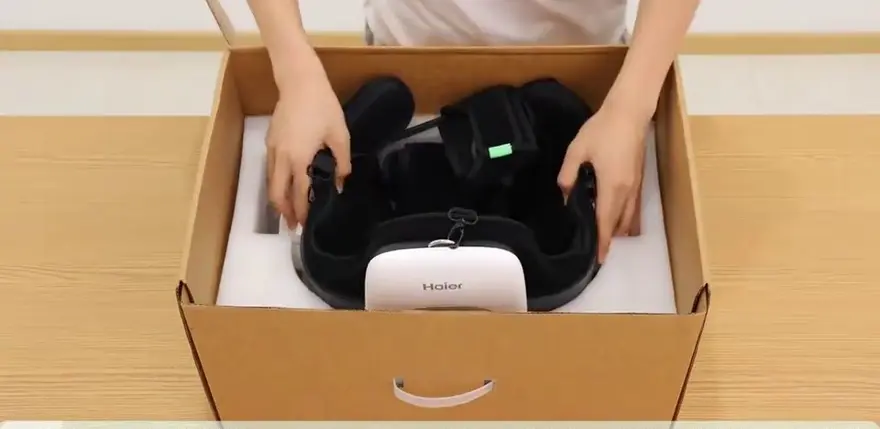
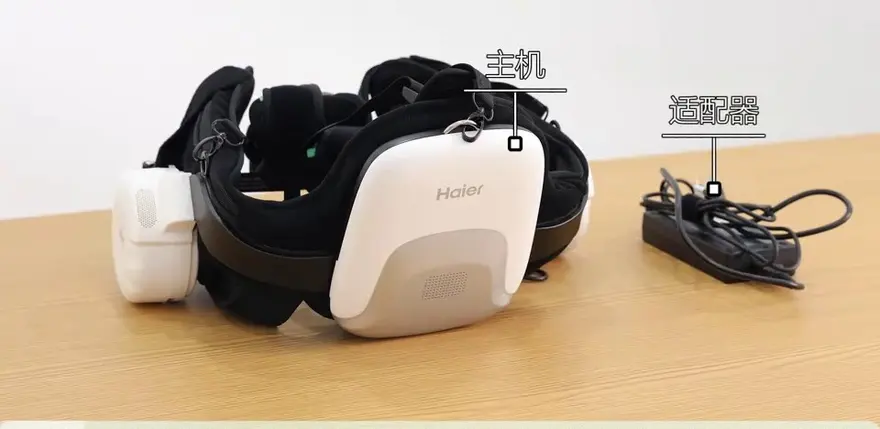
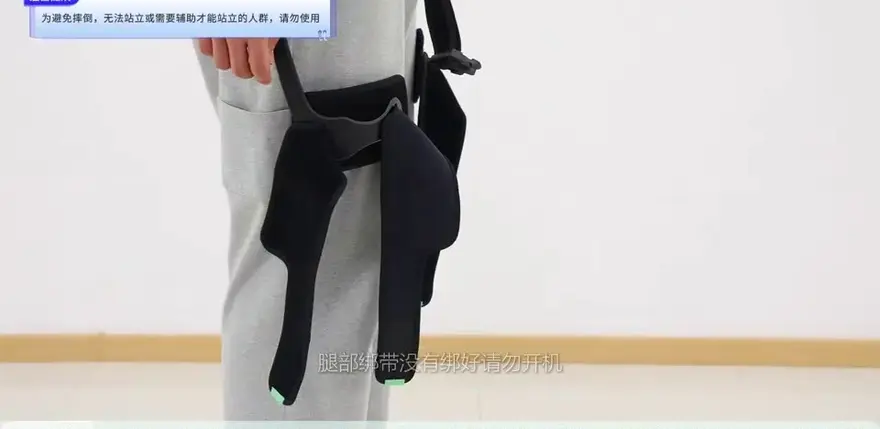
Recommended donning order: shoulder straps → waist fixation → leg fixation → stand up, lift the legs slightly, and run a short standing test first.
For everyday users, another benefit of this approach is a more efficient packaging and parts layout: if storage space at home is tight, adding a dedicated storage rack becomes very useful.
Control Logic: One-Button Controls for Both Modes and Intensity — How the “5 Assist Levels + 5 Modes” Are Integrated
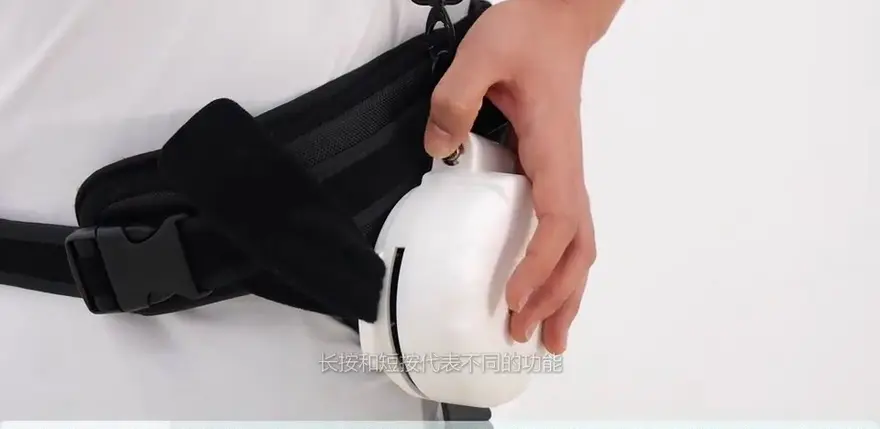
Compared with many products on the market that rely on several buttons, this device keeps things minimal: a single button plus voice prompts.
- Short press: cycles through assist levels 1–5 (the higher the number, the stronger the assist);
- Press and hold for 2 seconds: cycles through modes;
- A voice prompt confirms each successful switch.
This approach lowers the learning curve: older adults and first-time users are less likely to skip trials simply because the menu has too many layers. The five levels appear to stay within a sensible range between two end-use cases—light “vacation” outings and heavy “firefighting load” scenarios. When assisting the legs, the highest level delivers the strongest joint torque output, but battery life / runtime can be reduced accordingly.
Mode preview (as mentioned in the video):
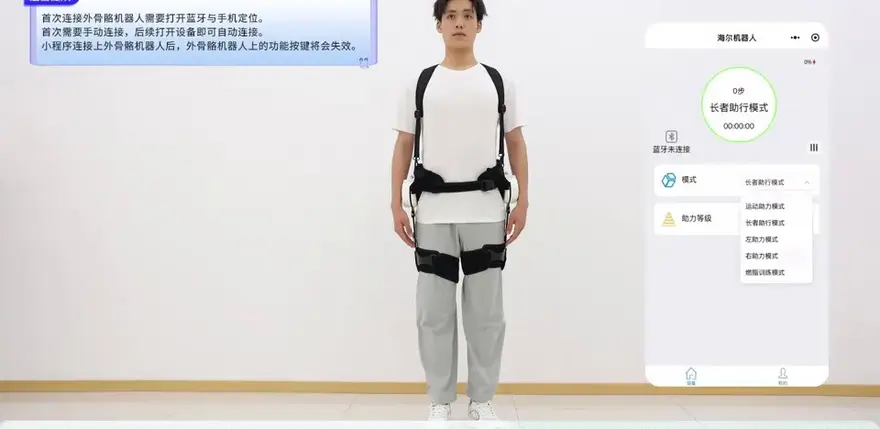
Travel assist mode, senior walking assist mode, sports assist mode, gait training mode, and left/right assist mode.
Among them, sports assist, senior walking assist, and gait training each appear to use different assist logic.
One thing worth noting is that manufacturers have been quietly diversifying their approaches to making large-model features “adult-ready” in recent years. VOYO Vision does not simplify the mode configuration here, instead allowing users to plan settings according to the scene.
Pattern Breakdown: From everyday walking to hiking / rehabilitation—five operating logics for five user needs
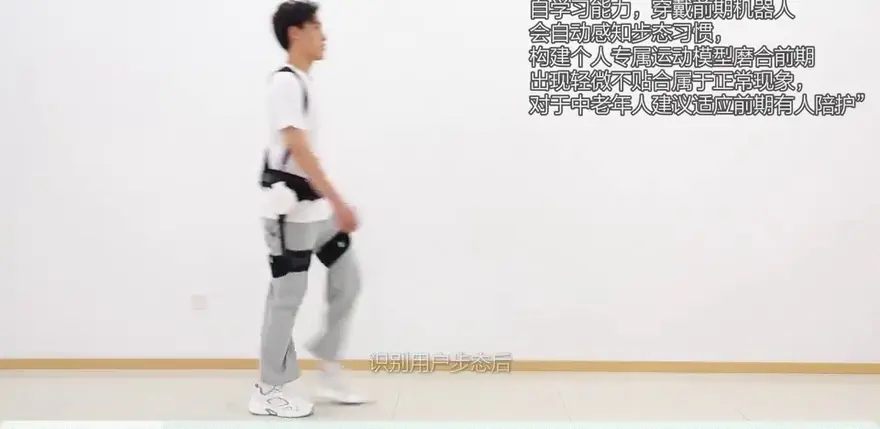
- Action assist mode (walking assist, default): The everyday walking enhancement mode uses onboard sensors (IMU / pressure sensor) to capture gait speed and provides follow-along assistance to both legs. User feedback: on level ground, the propulsion is clearly noticeable, but at a faster cadence the added “lift” doesn’t carry through into a bigger stride (police officers in the video discuss this).
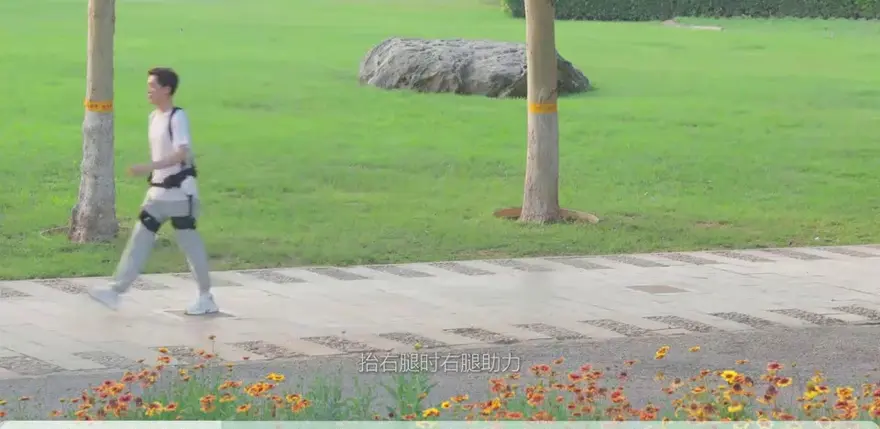
- Senior walking assist mode: Emphasizes stable intervention with delayed force delivery at startup. When lifting the left leg, the left-side mechanism provides assistance; when lifting the right leg, the right-side mechanism helps deliver a smooth push-through. It’s suited to users with relatively shallow gait and reduced muscle support, as well as eldercare evaluation scenarios.
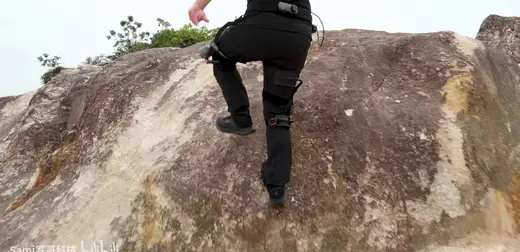
- Sports assist mode: Designed for climbing/descending stairs and hiking scenarios. It’s not focused on limb support per se, especially not on knee joints or the effects of muscle deconditioning. The video notes that the device can add extra thrust, typically in the forward direction. For backpackers, this mode should be especially compelling.
- Gait training mode: The video states this differs from the others—at the instant of lift-off, it feeds in external joint torque to reinforce support. This resembles the physical-therapy logic commonly used in rehabilitation centers, and while the product remains in the consumer-grade category, providing such training options can be genuinely useful for users working on coordination, steadiness, and movement control.
- Left assist / right assist modes: Enabled when one side is overloaded during trekking. It also supports scenarios like older adults going up and down stairs at home, providing care for users with hemiparesis or mild hemiparesis.
Classic scenarios:
everyday walking, mountain hiking, exercise, lower-limb rehabilitation… this photo caption comes from somewhere in the video, and the use scope has expanded from simple “walking” to recovery and trekking.
Scenario Experience: Real-World Expansion in Daily Walking, Hiking / Trekking Assist, and Intensive Slope Coverage
The video showcases not only indoor trials but also simulated usage across various scenarios. Based on the device's advertised use cases, we can deduce the following:
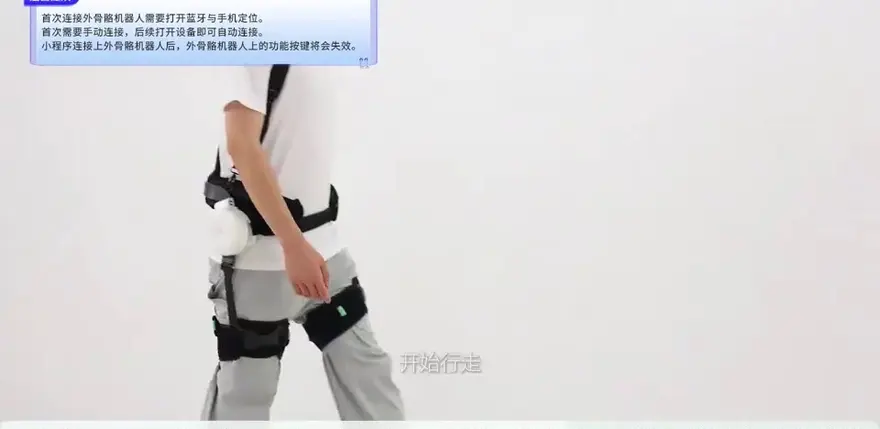
- Daily Commuting and Strolling: For short walks, grocery runs, or walking in the office area—scenarios lasting over a minute but lacking steep gradients—assist levels above level 2 are perfectly sufficient. Furthermore, the newly added left-to-right assist mode can properly handle temporary left-to-right imbalances, such as those experienced during a sprained ankle.
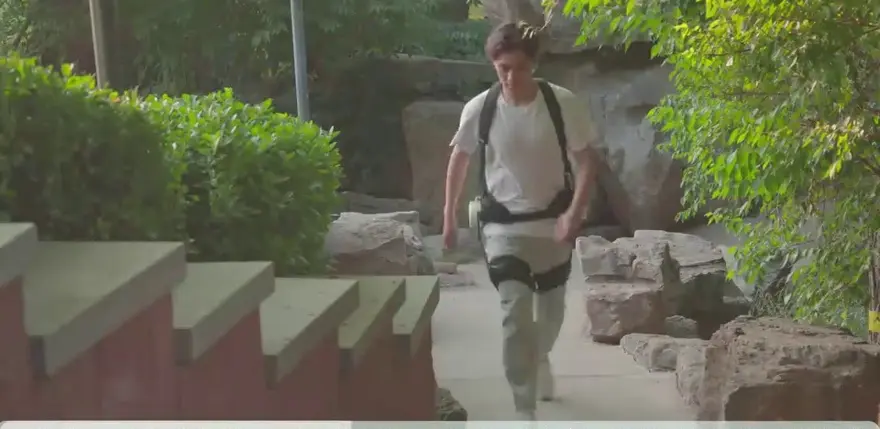
- Hiking / Trekking Scenarios: The video demonstrates a "mountain climbing" scenario. When paired with the "Sports Assist Mode," the exoskeleton provides an upward pushing force as the user lifts their leg. This is incredibly beneficial for traversing outdoor slopes. Currently, the force application logic in consumer-grade exoskeletons on mountain trails typically operates by layering active motor intervention—calculated via driving joint torque—on top of basic walking gait synchronization.
- Rehabilitation Assist Scenarios: A "gait training mode" is a standard feature here, but it is crucial to remember: this product is still designed strictly under a consumer-grade rating and is not a medical device-grade rehabilitation exoskeleton. For users undergoing recovery, this device can be utilized for limited periods of low-intensity assisted walking, but long-term therapeutic treatments will require medical exoskeletons with more advanced parameter capabilities.
Parameter Analysis: Battery Life Focus – Specific Values Not Detailed in Video
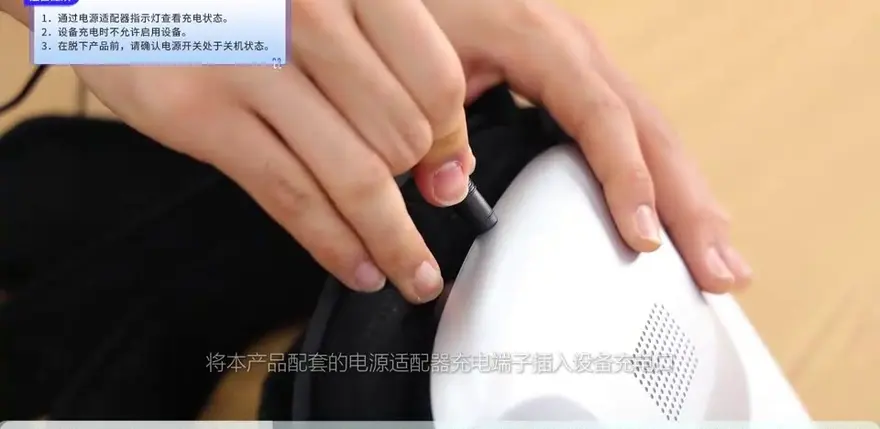
The video showcases the main body of the exoskeleton, charging port, leg sleeve structure, shoulder straps, and hooks. However, the included manual section lacks specific numerical parameters regarding battery life, battery capacity data, and other specs. Therefore, when evaluating the "hard parameters" of this lower-limb exoskeleton, we must rely on the manufacturer's publicly released specifications:
Typical parameters for products in this category include:
Overall Weight (most domestic brands fall within 1.5-3.5 kg)
Hip Assist Joint Torque (commonly ranges from 20-40 N·m)
Battery Life / Runtime (varies between 1.5-3 hours)
Max Payload and Wearer Height Suitability
However, the video offers some practical reference points during actual use: The entire filming session showed no behavior necessitating sudden shutdown due to low power, nor was a charging operation demonstrated. This reminds us that before purchasing, we need to confirm with the manufacturer whether the lithium-ion battery capacity and endurance (in hours) specifications can support a full day of outdoor hiking/trekking.


The video does not mention specific runtime parameters; refer to the manufacturer's data for a 5000mAh/24Wh or similar specification.
It is advisable to monitor low-battery alerts and any design features for automatically reducing assist levels during use (if present).
Cleaning & Storage: The end of the video mentions consumable maintenance, so you also need to give it a "dedicated home"
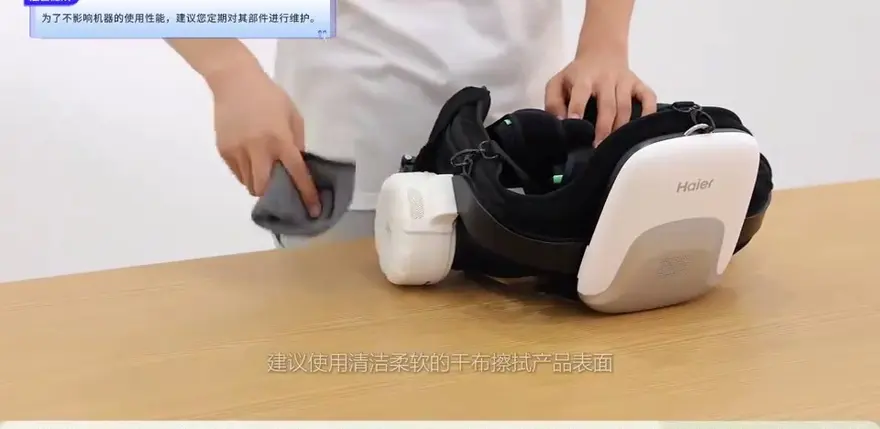
As mentioned at the end of the video, it is recommended to wipe the product surface with a soft, dry cloth; power it off and store it when not in use to prevent long-term battery degradation. This advice may seem simple, but it actually implies exoskeleton maintenance habits:
- Since the fabric on the pant leg straps and thigh contact areas is mostly flexible, you must clean it promptly after every outdoor use if there's heavy sweat or dust accumulation.
- It is not recommended to spray solvents like alcohol on the main device (which contains the PCB / battery), to avoid damaging the waterproof coating.
At the same time, for future storage of this device, you need to consider a fixed placement spot (a coat rack or a dedicated backpack?). If keeping it as a frequently used household tool, a simple stand is the obvious choice.


Chinese Exoskeletons Are Red-Hot: Who Are the Players Behind This Popular Tech?
In recent years, domestic companies have been making persistent efforts in the consumer-grade exoskeleton robot sector, offering a variety of specialized devices. Although the specific brands are not named in the video, the products can be categorized into the following companies based on their user experience and price:
- Chengtian Technology: An early entrant in the rehabilitation exoskeleton and walking assist device markets, with a product line covering lower-limb and lumbar / back assist solutions.
- Kenqing Technology: Focuses on lower-limb and lumbar / back assistive exoskeletons, with some dynamic products utilized in sectors such as cargo handling and medical care.
- Aoshuang Intelligence: Specializes in heavy-load exoskeletons for industrial, construction, and logistics scenarios, prioritizing "max payload / load capacity" assistance.
- Yuanye Technology: Has developed EMG control and flexible exoskeleton technologies, focusing on lightweight designs and force feedback.
- Haier: Leveraging its home appliance ecosystem, the company has introduced products designed for elderly care and rehabilitation.
- Toread: An outdoor gear brand that successfully integrates outdoor activities with consumer-grade exoskeletons (such as Hypershell).
The product links in the video redirect to the the platform store. It is highly recommended to verify the specific brand and model on the sales page before making a purchase. Notably, aggressive sales pitches urging you to "rush to buy this viral product!" may very well be hiding a catch.
Top Community Comments
@Reader product—grab it now!
The phrase shows that exoskeleton content online is still mainly driven by commerce and affiliate links. Comments tend to focus on purchase prompts rather than technical value or user experience.
@WildBob666: Clear explanation—but could you do a comparison episode? One device alone isn’t enough.
Users want spec sheets and direct comparisons. Information such as price, joint torque, and max payload can really only be compared across multiple products in one head-to-head review.
@Reader, but if it’s tens of pounds, wearing it for long periods will be tiring. Can you add tests for battery life and going up and down stairs?
This highlights the real concerns of mature consumers: overall weight, assistive battery life / runtime, and how well it supports knees when climbing or descending stairs. These are the three pain points of consumer-grade exoskeletons.
@Reader exactly is the boundary between rehabilitation and assistance? Please don’t conflate them.
This dispute persists in the blurred boundaries of consumer-grade products: which scenarios are “rehabilitation / relief,” and which must be handled by medical-grade exoskeleton products—requires clear national regulations and certifications.
@Reader the alert volume be adjusted into several levels? Elderly users have different hearing and different ambient noise. Could you use vibration-only alerts?
This is a very detailed suggestion that could meaningfully improve the experience—and it could become a direction for future product iterations.
@Reader: The most important specs—weight + battery life + torque—were all missing from the video.
This is a sharp, direct, and valuable piece of feedback. What consumers want is “decision-making information before purchase,” not videos that never mention the numbers that most influence buying decisions. This is also a question for the industry’s content creation.
@Reader issues—what happens with odor after sweating and heat from the motor?
This is an equipment-management issue that industrial-style devices often overlook when moving to consumer use: motor heat dissipation, quick-drying fabrics, and anti-odor coatings are all aspects that only become apparent through long-term, real-world use.

One-Sentence Summary
If you are looking for a "lightweight and packable" multi-scenario device that covers flat-ground walking, hiking/trekking assist, and rehabilitation assistance, the consumer-grade exoskeleton showcased in this video presents a sufficiently sound product definition and business model. However, deficiencies in its core specifications and long-term user experience have not been covered as of this writing. It is suitable for early adopters curious about the latest exoskeleton technology and for families with significant caregiving burdens, but it is not a substitute for a "medical device" for users with rigorous hiking or rehabilitation training needs.
About this article: part of Chinese-Made Exoskeleton Review Archive — an independent, regularly updated English archive of reviews of consumer exoskeletons made in China, edited from publicly available video transcripts. Not an official manufacturer page.
For inquiries and purchasing, contact lonlonago@foxmail.com. More in Reviews · All articles.