Packing 'Walking Assist' into a Backpack: A Full Hands-On Review of Wearing, Tuning, and Testing the Hypershell X
As the newest entrant in the consumer-grade exoskeleton market, can the Hypershell X truly become the "second pair of legs" for hiking and commuting enthusiasts? We got our hands on the complete tutorial video and are taking an in-depth look, from unboxing to storage.

Unboxing and First Look: A "Wearable Carbon-Based Assistive Device"
The first impression of the Hypershell X is that it's not as bulky as traditional medical exoskeletons; instead, it feels more like a pair of precision mechanical shins.
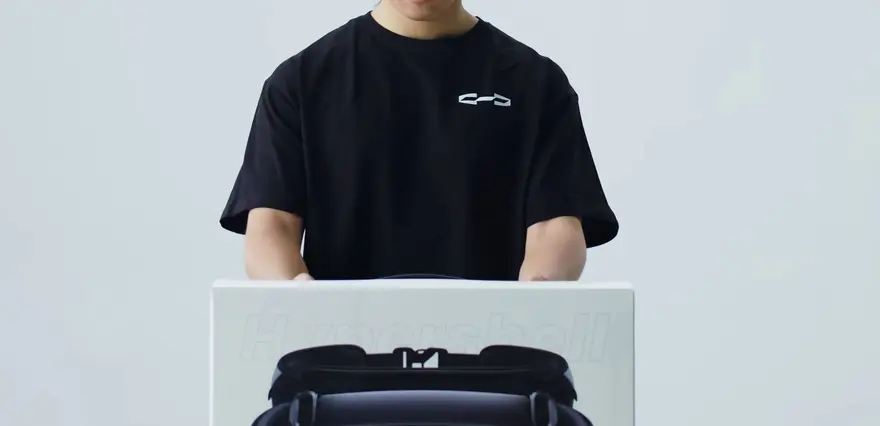
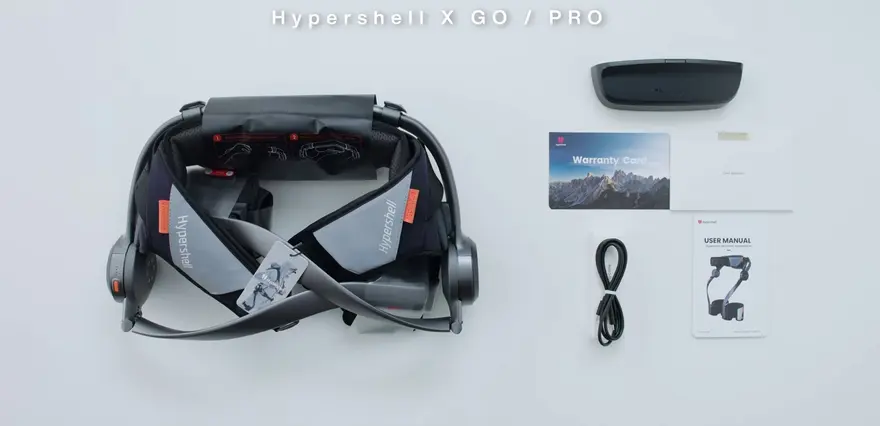
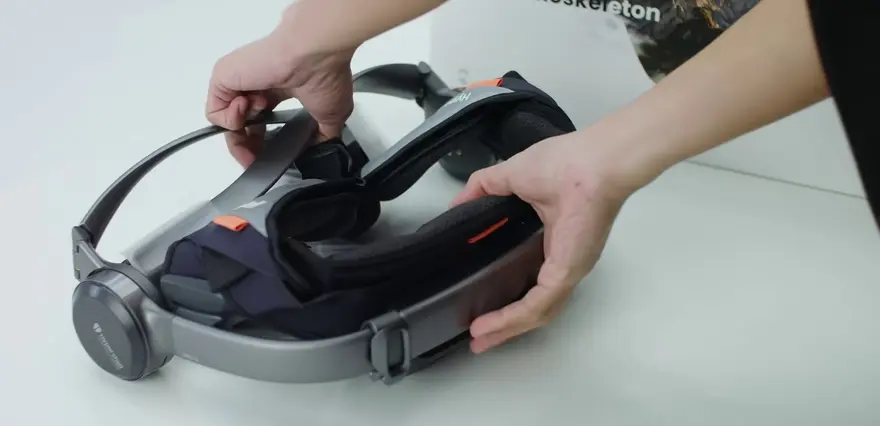
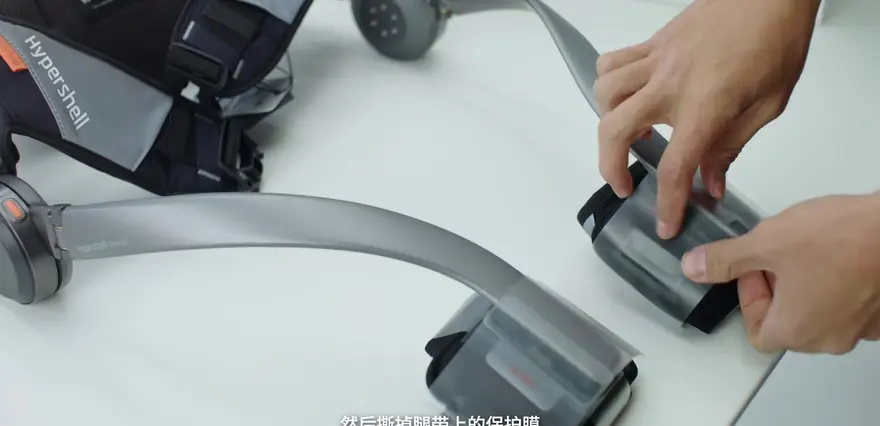
At the beginning of the video, the company emphasizes the completeness of the packaging. After removing the protective film, the first task is to securely plug in the battery.
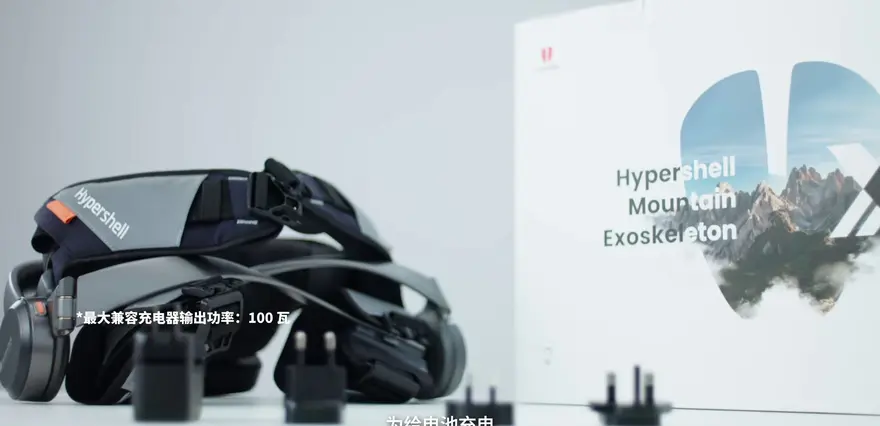
Plugging in the battery securely is the first step. Please note that this device supports PD or QC charging protocols.
Source:
This design approach is very appealing among today's consumer-grade exoskeletons. Previous lower-limb exoskeletons often relied on bulky battery packs, but the Hypershell X has clearly made trade-offs to balance weight and battery life.
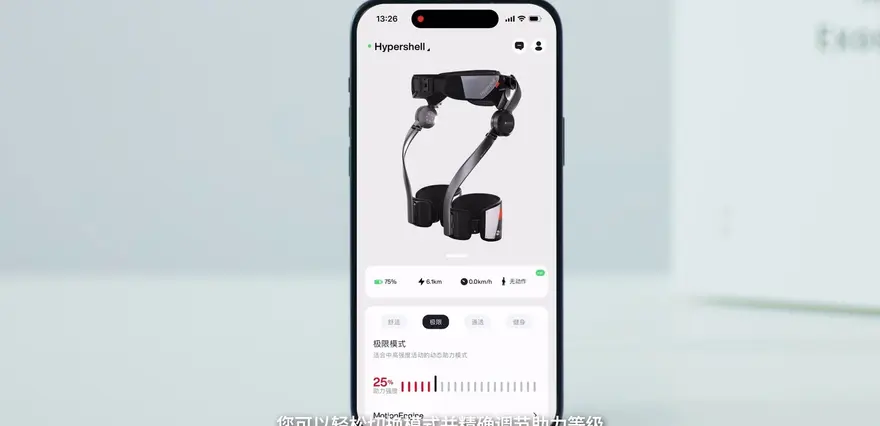
The app interface demonstrates a clean and connected design philosophy. Scanning the QR code on the user manual to download the Hypershell App is an essential step:
After registering and logging into an account for the first time, users must enter their physical parameters in the app. Here is a detail the video specifically highlights: the "biological sex" option. It seems this parameter is highly sensitive for the algorithm when predicting stride length and joint torque.
Real-world Wear and Fit: The Philosophy of Two Fingers and the Satisfaction of Mechanical Self-Locking
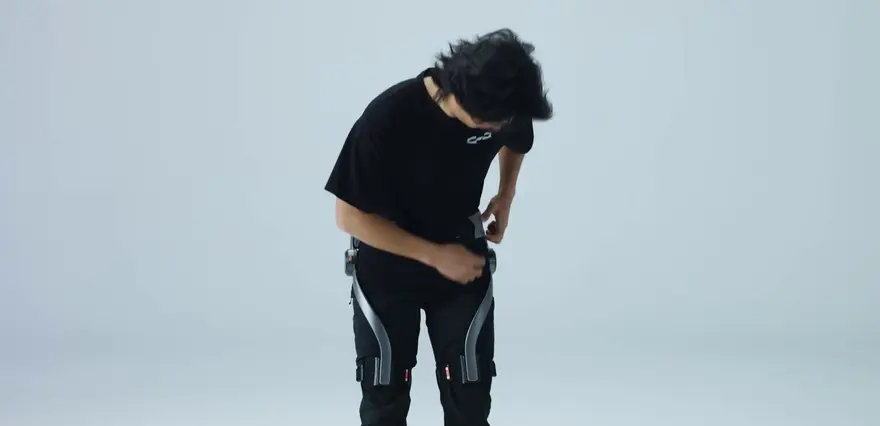
When you put on an exoskeleton, the worst case is looseness or pinching. The wear logic of Hypershell X is actually similar to putting on a pair of high-tech tactical pants.
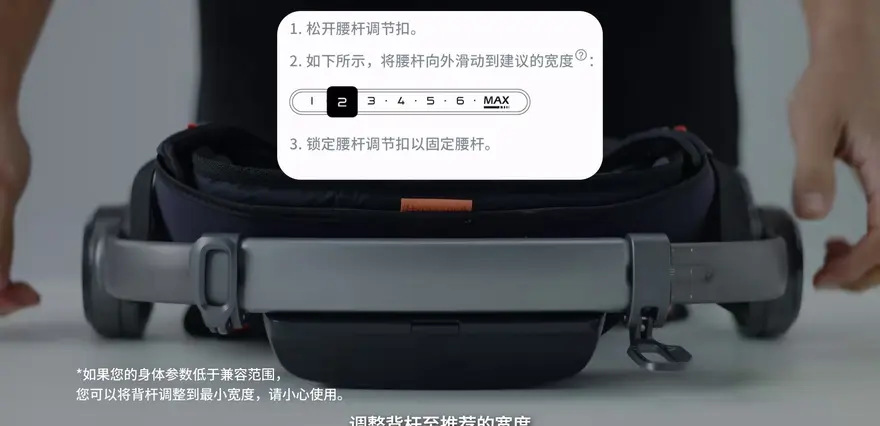
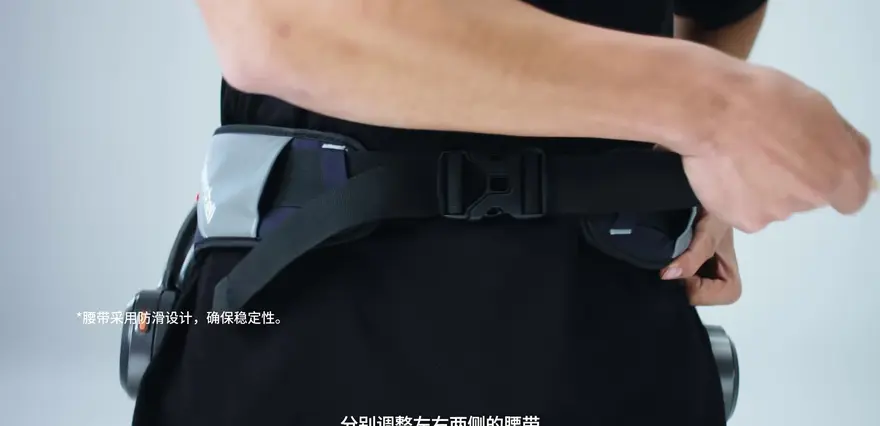
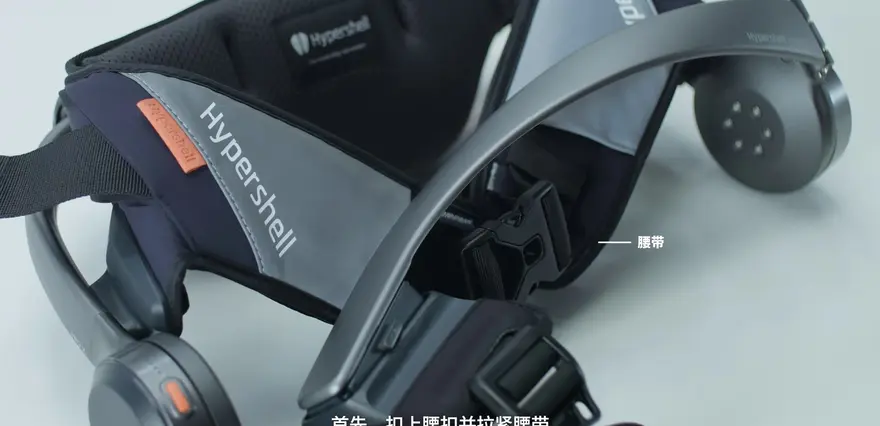
First, adjust the back bar to the recommended width and fasten the waist belt.

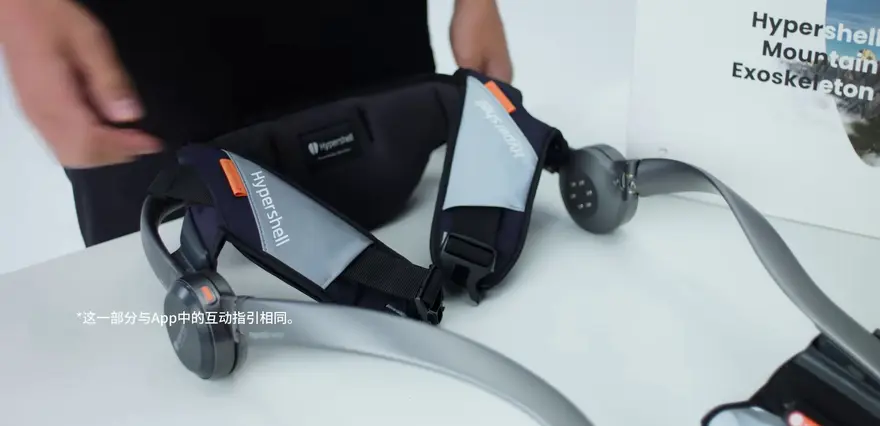
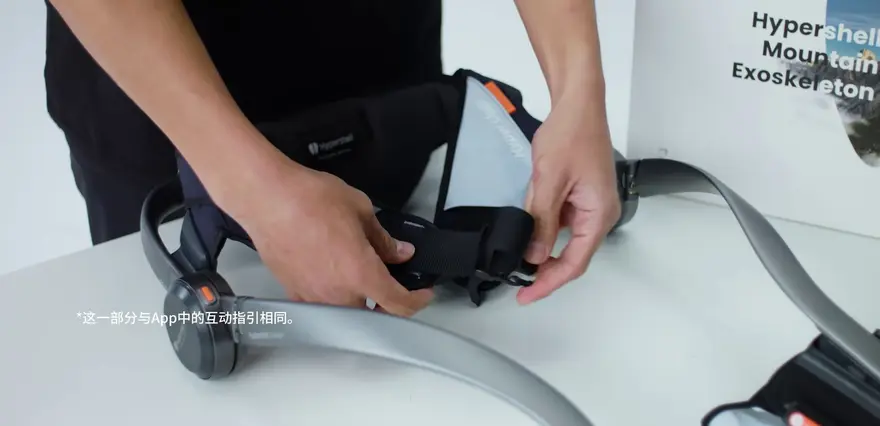
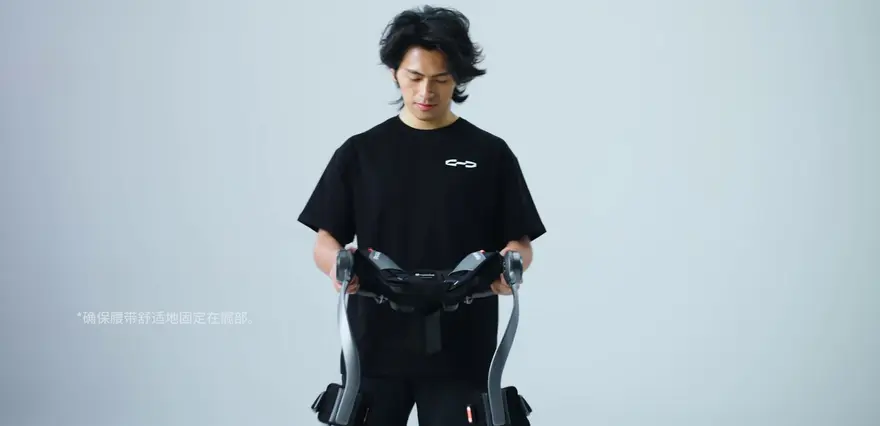
Next, adjust the left and right waist belts so they fit snugly against your body. The key here is the “feel” — it should be like wearing climbing shoes: stable without pressing into your body.

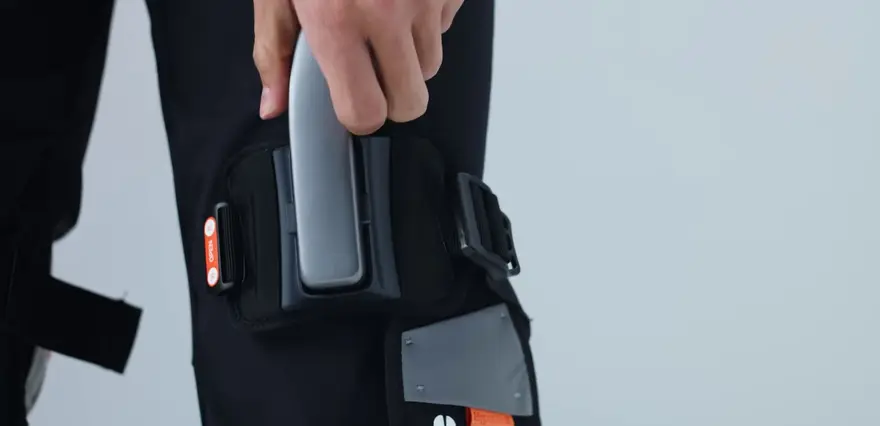
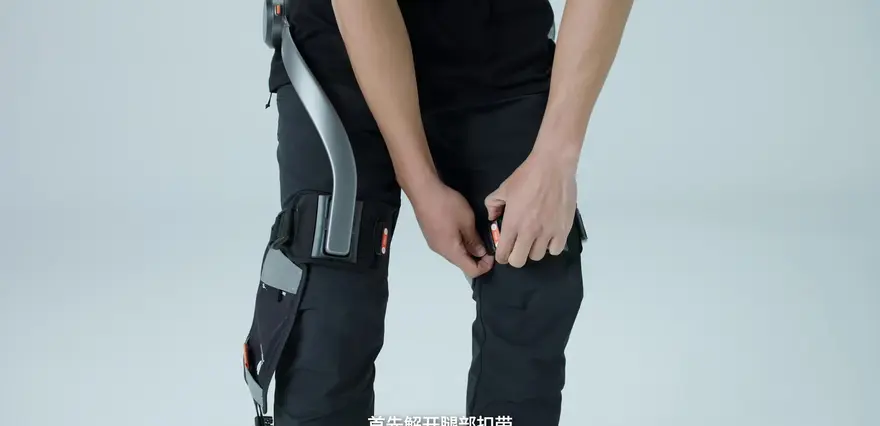
Then comes the leg adjustment: press the button on the leg-bar adjustment slider (slide rail/slider).

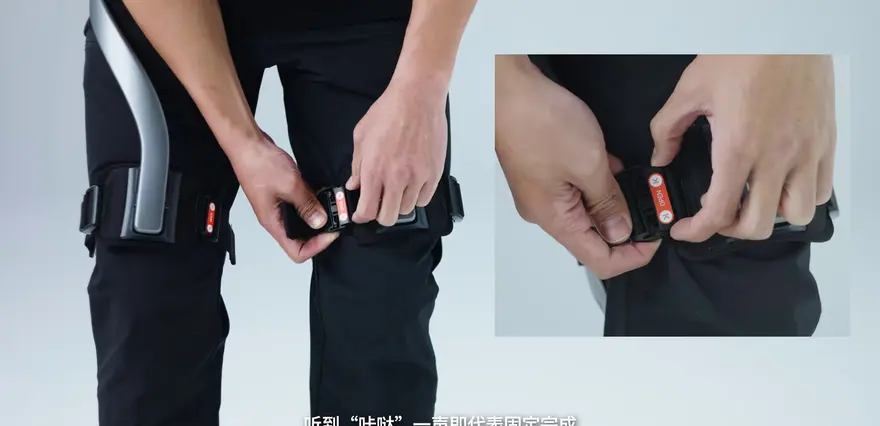
Adjust the position of the leg strap until you hear a crisp “click.” That mechanical latching sound is the exoskeleton’s unmistakable “handshake” cue.
> Make sure the end of the leg strap is about two-finger width from the knee.
Source: mentioned in the video
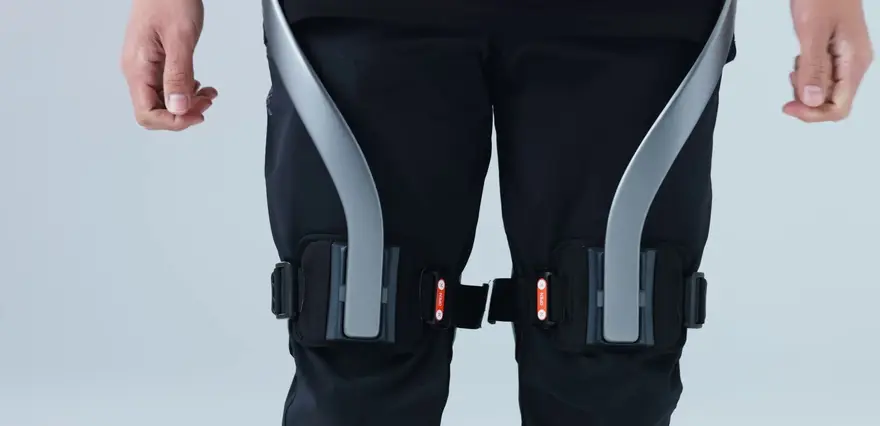
That “two-finger width” advice is critical: it leaves clearance for joint movement and prevents friction against the patella during high-intensity motion. Fasten the leg strap; once you hear the same “click,” it’s locked. Finally, adjust the strap so it hugs the thigh tightly without cutting in.
Taken as a whole, the dressing process feels more like strapping on a pair of high-tech tactical shin guards.
Power-On, Pairing & First Impressions: The AI Motion Engine’s Predictive Capability
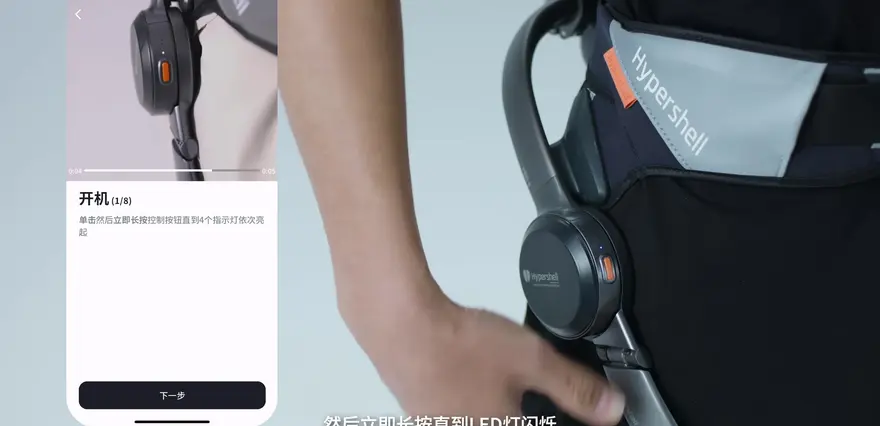
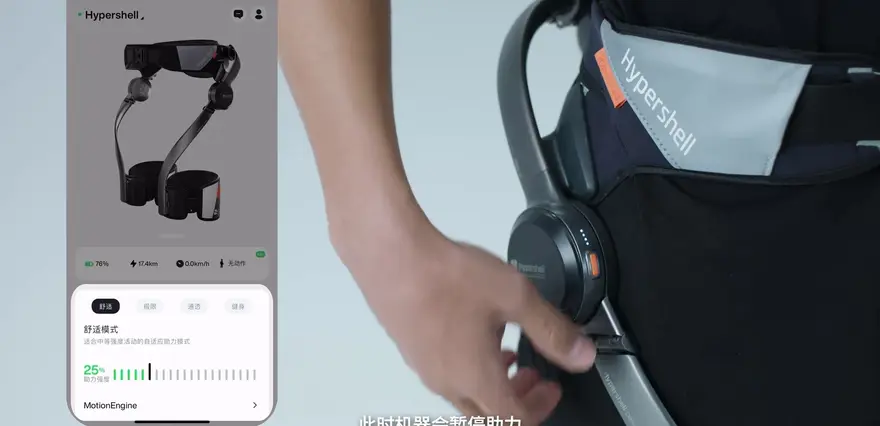
The boot sequence is intuitive: give the control button a quick tap, then hold it down until the LED indicator starts blinking—the device powers on.
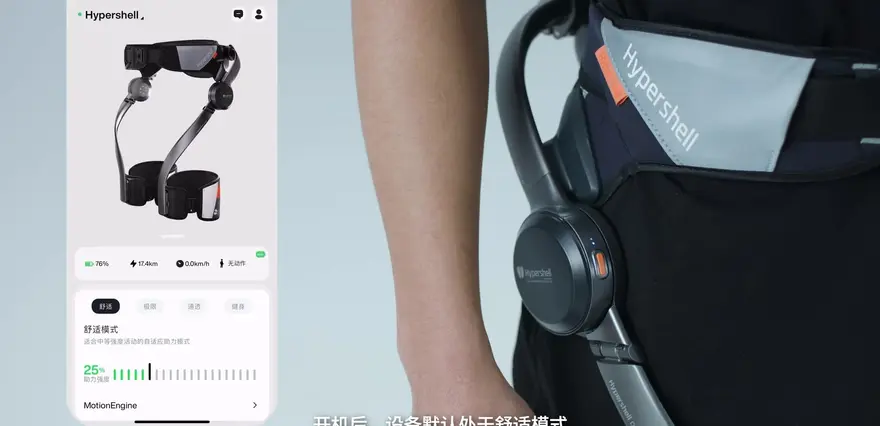
Once you connect via Bluetooth to the Hypershell app, it automatically enters “Comfort Mode.” It feels like a pair of gentle hands lightly pushing you forward from behind your thighs—perfect for everyday hiking or trekking.
Yet under lighter load, you might forget it’s even there—what some call “seamless assist.”
Out of the box, Comfort Mode delivers mild support ideal for daily walks and light trekking.
Source: mentioned in the video
Achieving this “transparent haptic” feel is one of the toughest engineering hurdles in today’s assistive exoskeletons. Hypershell X’s factory default settings are deliberately restrained, avoiding any crude or intrusive sensation—no abrupt “machine-forcing-your-legs” jolts.
Three-Mode Switching Logic: From "Transparent" to Extreme "Assist"
If powering on is just a warm-up, then switching modes is the true soul of this exoskeleton. The video demonstrates three core modes: Comfort Mode, Transparent Mode, and Extreme Mode.
Transparent Mode is particularly interesting. It can be activated with a single control button, and the machine completely disengages assistance, as if the constriction on the lower limbs instantly vanishes.
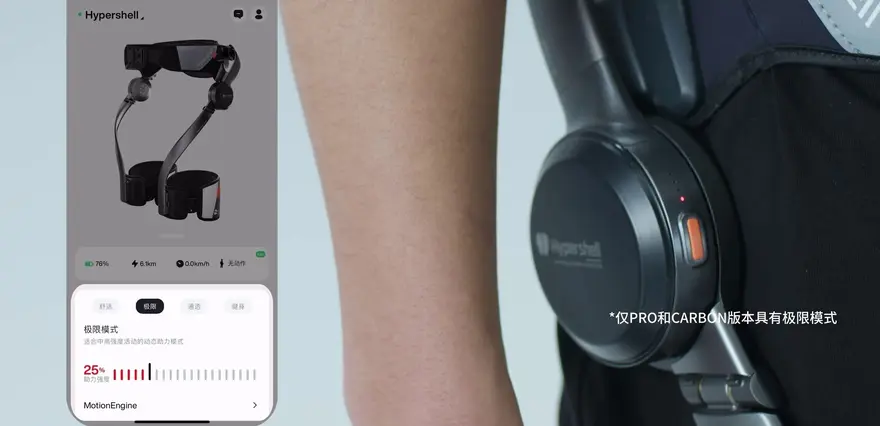
But what truly gets the heart rate up is Extreme Mode. It's activated by long-pressing the control button for two seconds.
Extreme Mode provides a powerful boost, suitable for higher-intensity activities like running and hiking.
Source: Mentioned in the video
In Extreme Mode, you can distinctly feel the increased intervention of joint torque—a thrilling sensation of being mechanically pushed uphill. This also means its servo motors have sufficient redundancy to handle steep inclines.
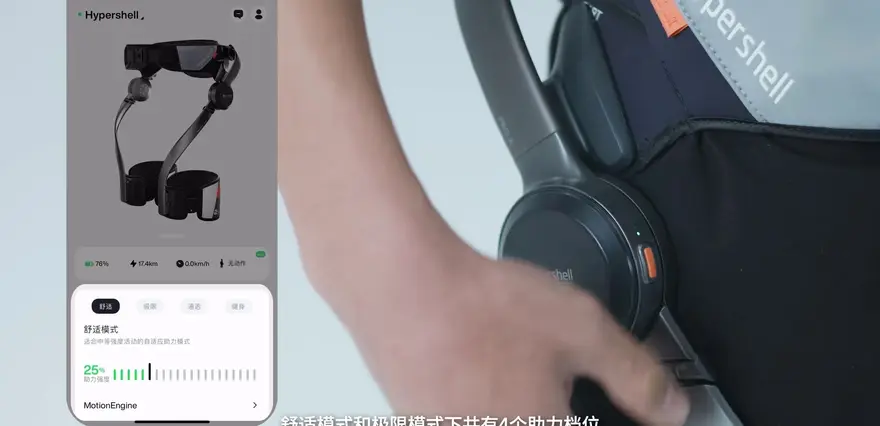
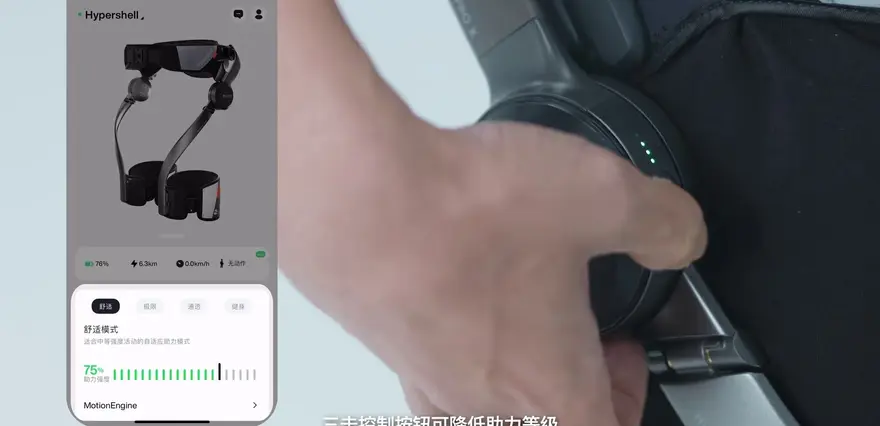
Furthermore, in both Comfort and Extreme modes, there are four assist levels. Double-click to increase the level, and triple-click to decrease it. In practical testing, the success rate of such blind operation depends on your familiarity with the button's tactile feedback.
This is where the AI motion engine demonstrates its value. It's claimed to detect your posture in real-time, adjusting the magnitude and direction of the assist. While the video doesn't show the specific latency of this detection, in real-world outdoor tests, this predictive capability often provides a sense of being "lifted," resulting in a lightness in each step.
AI Motion Engine & App Ecosystem: Your Personal Workout Coach
The core moat of the Hypershell X lies not just in its hardware, but also in these software capabilities. The video explicitly mentions that it can recognize ten different motion modes.
The Hypershell X is driven by an AI motion engine capable of recognizing ten distinct motion modes.
Source: Mentioned in the video
Via the data dashboard in the App, you can not only switch modes but also precisely adjust the assist levels. What's even more hardcore is the dedicated "Motion Engine" section within the App. Here, you can fine-tune parameters like "assist responsiveness." It's akin to remapping the ECU curve on your car; it can match different joint torque output curves based on your personal movement habits.
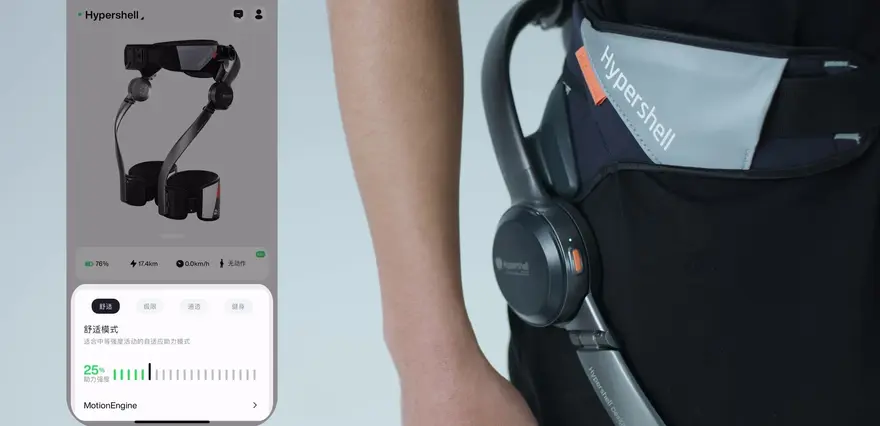
Additionally, the company specifically highlighted a "Fitness Mode." This marks a shift from it being merely a passive walking aid to a valuable tool that can assist with lower-limb rehabilitation training or incremental strength training. Regular firmware updates also ensure that this exoskeleton gets smarter the more you use it.
When navigating rocky slopes, this responsive adjustment is truly a lifesaver—it can instantly pull you back the moment you lose your balance.
Powering Off, Storage, and Charging: Making It Feel Like an Ordinary Piece of Gear
After the experience, how do you pack it away? The video shows an ultimate feat of shrinking magic.
The power-off logic mirrors the power-on sequence: first press briefly to rule out accidental touches, then press and hold to power off.
When taking it off, first release the leg straps, then unbuckle the waist strap. Keep a firm grip on the backframe so the entire exoskeleton doesn’t collapse like a row of dominoes.
As for charging, it’s remarkably flexible—just use any charger that supports PD or QC and plug in via the USB-C port.
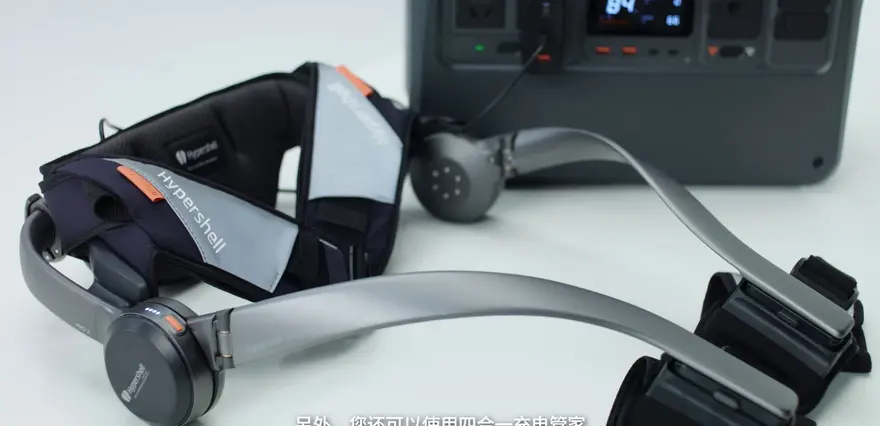
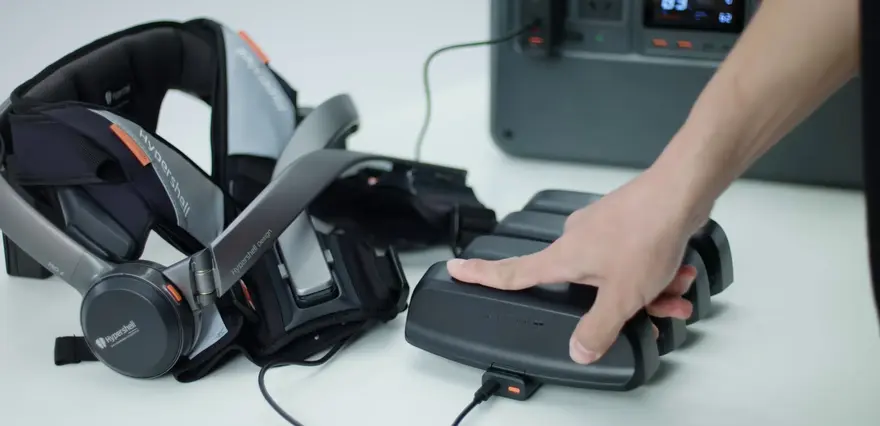
Supports QC and PD fast charging, plus a 4-in-1 charging hub.
Source: Mentioned in the video
For users with multiple batteries, the company offers a “4-in-1 charging hub” that can charge several batteries simultaneously. This design clearly targets outdoor enthusiasts—charging all your spare batteries at once when you’re at camp.
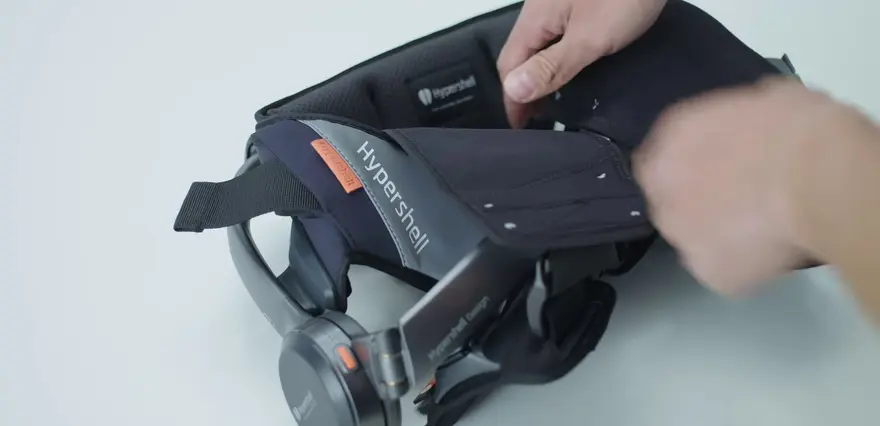
Finally, storage. Using the waist belt and leg straps, you can fold it into a compact package. Step one: fasten the waist buckle and tighten the belt. Step two: flip the leg straps around the leg rods and secure them.

Finally, just slip it into the side pocket of a 30L hiking backpack, and it will go anywhere you reasonably want to take it.

That completes the full “wear–assist–stow” loop. Compared to those heavy-duty exoskeletons still tethered to servers in the lab, the Hyper Shell X is indeed pushing the idea of “consumer-grade” to its absolute limit.
Top Community Comments
@Reader (Likes: 16): “‘Biological Sex’—the first time I’ve ever seen such rigorous wording [lol].”
Interpretation: This comment pinpoints consumer wariness toward unreliable hardware algorithms. In serious outdoor scenarios, the accuracy of any data can affect personal safety, so even a “biological sex” setting signals that the product is starting to address finer granularities in ergonomic adaptation.

@Reader (Likes: 11): “@TESTV Official Channel [doge] come try it for fun.”
Commentary: This TESTV crossover hints at the subculture surrounding such geeky gadgets. At present, the consumer-grade exoskeleton’s breakthrough on the C-side is driven more by this “try-it-for-fun” entertainment angle than by hardcore tech reviews.

@Reader (Likes: 9): “Hope I get a chance to test it out [call][call].”
Interpretation: The attention from a military-gear channel confirms the immense potential of exoskeletons in ‘heavy-duty outdoor’ scenarios. Future reviews of such products will expand from gyms into real mountain wilderness.
@Reader (Likes: 8): “Li Shufu has stepped into the exoskeleton arena too? (Actually, shouldn’t it be Musk?) [doge]”
Interpretation: This reflects the crowd’s habitual misreading of celebrity hype, yet also shows that exoskeletons are currently one of tech’s hottest tracks—any brand name attached will trend instantly.
@Reader (Likes: 6): “Can you test climbing Mount Tai? [doge]”
Interpretation: Known as a real “knee-killer,” Mount Tai is the ultimate proving ground for assistive exoskeletons. The user’s true demand is clear: “I don’t need to run a sprint; I just want to stand up and watch the sunrise after the steep climb to the Eighteen Bends.”
@Reader: Thanks for the reupload—this video quality looks even better than the original (Likes: 5).
Interpretation: Viewers’ demands for superior picture quality indicate that audiences for hardcore digital products have high expectations for visual presentation. Crisp close-ups are crucial to showcase carbon fiber materials and build details.
@Reader (Likes: 4): “Hope there’s a simplified version for seniors.”
Interpretation: This points to one of consumer-grade exoskeleton’s two major untapped demographics—the silver-haired generation. Current interaction logic is still complex for older users, and a simplified version could be the next blue ocean.
@Reader (Likes: 2): “Thanks for the write-up—three-way support!”
Interpretation: Even courteous interactions merit notice: they prove that modular, highly readable educational content commands strong stickiness within the vertical tech community.
One-Sentence Summary
Hyper Shell X is a new breed of consumer-grade exoskeleton that pushes lightweight assist to the limit. Through an AI engine and precise fit adjustments, it blurs the line between medical device and outdoor statement gear—highly recommended for hardcore geeks who hike or trek and want real hiking / trekking assist to reduce physical strain.

About this article: part of Chinese-Made Exoskeleton Review Archive — an independent, regularly updated English archive of reviews of consumer exoskeletons made in China, edited from publicly available video transcripts. Not an official manufacturer page.
For inquiries and purchasing, contact lonlonago@foxmail.com. More in Reviews · All articles.